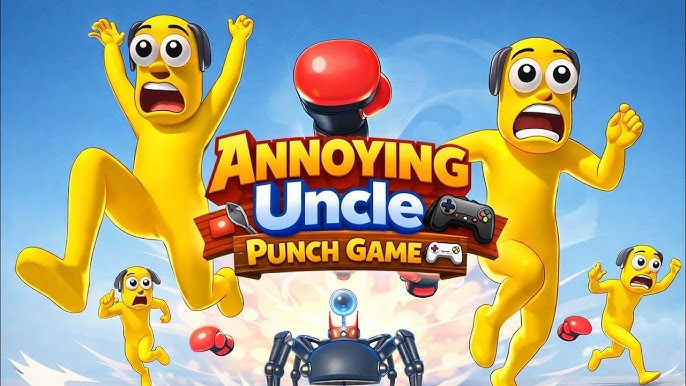
Annoying Uncle Punch Game® fits players who want a simple game for short breaks, light comedy, and quick reactions. The game places an annoying uncle character at the center of a cartoon style scene, so the action feels playful instead of serious. In addition, the controls are easy to understand, which makes it suitable for casual play on an Android phone. If you plan to download Annoying Uncle Punch Game®, the main appeal is its direct and silly punching setup.
Simple punching controls
Annoying Uncle Punch Game® uses a direct tap and punch style that does not require a long tutorial. You can aim at the uncle, tap the screen, and see the result right away. Because the action starts quickly, the game works well when you only have a few minutes to play.
Cartoon comedy and exaggerated reactions
Annoying Uncle Punch Game® presents its action through funny visual reactions rather than realistic fighting. The uncle reacts in an exaggerated way, which keeps the tone light and silly. As a result, the game focuses more on quick comedy than serious combat.
Casual stress relief theme
You play around a simple idea: an annoying uncle becomes the target of repeated cartoon punches. This makes the game easy to understand without needing a story or complex goal. For players who enjoy an annoying punch game with a meme style setup, the theme is clear from the first session.
Short single player sessions
Annoying Uncle Punch Game® is designed for solo play, so you do not need to wait for other players or join online matches. You can open the game, play a short round, and stop whenever you need to. This structure suits players who prefer quick games during breaks, travel time, or waiting periods.
Offline friendly play
You can play Annoying Uncle Punch Game® without relying on a constant internet connection for the main casual experience. This is useful when your connection is weak or when you want a simple game that still works away from Wi Fi. However, some parts of the app experience may still depend on normal device or app behavior, such as ads or loading screens.
Annoying Uncle Punch Game® is built around a narrow and simple idea, so it is best for players who like repeated action and short comedy moments. It is not a story driven game, and it does not focus on deep fighting systems or complex missions. Therefore, it is easier to enjoy if you expect quick tapping, cartoon hits, and funny reactions.
Player feedback also points to ads as a common concern. The game may include ad interruptions during use, so users who prefer a fully uninterrupted session should keep that in mind before installing the Annoying Uncle Punch Game® APK. At the same time, many players still treat it as a quick stress relief game because each session can be short.
The app comes from Game District LLC, and its style matches the studio’s focus on casual mobile games. If you are looking for a light action game with a clear joke at its center, Annoying Uncle Punch Game® is easy to understand. If you want many character systems or long term progression, this game may feel more limited.
Annoying Uncle Punch Game® latest version keeps the basic play loop simple, so you can start without learning many rules. The goal is to interact with the uncle through taps and punches while watching the cartoon reactions on screen.
Annoying Uncle Punch Game® is a casual action game about punching a cartoon uncle for quick comedy and simple stress relief. Players who want a short, direct game can use the Annoying Uncle Punch Game® download option on APKPure to install and try it on Android.
Official information from the developer is listed below for users who want to check the source or contact support.
Latest Version
0.6.9Uploaded by
Abo Ali
Requires Android
Android 6.0+
Category
Free Simulation GameContent Rating
Teen · Fantasy Violence, Language
Report
Flag as inappropriateLast updated on Sep 17, 2026
Size Reduced; now Annoying Uncle Take Less Space from Your Device
9 New Hilarious Get-Ups of Annoying Uncles
Relatable Labels on Annoying Uncles
Safe Mode to Avoid Mature Levels
To explore Name Labels & Safe Mode Options, you have to open Settings
Some Major Bugs Fixed
Optimized Performance



APKPure - A multi-platform app store primarily focused on Android, providing extensive app-related content. Discover the app you want easier, faster, and safer, with quick and efficient downloads and installations.