Package Name:com.mxtech.videoplayer.ad
SHA-256:e76aff389ef7aa2593febc89dc902d4ff5715fe76d8d4d52a24d71f519c6a86f
Show More


MX Player suits users who want one place for local media playback and free online entertainment. It helps you watch videos stored on your phone, then lets you switch to movies, web series, and VDesi dramas when you want to stream. Moreover, it supports multiple Indian languages so you can browse content that fits your preferences. If you prefer installing the MX Player APK, the experience stays consistent across local playback and streaming.
Smooth playback with hardware support
MX Player uses HW+ hardware acceleration and multi core decoding to improve performance during local playback. High resolution videos up to 4K open quickly and run with stable frame rates on supported devices. You get reliable seeking and resume behavior, which helps when switching between different files or jumping to key scenes.
Flexible subtitles with touch controls
MX Player supports common subtitle formats such as SSA or ASS, SRT, VobSub, and WebVTT. You can scroll subtitles to resync timing, change the text size, or move the text position with simple gestures. This makes it easier to follow fast dialogue or adjust placement for different aspect ratios without leaving the video.
Everyday gesture controls
You can control playback with quick swipes and taps that feel natural on a phone screen. Swipe left or right to seek precisely, and swipe up or down to adjust volume and brightness. Pinch to zoom lets you fill the screen, while zoom and pan helps frame the picture the way you prefer.
Privacy Folder and Kids Lock
MX Player includes a Privacy Folder so you can hide selected videos from your main library. Kids Lock keeps the screen fixed on the video and blocks accidental touches or app switching. These tools help you manage shared devices at home and keep your library organized.
Free streaming and big screen support
MX Player offers free streaming with MX Originals and popular titles across genres in Hindi, English, Tamil, Telugu, Kannada, Bhojpuri, and more. You can browse categories, pick languages, and continue watching where you left off. On the big screen, MX Player TV brings the service to Android TV, and it also supports playing internet streams when available.
The service is free to use with ads, and an ad free upgrade called MX Gold may be available depending on your region. Content catalogs and language options can vary by country, so availability of specific titles may differ. Data is encrypted in transit, and a data deletion request option is provided by the developer. The MX Player app download is free, so you can try local playback and streaming without upfront cost before deciding on any paid upgrade.
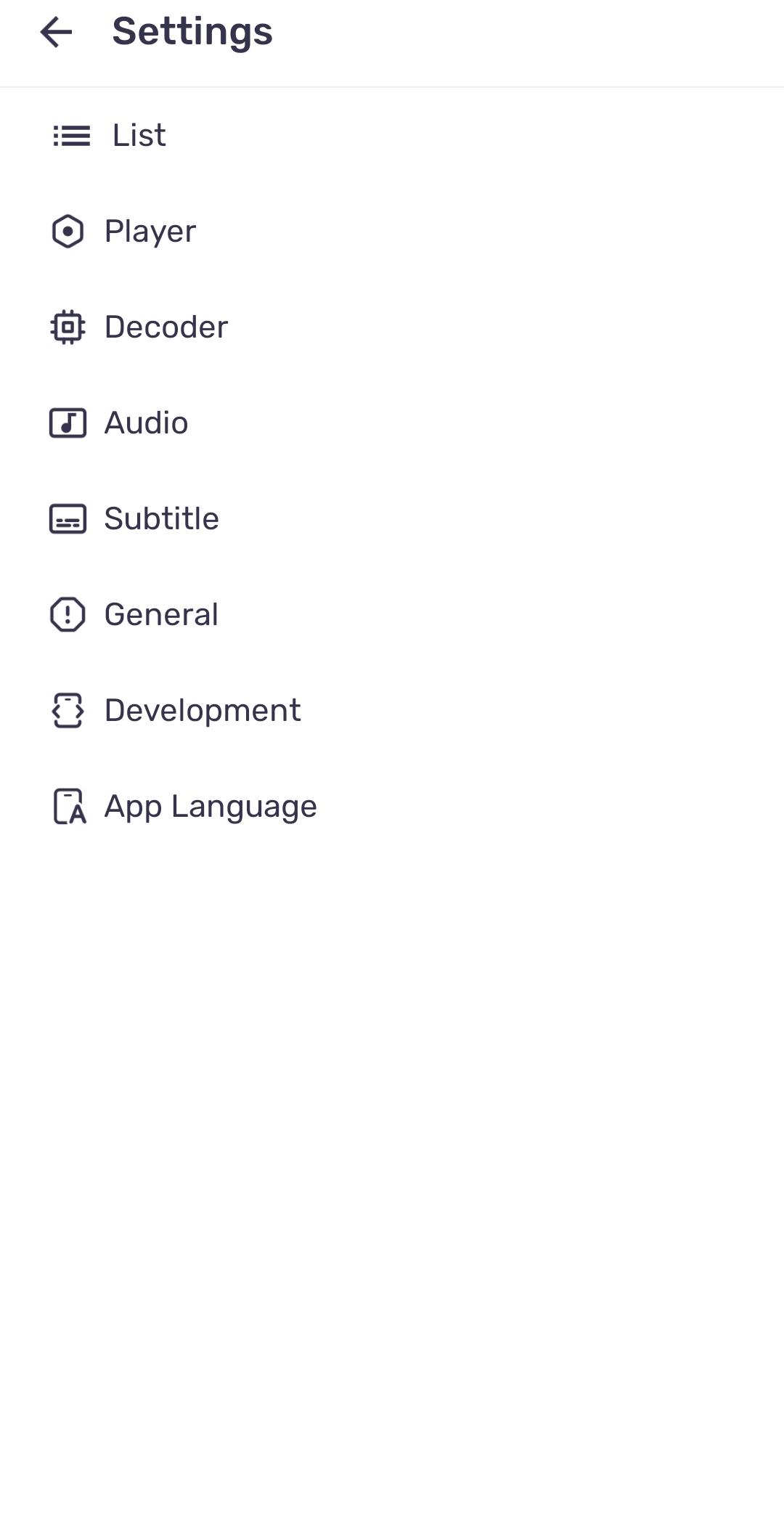
If some videos play without sound due to EAC3 audio, try enabling a custom codec inside the app settings. This quick change helps MX Player decode formats not supported by your device by default.
Open Settings, then go to Decoder.
Tap Custom codec, then choose a file that matches your device architecture if you have one.
Restart MX Player and play the video again to check audio output.
If audio still does not work, return to Decoder settings and test different options or revert any changes you made.
After completing the MX Player download Android process, you can start with local videos and then explore free streaming. The same app lets you manage files, adjust subtitles, and lock the screen for kids when needed.
Open MX Player and allow storage permission so the app can scan your device for media files.
Tap any video to start playback, then swipe left or right to seek and swipe up or down to change volume or brightness.
Tap the subtitle option to load or select subtitles, then use gestures to resize, reposition, or scroll the text if timing needs adjustment.
Move private videos into the Privacy Folder and turn on Kids Lock when children are watching to prevent accidental touches.
Switch to the online section to browse movies and web series, choose your preferred language, and start streaming instantly.
MX Player brings local media playback and free streaming into one app for easy daily use. To get the MX Player latest version, use the download option on this page and start watching on your phone or TV.
For official resources, visit:
Website: https://mx.j2inter.com/download
Latest Version
3.3.0Uploaded by
Bonnie Shad
Requires Android
Android 7.0+
Category
Free Video Players & Editors AppContent Rating
Everyone
Security Report
Check Now
Report
Flag as inappropriateLast updated on Oct 1, 2026
Experience a smoother, faster, and more reliable application with our latest update. We've squashed bugs and optimized performance to ensure you have the best possible experience.






APKPure - A multi-platform app store primarily focused on Android, providing extensive app-related content. Discover the app you want easier, faster, and safer, with quick and efficient downloads and installations.