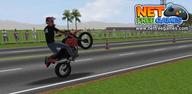
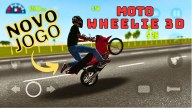
Moto Wheelie 3D suits players who want short, skill-based rides without long events. It centers on timing and balance so you can focus on clean execution during brief breaks or commutes. The presentation is simple to read, and controls aim to be approachable, which helps you move from practice into structured runs with less friction. Since it works without a connection, you can play wherever it is convenient. For easy installation on Android, the Moto Wheelie 3D APK gives a straightforward way to start playing.
Responsive stunt control and rev limiter timing
Moto Wheelie 3D emphasizes throttle feel so you can manage wheelies, drifts, and burnouts with precise input. The rev limiter sound and behavior give clear timing cues, which helps you judge when to hold or ease the throttle. As your control improves, you can keep balance longer and link stunts more consistently during short sessions.
Varied modes for different goals
You can switch between Delivery, Challenge, and Drag Racing to keep each session fresh. Delivery runs ask for steady control under simple objectives, while Challenge tasks push consistency and timing. Drag Racing focuses on launch and straight line control, making throttle timing crucial. Together, these modes offer a steady way to apply practice in structured scenarios.
Rider and bike customization
Personalization supports a consistent identity as you play. Choose a character, then pick helmets and glasses to match your look. In the bike section, select exhausts, colors, mirrors, and more to build a setup you prefer. As a result, your rider and machine feel familiar across all modes.
Stylised 3D visuals that support practice
The visual style uses clean models and clear cues so you can read what the bike is doing. Speed, lean, and traction are easier to judge when the view is uncluttered, which helps during stunt practice. This clarity reduces guesswork and makes it easier to repeat runs and track improvement.
Offline single player with quick sessions
The game works offline in single player, so it fits play anywhere, including on commutes. Sessions are short and approachable, which lets you build skill without long time commitments. Controls are designed to be easy to pick up yet still offer room to improve through timing and consistency.
Use this quick guide to get started and build consistent control. If you plan to download Moto Wheelie 3D, the steps below outline a typical session from practice to structured runs.
Open the game and enter the main menu, then take a moment to note the practice and mode options.
Select a mode based on your goal. Delivery supports steady riding, Challenge focuses on precision, and Drag Racing tests launch timing.
On your first ride, practice smooth throttle input and listen for rev limiter cues to guide timing for wheelies, drifts, and burnouts.
Complete the run and review how stable your balance and timing felt, then retry to improve consistency and control.
Visit customization to pick a character, helmet, and glasses, then adjust bike parts like exhausts, colors, and mirrors before starting your next session.
Moto Wheelie 3D focuses on stunt control, clear visuals, and short, offline sessions that fit into daily routines. For access to current content and fixes, install the Moto Wheelie 3D latest version to practice, personalize, and apply your skills across the available modes.
For support or feedback about the game, use the contact information below.
Support email: anderson.horita@gmail.com
Latest Version
0.120Uploaded by
Gladys Yadira Santos de Coto
Requires Android
Android 5.1+
Category
Free Simulation GameContent Rating
Everyone
Report
Flag as inappropriateLast updated on Sep 28, 2026
New vehicle;
Bug fixes;
General tweaks and improvements.



APKPure - A multi-platform app store primarily focused on Android, providing extensive app-related content. Discover the app you want easier, faster, and safer, with quick and efficient downloads and installations.