

Tailscale helps when you need to reach private work or personal resources from an Android phone while away from the local network. It is built for people who use devices, servers, and services across different locations and want access to follow approved identities instead of changing network addresses. The Tailscale APK joins your phone to a private network called a tailnet, so permitted resources remain reachable without making them public.
Private connections between approved devices
Tailscale creates private connections between devices, services, and networks that belong to the same tailnet. It uses WireGuard VPN technology for these connections. As a result, you can reach approved resources without relying on public IP addresses or port forwarding.
Access based on identity
Tailscale uses Zero Trust networking rules that can consider the signed in user, device, group, or tag. Access does not depend only on an IP address that may change between networks. Your organization or tailnet administrator can decide which people and devices may reach a specific resource.
Connection controls on Android
You can use Tailscale to check whether the VPN connection is active and view devices in your tailnet. The app also lets you start or stop the connection from your phone. This gives you a direct way to manage access when moving between mobile, home, office, and public networks.
Remote access for private resources
Tailscale can provide access to permitted laptops, home servers, NAS devices, internal dashboards, lab equipment, and administration tools. For example, you can check a private dashboard or open a file service from your phone while outside your home or office. The resource must already be added to the tailnet and allowed by its access rules.
Connections for infrastructure and services
Tailscale can also link cloud resources, Kubernetes clusters, CI/CD runners, SaaS services, IoT fleets, and AI agents. This mesh VPN approach is intended for private connections between named resources rather than public exposure of each service. It can work across existing networks without replacing network switches or redesigning the local network.
Tailscale is more than a standard consumer VPN for changing how websites see your location. It is designed to connect trusted people and approved devices to private resources. Before choosing it, consider whether you have a tailnet account and whether the resources you need are managed by you, your household, or your organization.
For a homelab, Tailscale can help you reach a private server, NAS, or dashboard from Android without opening a public port. In a business setting, it can support access to internal office resources or cloud workloads. Teams may also use it for hybrid cloud systems, Kubernetes environments, automated build runners, edge devices, and IoT equipment.
Some local network devices cannot install the Tailscale client themselves. In that case, subnet routing can make approved LAN devices available through another device on the network. This can be useful for printers, older NAS units, and other legacy equipment, although access still depends on the configured tailnet policies.
Tailscale requires you to sign in before the phone can join a tailnet. Signing in alone does not automatically provide access to every device or service. The tailnet owner or administrator must have added the relevant devices and set rules that permit your user and phone to connect.
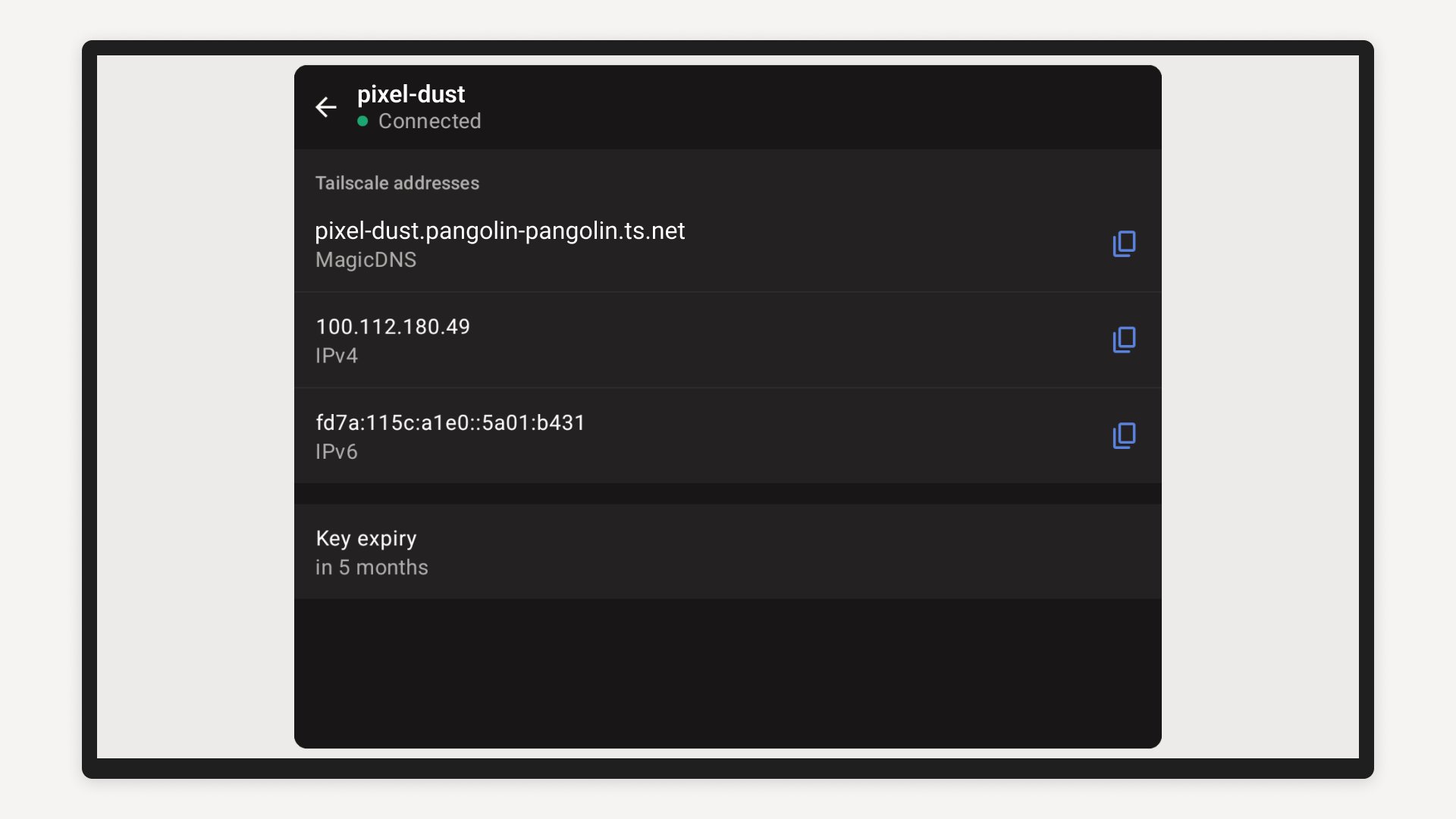
If you need the Tailscale latest version for an existing tailnet, make sure you use the same sign in identity that has access to that network. Also confirm the device names or stable Tailscale IP addresses of the resources you plan to use. This makes it easier to identify the correct private destination after connecting.
After you download Tailscale, use the app to add your Android phone to the tailnet that contains your approved resources. The basic process starts with signing in and then turning on the private connection. Once connected, you can use the names or addresses assigned within that tailnet.
Open Tailscale on your Android phone and sign in with the account that is allowed to join your tailnet.
Review the connection screen and allow the app to add the phone to the tailnet.
Turn on the VPN connection in the app, then check that the connection status shows as active.
View the devices listed in your tailnet and identify the approved laptop, server, NAS, dashboard, or other resource you need.
Open the relevant Android app or browser and connect to that resource by its device name or stable Tailscale IP address. Turn off the connection when you no longer need private access.
Tailscale gives Android users a way to join a private tailnet and reach resources allowed by identity based access rules. Download Tailscale when you need private access to approved devices, services, or internal networks from your phone.
For product details and account information, visit the official website:
Website: https://tailscale.com/
Latest Version
1.102.4-t3caf7d9e7-g1b32d3caaUploaded by
Sriprapai Meesap
Requires Android
Android 8.0+
Category
Free Tools AppContent Rating
Everyone
Report
Flag as inappropriateLast updated on Sep 12, 2026
- Fixed: Resolved an issue that could cause a loss in connectivity when a netmap update occurs near the time of reauthentication.




APKPure - A multi-platform app store primarily focused on Android, providing extensive app-related content. Discover the app you want easier, faster, and safer, with quick and efficient downloads and installations.