
Waze helps when traffic changes without warning and you still need a clear route to your destination. The app relies on a global community of drivers to keep road information current, so you see what is ahead and plan accordingly. It updates routes as conditions shift and keeps your estimated arrival time accurate as you go. Because it focuses on driving, it stays simple to use during trips. To get started quickly, you can download Waze latest version from APKPure and set your first destination in minutes.
Community alerts in real time
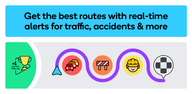
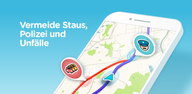
Waze shows reports from nearby drivers about traffic jams, crashes, hazards, police, and road closures before you reach them. You can add your own report with a few taps when it is safe, which helps other drivers behind you. This community approach keeps maps fresh and local details accurate. It is the core of Waze Navigation & Live Traffic, where drivers help drivers on every trip.
Dynamic routes and live ETAs
When conditions change, Waze recalculates and suggests a faster path without extra steps from you. The app provides turn by turn guidance and arrival times that reflect current traffic, not just historical averages. If a new slowdown appears ahead, your route adapts so you can avoid unnecessary delays. This keeps drives predictable even during busy hours.
Safety and speed awareness
Waze helps you track your speed with an on-screen speedometer and shows the posted limit where available. It also alerts you to speed cameras and red light cameras in supported areas so you can adjust in time. These prompts reduce surprises and help you stay focused on the road. Visual and voice cues are simple and clear.
Driver-focused guidance for lanes, tolls, and HOV
For complex interchanges, Waze highlights the correct lane so you can prepare for turns and exits earlier. The app shows toll prices on supported roads and lets you choose to avoid tolls if you prefer. It also supports HOV passes and vignettes in regions that require them, helping you follow local rules. This context makes route choices more straightforward.
Planning, smart stops, and connected audio
Waze can compare fuel prices nearby, find EV charging stations that fit your plug, and suggest parking close to your destination. You can plan a future drive and see the best departure time based on expected traffic. The app integrates with in-app audio for music, podcasts, and audiobooks, and it supports Android Auto to bring directions onto your car display. These tools reduce last-minute searching and keep entertainment in one place while you navigate.
Waze is free to use for driving, but carrier data charges may apply depending on your plan. The app is optimized for car travel, not walking or public transit, so guidance focuses on roads and driving conditions. Availability of certain features, such as camera alerts, toll prices, HOV options, and fuel data, can vary by country and region. If your car supports it, Android Auto can mirror Waze on the vehicle screen for easier viewing.
Road conditions change constantly due to construction, closures, and temporary hazards. Waze stays current through reports from drivers on the road and updates from volunteer map editors who review and refine map details. When you report safely and only when your car is stopped, you help other local drivers see accurate information sooner. Using the Waze latest version also helps ensure you receive the newest improvements and regional coverage updates.
Getting started takes only a few steps, and you can complete the setup right before a drive. For users who prefer manual installs, the term Waze APK refers to the Android app package file.
Open Waze, grant location permissions, and set your home and work to make future trips faster.
Enter your destination in the search bar, then review the suggested routes and ETAs.
Tap Go to start navigation, follow the voice guidance, and watch lane cues for complex turns.
If you see a hazard or slowdown, add a report only when stopped in a safe place.
Add a stop for fuel, EV charging, or parking if needed, then continue to your destination.
Waze offers live driver-powered updates, time-saving reroutes, and clear guidance that matches real conditions. To stay current with features and coverage improvements, just download Waze latest version APK from APKPure.
For official details and resources, visit the link below.
Website: https://www.waze.com/apps
Latest Version
5.24.5.0Uploaded by
Khaled Sobhy
Requires Android
Android 10.0+
Category
Free Maps & Navigation AppContent Rating
Everyone
Report
Flag as inappropriateLast updated on Sep 30, 2026
This version includes several bug fixes and performance improvements.



APKPure - A multi-platform app store primarily focused on Android, providing extensive app-related content. Discover the app you want easier, faster, and safer, with quick and efficient downloads and installations.