Package Name:com.ai.polyverse.mirror
SHA-256:19bb66351310f4081b1118ff00e9c49f705c57c153400d8b1519a982c0a20034
Show More


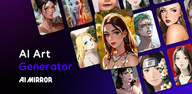
AI Mirror helps users who want quick stylized edits for social posts, portraits, or old photos. It guides you from upload to result with simple prompts and clear options, so you can try different looks without complex steps. Results focus on lighting and facial details, while tools cover both photos and short clips. With the AI Mirror latest version, new templates and effects arrive regularly, keeping your edits current without extra setup. You can preview variations before saving, helping you choose the best output for your needs.
Style transformations for photos
Video creation from images and templates
Editing tools for cleanup and enhancement
Project control and updates
After you download AI Mirror, tools open from a clean home screen with clear labels. You can review results, compare alternatives, and save the version that fits your goal. Regular content updates add fresh templates and styles to keep projects aligned with current trends.
AI Mirror brings style effects, short video tools, and practical editors into one app for quick results. It suits fast social edits and careful restoration work. Install the AI Mirror APK to begin editing and exporting on your Android device.
Latest Version
7.1.4Uploaded by
Rodrigo Santos
Requires Android
Android 7.0+
Category
Free Photography AppContent Rating
Mature 17+ · Sexual Themes
Security Report
Check Now
Report
Flag as inappropriateLast updated on Sep 20, 2026
Introducing AI Better — your personal AI photographer. Enhance any photo with better lighting, composition, and portrait details in one tap.
Fixed a security vulnerability in our AI model integration that was introduced in v7.0.7.
we recommend you update immediately.
— AIMirror Team



APKPure - A multi-platform app store primarily focused on Android, providing extensive app-related content. Discover the app you want easier, faster, and safer, with quick and efficient downloads and installations.