

Package Name:com.gombosdev.ampere
SHA-256:f20ab62e70ab8ed53f14e747b85031ac909581650d22668d293038b4998f4a49
Show More

Ampere helps when you want to check why a phone charges slowly, or when you need to compare chargers, cables, and wireless pads on the same device. It focuses on practical, side by side comparisons and shows a reading after a short wait, so you can make quick judgments without complex tools. Results depend on your device and current usage, which is expected during real world testing. If you prefer a simple way to inspect charging behavior, the Ampere APK offers a direct, readable view.
Real time current for charger and cable comparisons
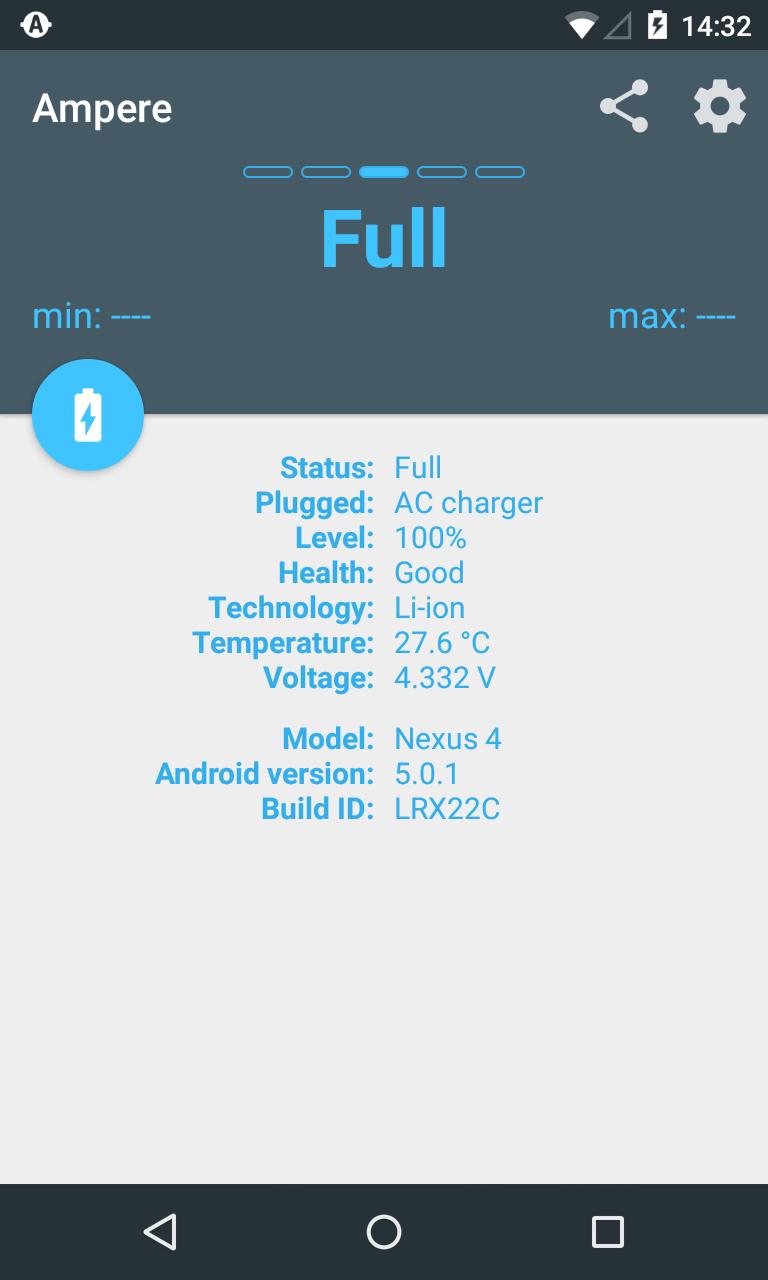
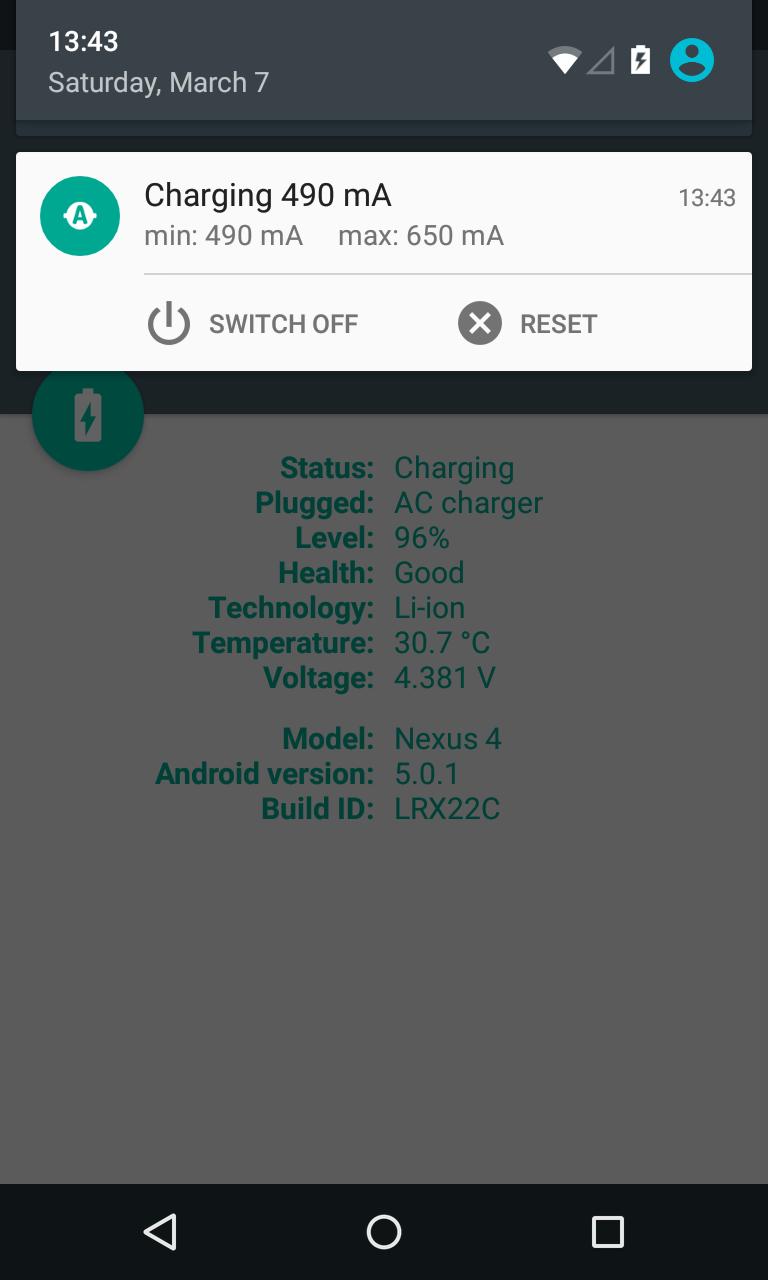
Ampere displays the charging or discharging current in real time, which makes it easy to test different USB cables, wall chargers, and wireless pads on the same phone. You can spot slow or faulty accessories by comparing the values under the same conditions and on the same device.
Quick readings with clear indicators
Ampere begins measuring after around ten seconds, then updates continuously so you can watch the trend. Negative values show that the phone is discharging when it is not plugged in or when the load is higher than the input. The app estimates current by averaging multiple samples and filtering out outliers, so you see a stable number that is practical for comparisons.
Understand what affects the numbers
For fair tests, keep these factors constant and compare results on the same setup.
PRO monitoring options
Ampere offers a PRO upgrade that unlocks widgets, ongoing notifications, and alerts on the device. You can also enable alerts on Android Wear for hands free status checks. These tools help you monitor the charge rate without opening the app each time.
Compatibility tools and clear limits
On some devices or ROMs, Ampere can use an old measurement method or a different measurement interface to obtain readings. If your phone supports current reporting, switching these options may help. Some models, including certain Samsung phones, do not report real current or only show a maximum possible value, and a few are unsupported. The in app FAQ and community threads explain known limitations and workarounds.
Ampere is designed for practical checks rather than lab grade measurements, so the values are not exact to the milliamp. Use the readings to compare accessories and setups, not as a precise calibration tool. Focus on the direction and size of the difference under consistent conditions. Repeat a test a few times and consider the average when you decide whether a cable or charger is performing well.
Not every Android phone exposes current values to apps, and some firmwares only report estimates. A few devices report the maximum possible current instead of the actual flow. If you see no value or an unstable result, try the old measurement method or choose a different measurement interface in settings. For a list of common questions and device notes, check the official FAQ.
The core measurement function is available for all users, which lets you check charging and discharging current on supported devices. A PRO upgrade adds widgets, notifications, and alert features for ongoing monitoring. Choose the option that fits how often you plan to test or watch your charging status.
After you download Ampere, you can start measuring charge and discharge on your phone with a few simple steps. The process is quick, and results are easiest to compare when conditions stay the same. Give the app a short moment to settle before judging a value.
Ampere helps you compare chargers, cables, and wireless pads using clear, real time readings on your phone. For reliable side by side tests under similar conditions, install the Ampere latest version and review the trend rather than a single sample.
For support and common questions, use the official resource below.
Latest Version
v4.36.1Uploaded by
Kaua Kaua
Requires Android
Android 6.0+
Category
Free Tools AppContent Rating
Everyone
Security Report
Check Now
Report
Flag as inappropriateLast updated on Jun 4, 2026
v4.36.1
* Android 16 release
* Bug fixes
Ampere FAQ: http://goo.gl/R8XgXX
See also: Settings => About Ampere => Change history
Note: If Ampere gets stuck in "measuring" after a firmware update, clear the app cache:
1. Open "Android Settings" => "Apps" => "Ampere"
2. Clear all data under Storage
3. Restart Ampere




![Parallel Apps (Multiple Accounts) [Clone Apps] APK](https://image.winudf.com/v2/image1/Y29tLmphZ2d1Lm11bHRpYWNjb3VudC5wYXJhbGxlbHNwYWNlLm1vY2hhdC5wYXJhbGxlbGFwcF9pY29uXzE1NDY0NzkwMzFfMDgz/icon.png?w=102&fakeurl=1)






APKPure - A multi-platform app store primarily focused on Android, providing extensive app-related content. Discover the app you want easier, faster, and safer, with quick and efficient downloads and installations.