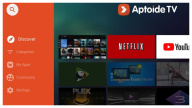

Aptoide TV helps when the default TV store feels limited and you want more apps suited to remote control. It is an independent store designed for Android TV and set top boxes, and it focuses on apps that work on the big screen. Setup is simple with an on-TV browser, so you can get started without extra cables. For users who prefer installing from an APK file, searching for Aptoide TV APK can be part of the process, yet most TVs only need the short link to begin.
Built for Android TV and set top boxes
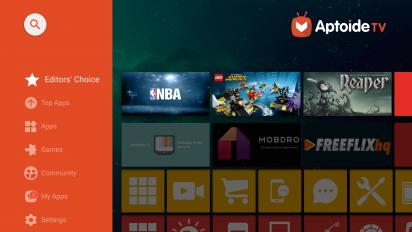
Aptoide TV is tailored to TVs and devices that use a remote instead of a touch screen. It supports Android TV and Fire TV models, presenting a leanback interface that fits couch viewing. This focus helps you navigate and launch apps with a remote in a familiar way.
Open browsing and installing without restrictions
You can explore the catalog freely and install available apps without gatekeeping. Aptoide TV organizes content in clear sections, so moving from one category to another is straightforward. As you browse, installation follows standard prompts on your TV.
Free app catalog
All apps in the Aptoide TV catalog are free to download. This helps you try different tools or media apps without extra steps. After installation, you can update or remove apps directly from your TV whenever needed.
2,500+ TV-ready apps across categories
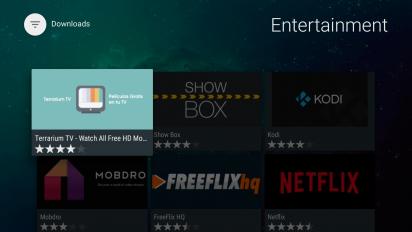
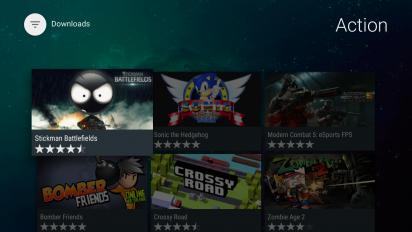
Aptoide TV provides a broad selection for entertainment, utilities, media tools, and casual games that work with a remote. The catalog highlights TV-friendly layouts and controls, which makes navigation consistent. As a result, you can discover many options that suit everyday viewing or simple tasks on the big screen.
Quick setup through the TV browser
Aptoide TV offers an easy installer via the short link aptoi.de/tv. You visit the link on your TV browser, download the installer, and follow on-screen steps. This on-device flow helps you get up and running without a computer.
Aptoide TV is an independent store that lists apps published for TV use. Before installing, review app details and permissions shown on your screen. Availability and rules can vary by country, including India, so users should follow local regulations and device policies. If anything feels unclear, consider checking app information inside the catalog and updating apps when updates are offered.
Use the search bar to look for remote-friendly apps by name or function. Then scan categories to compare similar tools, such as media players, utilities, browsers, or casual games. Reading short descriptions helps you decide quickly, and you can install and test to confirm what works best on your device.
If Aptoide TV is not opening, first check your internet connection and relaunch the app. Next, restart your TV to clear temporary issues. If problems persist, update Aptoide TV to the newest release or reinstall using aptoi.de/tv. As a final step, remove any recent app that may conflict and try again.
Getting started is straightforward and only takes a few minutes. To download Aptoide TV, you use your TV’s browser and follow simple prompts. After installation, you can browse categories and install TV-ready apps with your remote.
Aptoide TV gives you a simple way to find and install free, remote-friendly apps on Android TV and set top boxes. For the Aptoide TV latest version, install through the on-TV browser using the official short link and follow the prompts to begin.
Latest Version
5.1.2Uploaded by
Aptoide
Requires Android
Android 4.2+
Category
Free Tools AppReport
Flag as inappropriateLast updated on Sep 1, 2022
This release includes minor bug fixes and general improvements. Update to the latest version for the best experience.



APKPure - A multi-platform app store primarily focused on Android, providing extensive app-related content. Discover the app you want easier, faster, and safer, with quick and efficient downloads and installations.