Built for everyday monitoring and remote care, cam720 connects quickly to supported cameras using cloud P2P for reliable viewing on mobile. You can download cam720 on APKPure to get started fast, then view live feeds, check past moments, and stay informed when activity happens. It is designed for home security, small business monitoring, and pet or elder care. The app works with many JOOAN camera types and offers flexible access across devices. If you prefer a trusted source, get the cam720 APK latest version here for a smooth cam720 app download on Android.
Real time monitoring
cam720 shows live video from multiple locations in a single app, so you can switch rooms or sites in seconds. Moreover, you can jump from live view to recorded moments without leaving the screen.
Motion and zone detection with alerts
You set focus areas and cam720 sends instant push alerts when movement is detected. In addition, supported cameras can trigger an on site audible alarm to deter unwanted activity.
Auto tracking for moving objects
cam720 can lock onto a moving person or pet on supported PTZ models and follow the action. Therefore, you get a clear clip of the event for faster review.
Two way talk and video chat
Hear what is happening and speak back through the camera intercom. Also, cam720 keeps the mic and speaker controls easy to reach during live view.
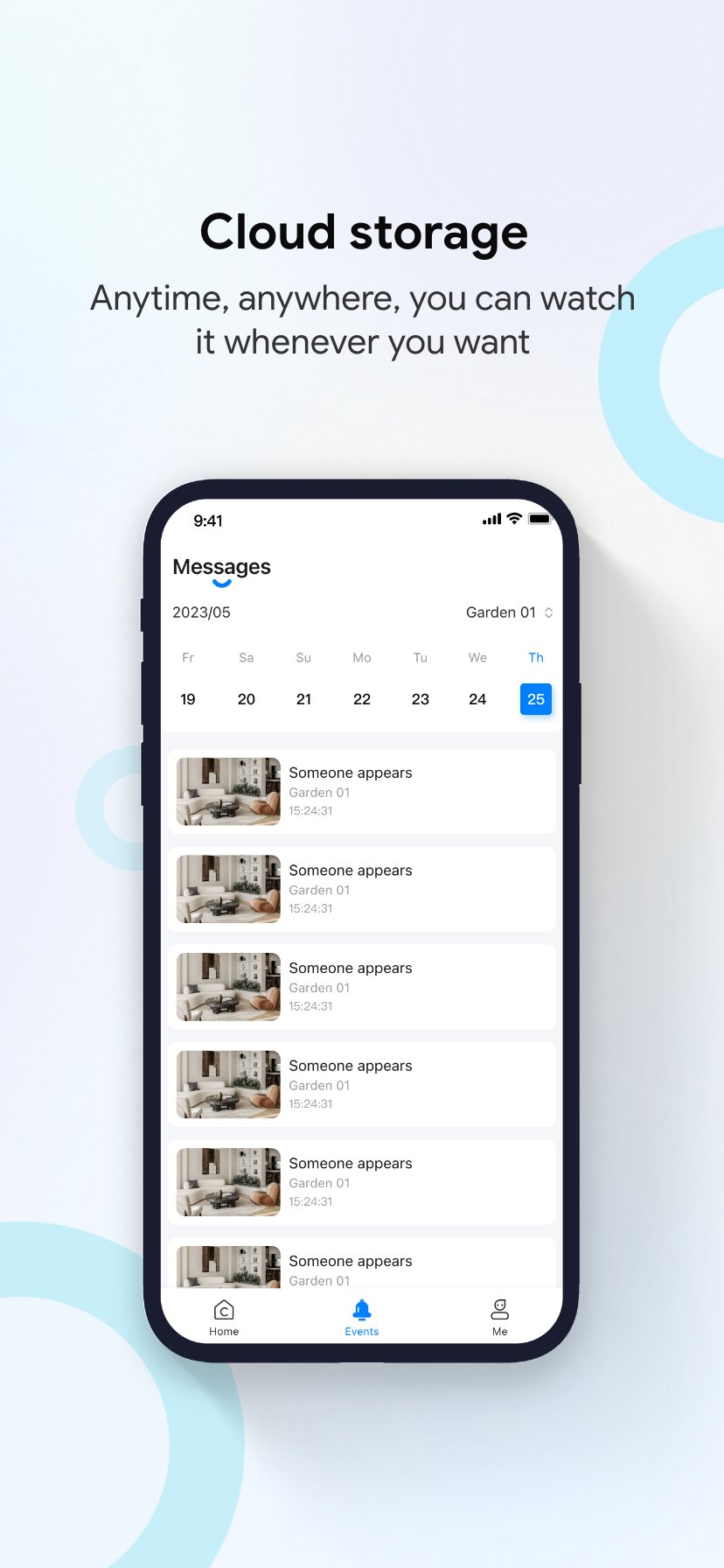
Cloud storage and remote playback
Save important footage to the cloud and access it from anywhere in the app. In addition, cam720 organizes events by time so you can scrub or tap to key moments.
Simple pairing over cloud P2P
cam720 speeds up first time setup with QR or ID pairing, then keeps remote viewing stable. Moreover, it works broadly with JOOAN bulb, PTZ, and doorbell cameras for flexible installs.
cam720 supports many JOOAN camera categories including bulb cameras that fit light sockets, 360° PTZ models for full room coverage, and video doorbells for entryways. This range helps you cover living rooms, storefronts, warehouses, and outdoor entrances with one app.
Common scenarios include checking kids after school, watching pets during work, confirming deliveries at the door, and reviewing closing time at small shops. In addition, managers can view multiple locations and share limited access with staff as needed.
Cloud backup in cam720 is optional and gives remote access to saved clips alongside live view. Plans and permanent backup options are described on the official site, and you can choose what fits your needs. If your camera supports a microSD card, local recording can be used without cloud services, and cam720 will still show those files for playback inside the app.
If you want cam720 for PC, you can run the Android app in a desktop Android emulator. After installation, sign in to your cam720 account to view live feeds and playback. This approach helps when you prefer a larger screen at home or in the office. For a quick setup, download the cam720 APK from APKPure and open it inside your emulator.
Some regions support voice control through Tmall Genie for hands free actions like opening a camera view. Availability may vary by country and device model. Check the in app guidance or the official website for current regional support.
Follow these steps to set up your first camera in minutes. This quick guide covers pairing, basic settings, and daily checks so you can keep an eye on what matters.
cam720 brings live viewing, alerts, and easy playback into one clear mobile app. Get the cam720 APK latest version on APKPure for a safe and direct download, and keep your cameras close wherever you are.
For official help and product documentation:
Is the cam720 app free?
Yes, the cam720 app is free to download and use for live view and basic controls. Optional cloud storage plans and permanent backup, if offered for your region, are separate. You can always download cam720 from APKPure to get the latest installer.
How can I watch my CCTV on mobile with cam720?
Open cam720, add your camera by scanning its QR code or entering the device ID, and complete Wi Fi pairing. After setup, tap the device tile for live view, then use the playback tab to review recorded clips from cloud or local storage.
What should I do if cam720 shows “Network connection failed”?
First, confirm your phone has internet and the camera is powered on near a stable router. Then restart the app, toggle mobile data or Wi Fi, and check if the camera is online in its indicator lights. Update to the cam720 APK latest version from APKPure, and if the error persists, reboot the router and re add the device. For regional server notices, see the official website.
cam720 app not working or crashes and will not open
Clear the app cache, ensure camera and storage permissions are enabled, and restart your device. If issues continue, uninstall and reinstall using the current cam720 APK from APKPure, then sign in again. Also check for outdated firmware on your camera and install any available updates inside the app.
How do I download cam720 on a laptop or use cam720 for PC?
Install an Android emulator on your computer, then get the cam720 APK from APKPure and open it inside the emulator. Sign in with your cam720 account to view live feeds, manage alerts, and play back recordings on a larger screen.
Is cam720 safe to use?
cam720 uses cloud P2P to provide remote access without manual port forwarding. For a trusted package, get the cam720 APK on APKPure, and pair only with your own devices inside your secured account. Remember to use a strong password and keep your app updated.
Latest Version
5.4.2.08Uploaded by
Miguel Farias
Requires Android
Android 6.0+
Category
Free Tools AppContent Rating
Everyone
Report
Flag as inappropriateLast updated on Sep 29, 2026
This release includes minor bug fixes and general improvements. Update to the latest version for the best experience.





APKPure - A multi-platform app store primarily focused on Android, providing extensive app-related content. Discover the app you want easier, faster, and safer, with quick and efficient downloads and installations.