













Partner Developer
合作开发者是一个独特的徽章,突显与APKPure合作的开发者。这个徽章表明该应用属于超过10,000名信任APKPure进行官方发布的开发者之一。
合作开发者的主要特点:
商业合作:这些开发者与APKPure建立商业合作关系,确保在平台上有可靠和被认可的存在。
成功的应用管理:他们已经成功通过APKPure开发者控制台上传或认领应用,展示了他们对质量和遵循APKPure标准的承诺。
如果您有兴趣成为APKPure的合作开发者, 可以点击这里获取更多详细信息。
AirDroid Cast allows you to share your screen to a larger display, and even lets you take control of your device on PC. A perfect tool for both individual and business users to enhance productivity during remote meetings, remote casting and more.
What can you do with AirDroid Cast?
Remote Meeting
When you are on a business trip or working from home, AirDroid Cast can help bridge the communication gap in a remote meeting. By scanning the QR code or entering the Cast Code, the meeting attendees can easily share their screens with the meeting host. Each attendee can directly draw and show his/her idea, using the two-way audio feature to make the communication more effective.
Online Presentation
You can nail in-house meetings, training, or product demonstration with AirDroid Cast. It enables you to share your screen to the computer whether the devices are under the same local area network. AirDroid Cast also supports AirPlay, allowing you to share iOS device screens to Windows or Mac computers.
Online Teaching
As an instructor, you can turn your Android or iOS device into a handy whiteboard by using AirDroid Cast. You can type down key points or draw the formula right onto your device. In addition, you can get your students' feedback right away using the two-way audio feature.
Game-streaming
Share your screen on PC by connecting with cable or WiFi. In this way, your fans can enjoy watching the live game streams. And, AirDroid Cast supports up to 5 devices casting at the same time, your friends can join you and show their skills with you.
Features:
Control Android and iOS Device on Computer
No matter you are in the office or at home, You can use AirDroid Cast to view and control your surroundings mobile device on a computer.
Multi-screens on One Computer
AirDroid Cast supports to cast a maximum of 5 devices onto a computer simultaneously.
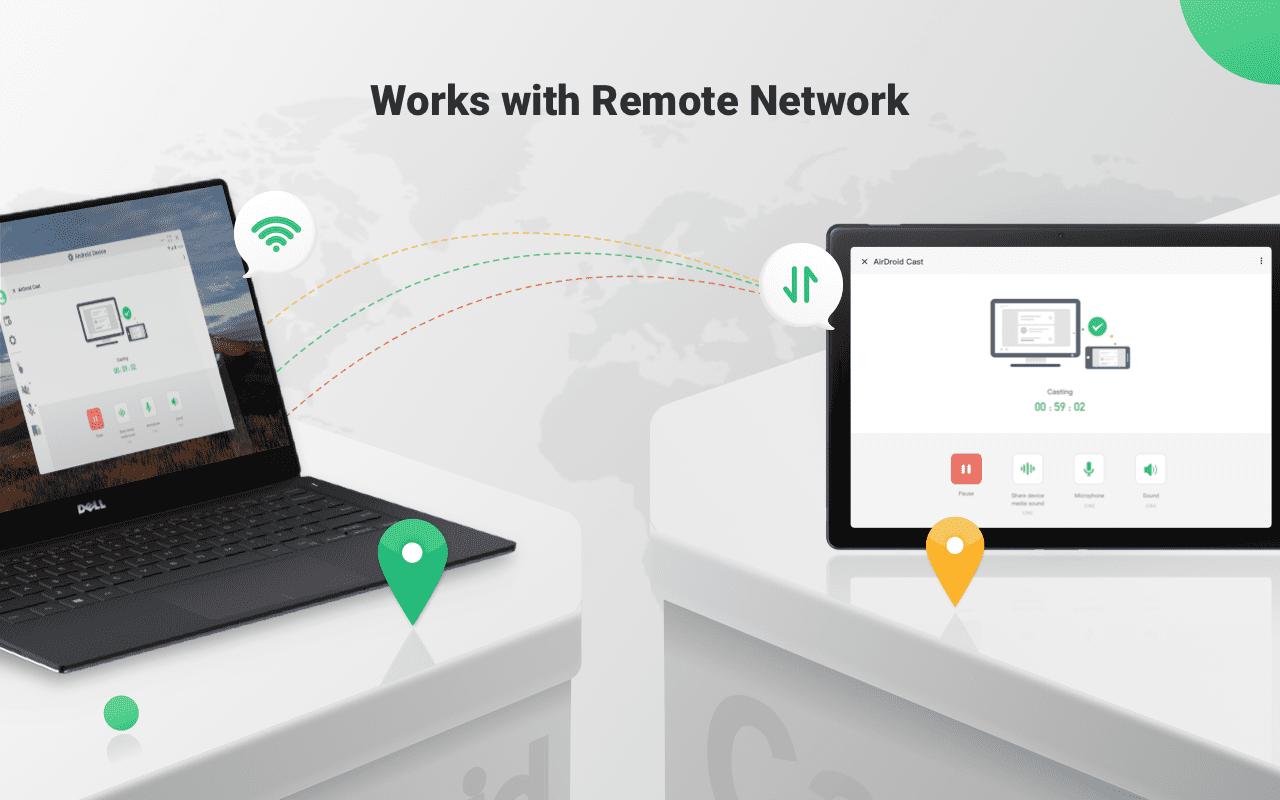
Works with Remote Network
All features of AirDroid Cast are available under the local area network. As a Premium user, network type will not be limited; AirDroid Cast works even under the remote network.
Two-way Audio
During a remote meeting,the attendees can directly talk and discuss using two-way audio. Greatly enhance the communication efficiency.
Last updated on 2026年08月26日
修复已知问题和细节优化,提升了应用的稳定性和用户体验。