




















Partner Developer
合作开发者是一个独特的徽章,突显与APKPure合作的开发者。这个徽章表明该应用属于超过10,000名信任APKPure进行官方发布的开发者之一。
合作开发者的主要特点:
商业合作:这些开发者与APKPure建立商业合作关系,确保在平台上有可靠和被认可的存在。
成功的应用管理:他们已经成功通过APKPure开发者控制台上传或认领应用,展示了他们对质量和遵循APKPure标准的承诺。
如果您有兴趣成为APKPure的合作开发者, 可以点击这里获取更多详细信息。
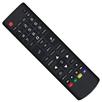
Fed up with endless searches for your LG TV remote? Dismayed by the malfunctioning controller? Your answer is right here! Remote for LG Smart TV & webOS is a fast and stable LG TV remote app that helps users to control their LG TVs with AI ThinQ using a smartphone/tablet. It allows users to access all the features of a physical LG remote control, such as turning on/off the TV and navigating the TV's menus. Get rid of the need for constant battery replacements. Simplify your life and go eco-friendly. Download Remote for LG Smart TV & webOS today and enjoy our easy-to-use LG smart remote!
As a universal remote for LG TVs, LG magic remote app is compatible with most LG Smart TVs released from 2012 onwards, including the popular LG OLED TVs, LG TV plus and Netcast models of 2012 and later. You should ensure that your mobile device and your LG TV are connected to the same Wi-Fi network for the LG TV control app to work correctly.
Key Features:
- Full-functional remote control for LG TV with simple and easy operation
- Power On/Off LG TVs with the power button on the smart remote
- Keyboard feature with simplified text input and search
- Quick access to your favorite channels and apps on smart TV
- Mirror your phone/tablet screen to TV in high definition with low latency
- Cast web videos to LG TV & local photos/videos to LG TVs with AI ThinQ
How to connect the smart remote control app to your LG TV:
1. Make sure your LG webOS TV is connected to the same WiFi network as the smart remote app.
2. Turn on your phone/tablet's WiFi and connect this LG replacement remote to the same network as your TV.
3. On the LG TV remote app, tap any button on the app interface and select your LG Smart TV from the list of available devices to connect with.
4. Once connected, you can enjoy the convenience of controlling your TV from mobile devices without having to locate and use a physical remote.
Troubleshooting:
• LG Remote Control App can only work when connected to the same WiFi network as your LG TV device.
• Reinstalling this LG TV control app and rebooting the TV can fix most of the connecting issues.
• Upgrade the LG TV controller application to the latest version can solve some connection issues.
• For connection issues with mobile devices, try downloading the LG remote app to another device.
Disclaimer:
BoostVision is not an affiliated entity of brands mentioned above, and this quick remote app Remote for LG Smart TV & webOS is not an official product of LG.
Terms of Use: https://www.boostvision.tv/terms-of-use
Privacy Policy: https://www.boostvision.tv/privacy-policy
Last updated on 2026年09月19日
* TV Remote for webOS
* Improving users experiences
* Support Fire TV,Roku,Samsung,Sony,Google TV / Android TV,Vizio,Hisense...


