Package Name:com.zoulou.dab
SHA-256:fdedee73ba6f1e51174ed0e54424754e699052e26dbc6b8abb84eddb3d5e1eb8
Show More


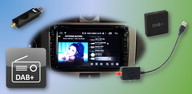
DAB-Z helps drivers and passengers add DAB radio to Android head units and to phones or tablets with USB host support. You connect a dedicated DAB or DAB+ USB receiver with an antenna, then launch the app to scan and tune stations. On mobile devices, use a USB OTG adapter for the connection. It does not support SDR USB adapters, and an antenna suitable for DAB reception is required. Users looking to download DAB-Z should also note that further development has stopped starting in 2025, so updates may be limited.
Station scan and selection
After setup, DAB-Z scans available DAB and DAB+ ensembles and services. You can browse a station list and change channels quickly. In supported car head units, you can also use steering wheel buttons for selection.
Now playing text and images
When a station provides data, you see current title and artist through Dynamic Label Segment. SlideShow images such as artwork and logos are displayed when broadcast.
Station details and logos
Layout and behavior settings
Beyond playback, DAB-Z lets you adjust interface and operation to fit your setup. You can change layout elements and choose behaviors that match in car use or tablet use.
Before installation, confirm your device supports USB host and use a suitable DAB antenna with the receiver. Connect the adapter, run a station scan, and test reception in your area. For the DAB-Z APK, remember that development stopped from 2025, so future updates and new features may be limited.
Latest Version
2.0.239Uploaded by
Hull Clouth
Requires Android
Android 6.0+
Category
Free Music & Audio AppContent Rating
Everyone
Security Report
Check Now
Report
Flag as inappropriateLast updated on Sep 18, 2024
2.0.239: New features and bugfixes are shown at first start and in Settings->Info



APKPure - A multi-platform app store primarily focused on Android, providing extensive app-related content. Discover the app you want easier, faster, and safer, with quick and efficient downloads and installations.