Scan Date:Mar 6, 2026
Show More


Deezer suits moments when you want quick access to familiar tracks and simple ways to find new ones. It adapts to your taste over time, so daily listening stays relevant without extra effort. You can open the app, press play, and let it guide you, or take control when you want to fine-tune what you hear. With an organized library and flexible playback, it fits casual use and focused sessions alike. If you prefer direct installation, the Deezer APK is an option many users look for.
Shape your Flow and discovery
Deezer learns from your likes, skips, and listening habits to build Flow, an endless mix tailored to you. You can influence recommendations with clear controls, so discovery stays aligned with your taste. This balance helps you move from favorites to fresh picks without losing track of what you enjoy.
Identify songs with SongCatcher
When a track plays around you, or when a tune is stuck in your head, SongCatcher helps you identify it fast. You can capture audio or hum the melody to get results, then save matches to your library or playlists. It reduces guesswork during “what’s that song?” moments and keeps your collection up to date.
Interactive listening and social tools
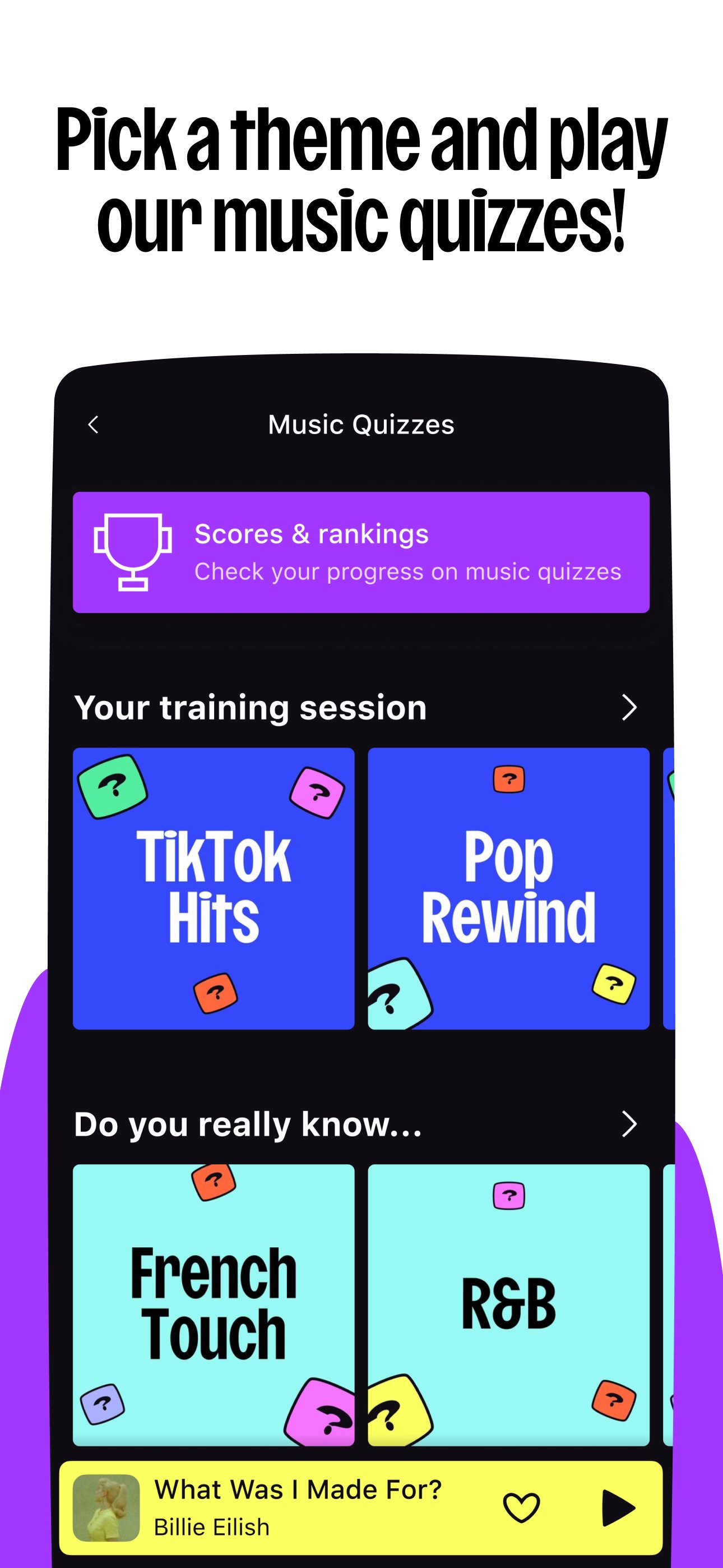
Deezer supports shared listening with Shaker, which builds collaborative playlists for groups. You can also try Music Quiz for a quick challenge based on your library. At times, Deezer Club events bring extra engagement for eligible users. These tools add light interaction around your music without changing your core setup.
Listen across devices and transfer your library
You can keep listening on smart speakers, wearables with Wear OS, Android TV, and compatible in car systems. Playback control carries across devices, which makes it easy to switch locations without losing your place. If you are moving from another service, Transfer My Music helps import your library for a smoother start. This reduces setup time and keeps your playlists close to how you left them.
Flexible playback, offline mode, and audio quality options
Deezer offers offline downloads, ad free listening, and unlimited skips on eligible Premium plans. You can also choose HiFi lossless audio for detail focused sessions, with synced lyrics and translations where available. These options let you match playback to your context, from data saving commutes to deeper listening at home.
Content, features, and availability can vary by country, device, or plan. Offline downloads, ad free playback, unlimited skips, and some interactive or event features may require a compatible paid plan and may not be offered in all regions. HiFi audio, synced lyrics, and translations are available in select markets and can differ by track.
Connected device support depends on device model, software version, and region. Wearable support requires compatible hardware with Wear OS. Android TV and in car integrations work on supported systems only. Transfer My Music can import from selected services and may not bring over all items due to catalog differences.
Getting started is straightforward, and the app guides you as you go. For the best experience, make sure you are using the Deezer latest version to access updated features and improved stability.
Install the app on your Android phone, open it, and sign in or create an account to set up your profile.
Choose your favorite artists and genres, then start Flow to begin a continuous mix based on your preferences.
Use SongCatcher from the search area to identify music around you or hum a tune, then add matches to your library.
Create or follow playlists, try Shaker for group playlists, and explore mood or genre collections to organize your daily listening.
Connect to supported speakers, wearables, or TV, and if available on your plan, download playlists or albums for offline use.
Deezer focuses on personal listening, easy discovery, and simple tools that adapt to your routine. To try these features on your phone and across supported devices, download Deezer and set up your library in a few minutes.
Latest Version
1.0.1.1Uploaded by
Yossaf Gomaa
Requires Android
Android 6.0+
Category
Free Music & Audio AppContent Rating
Teen
Security Report
Report
Flag as inappropriateLast updated on Mar 6, 2026
We've put our app in order. Less bugs so your app works like a charm.





APKPure - A multi-platform app store primarily focused on Android, providing extensive app-related content. Discover the app you want easier, faster, and safer, with quick and efficient downloads and installations.