Your Samsung Galaxy device is full of creative possibilities. And Samsung members ARdraw expands them into a whole new dimension.
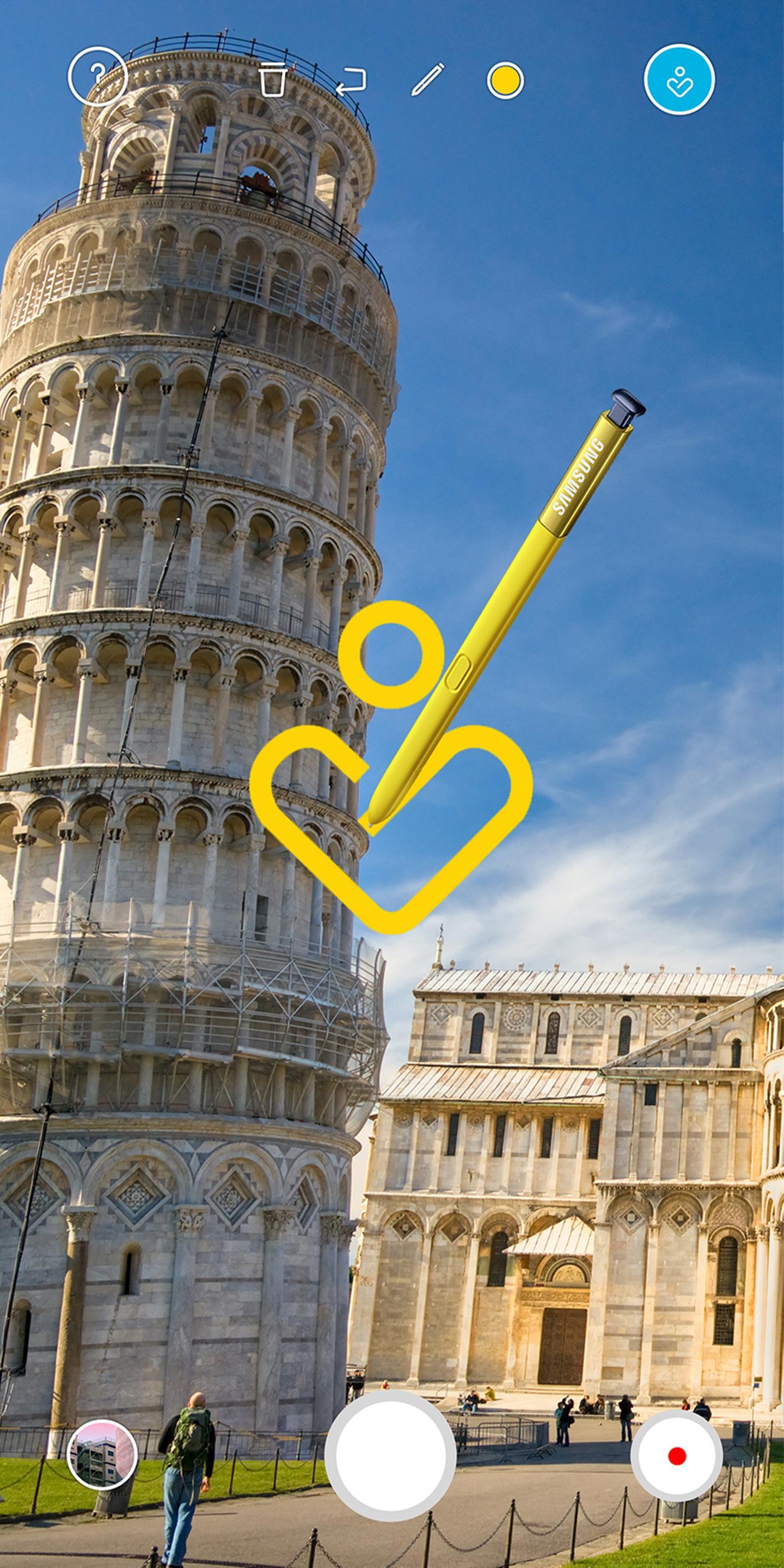
Samsung members ARdraw gives you the freedom to draw in 3D space over any scene using your S Pen or finger. Just point your device camera at a subject and let your creativity flow. Move to change your perspective as you work. Then when you’re done, retrace your steps to travel through your AR art playground.
To get started, download Samsung members ARdraw from the Galaxy Apps and visit a participating Samsung Showcase to activate it. The app will guide you to your destination. Once you are within 30 meters of the Showcase, the app’s 3D AR drawing features will be automatically activated and you can begin sketching. After initial activation, the drawing features can be used anywhere. Additional information on Samsung members ARdraw and related promotions and giveaways are available at each Showcase.
Samsung members ARdraw Basics
• Launch the Samsung members ARdraw app and compose your scene.
• Freely draw over the scene with S Pen or your finger. Be creative!
• Take a step forward and continue drawing. Repeat as desired.
• When finished, turn around to view your scene on your phone screen. Walk forward to move through the scene.
• Share your creativity for a chance to win exclusive giveaways.
Requirements
• Access to Galaxy Apps to download app.
• Visit to a participating Samsung Showcase to activate app drawing features.
• Compatible Samsung Galaxy or Samsung Note device running Android 7.0 or later.
Última Versión
1.0Presentado por
Jason Peña Cuellar
Requisitos
Android 7.0+
Categoría
Gratis Entretenimiento APPClasificación de contenido
Everyone
Reportar
Marcar como inapropiadoLast updated on 31/10/2023
Samsung members ARdraw Basics
• Launch the Samsung members ARdraw app and compose your scene.
• Freely draw over the scene with S Pen or your finger. Be creative!
• Take a step forward and continue drawing. Repeat as desired.
• When finished, turn around to view your scene on your phone screen. Walk forward to move through the scene.
• Share your creativity for a chance to win exclusive giveaways.





APKPure - Una tienda de aplicaciones multiplataforma enfocada principalmente en Android, que proporciona un amplio contenido relacionado con aplicaciones. Descubre la aplicación que deseas de forma más fácil, rápida y segura, con descargas e instalaciones rápidas y eficientes.