
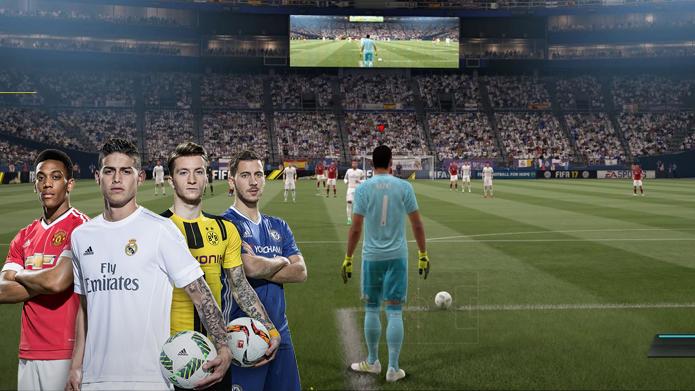
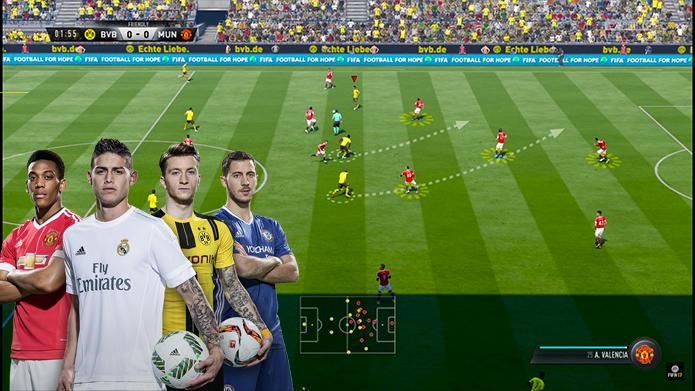
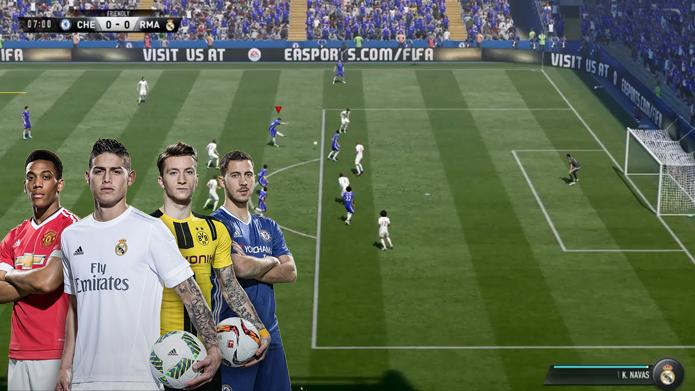
FIFA 18 fits players who want football on mobile during short breaks or longer sessions. The flow is responsive so you can move the ball, defend, and manage attacks with straightforward inputs. Menus and prompts are clear, which helps new players settle in quickly.
Responsive touch controls
After you download FIFA 18, you can start a match and learn the basics while you play. Passing, dribbling, and shooting use simple taps and swipes, so you focus on timing and positioning. Smooth animations help keep the action readable on small screens.
Competitive modes and squad building
Build a team and adjust your lineup to match different opponents.
Play through league and cup-style events across multiple stages.
Progress saves between sessions, which suits quick play or longer runs.
Realistic ball physics and adaptive AI
FIFA 18 uses ball behavior that affects rebounds, curls, and deflections for more varied situations. Computer opponents react to your choices, so each match can play out differently. This gives clear feedback when you change tactics or try new patterns in attack and defense.
Online and local play
Compete online in tiers that match your level and compare results with friends.
Play locally on the same device when you want a quick head-to-head match.
FIFA 18 is a football simulation game that focuses on quick matches and straightforward touch controls. For a smooth start after you download FIFA 18, follow these steps to move from kickoff to season progress without confusion.
Download FIFA 18 from APKPure: Search "FIFA 18" on APKPure.com or their app, then download the APK + OBB data files (often 2GB+)
Install the app and create a new account: Enable "Install from Unknown Sources" in Android settings, install the APK, then create aEA/Google Play account to log in
Download game data on Wi-Fi: Open the app and let it download additional game assets (2–4GB) over Wi-Fi to avoid data charges and ensure complete files
Complete the tutorial and start playing: Follow the on-screen tutorial to learn controls, then access career mode, Ultimate Team, or matches to play
FIFA 18 delivers accessible football with a focus on match flow and clear controls. Download FIFA 18 latest version APK from APKPure, choose a mode, set your lineup, and begin your first game. New players can learn quickly, while experienced players can refine tactics over time.
Latest Version
1.1Uploaded by
Ïťäľö Śïľvä
Requires Android
Android 4.0.3+
Category
Free Sports AppContent Rating
Everyone
Report
Flag as inappropriateLast updated on Aug 16, 2017
This release includes minor bug fixes and general improvements. Update to the latest version for the best experience.





APKPure - A multi-platform app store primarily focused on Android, providing extensive app-related content. Discover the app you want easier, faster, and safer, with quick and efficient downloads and installations.