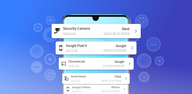
Fing helps when you want to see who is on your network and confirm that your connection is secure. It supports everyday checks such as spotting unfamiliar devices, investigating slow streaming, and confirming whether your provider’s speed matches expectations. The app presents a clear list of connected hardware with readable details, so you can review changes quickly. Additionally, Fing APK brings these network tools together in a simple layout suitable for home and small office use.
Network and device discovery
Speed and connectivity checks
After discovery, you can measure performance with WiFi and cellular internet speed tests that include download, upload, and latency. For deeper checks, use ping, traceroute, DNS lookup, and a port scan to understand routes and open services.
Alerts and security monitoring
To stay informed, Fing sends alerts to your phone and email when a new device appears or when security findings need attention. This lets you review changes quickly and follow up if something unexpected shows up.
Fingbox integration
For expanded protection and troubleshooting, connecting the optional Fingbox unlocks advanced functions:
Fing maps connected devices, tests connection quality, and adds optional Fingbox controls for home monitoring. If you need clearer visibility across your WiFi, download Fing and review devices and connection status from one app.
Latest Version
12.13.4Uploaded by
Thành Đại
Requires Android
Category
Free Tools AppContent Rating
Everyone
Report
Flag as inappropriateLast updated on Sep 11, 2026
• Bugfixes and improvements



APKPure - A multi-platform app store primarily focused on Android, providing extensive app-related content. Discover the app you want easier, faster, and safer, with quick and efficient downloads and installations.