

HMS Core supports everyday tasks when you use Huawei services or apps that rely on Huawei Mobile Services and AppGallery. It keeps device and cloud capabilities connected so apps can sign you in, send alerts, and access device features as needed. This helps apps run consistently across Huawei devices. For users who switch phones or install new apps, it also maintains background services so experiences stay stable over time. If you need a direct installer, HMS Core APK is commonly used to set up or update the service.
Unified Huawei ID sign-in
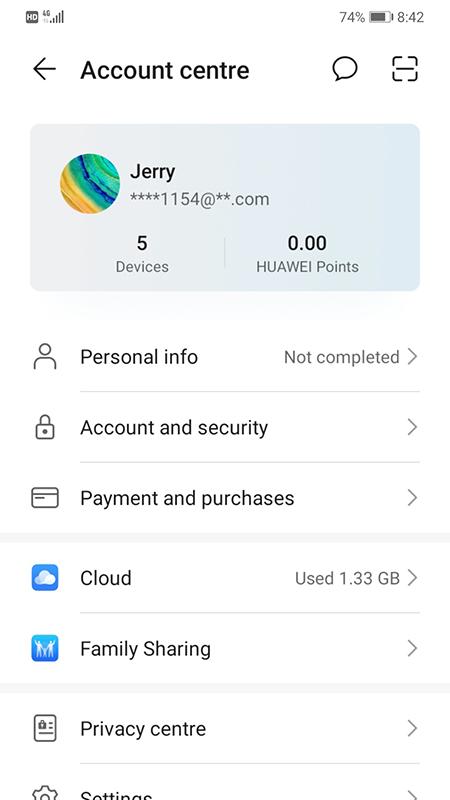
HMS Core manages your Huawei ID for secure sign-in across Huawei apps and services. You can access account settings, check your profile, and control connected services in one place. This unified account layer helps apps verify identity without repeated logins.
Payments and subscriptions
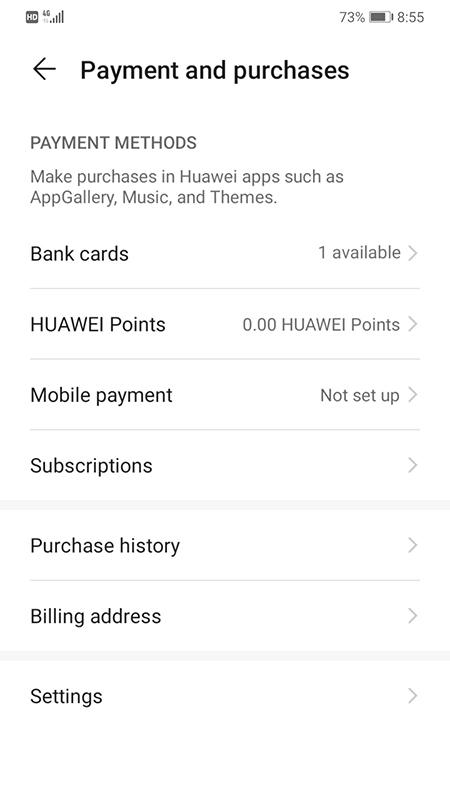
HMS Core enables in-app purchases and Wallet functions for supported apps. You can complete payments, manage subscriptions, and review purchase records within compatible apps. This central payment service helps reduce errors and improves checkout reliability.
Push notifications and app engagement
HMS Core delivers app notifications in a timely way, helping you receive updates, reminders, and alerts. It also supports analytics that developers use to improve app performance. As a result, apps can communicate important information without extra setup on your part.
Location, maps, media, and game services
HMS Core provides kits for location and maps so apps can show places, routes, and nearby details. It also includes machine learning, media capture or playback, and game services that many apps rely on. With these capabilities, apps can access device features while following system controls and permissions.
Security checks and safety protections
HMS Core includes safety measures such as Safety Detect to help protect users from risks like tampered apps or unsafe environments. Regular checks run in the background to maintain a secure operating state. These protections work alongside your device settings and permissions.
Cross-ecosystem compatibility
HMS Core works on Android AOSP and HarmonyOS to support AppGallery integration and a wide range of apps. This allows services and kits to function across different Huawei devices in a consistent way. It also eases transitions when you switch phones or restore apps.
HMS Core is required for many AppGallery apps and Huawei services such as Themes, Mobile Cloud, HiCare, Phone Clone, Huawei Wear, and Huawei Health. Service availability can vary by region, so some functions may not appear in every market. To keep apps stable, ensure you are running the HMS Core latest version. Updates are typically provided through AppGallery or device settings on supported phones.
Some Android apps require Google Mobile Services. These apps may not work with HMS Core even if installed. When an app needs specific services that are not available on your device, it may show an error, skip certain features, or fail to run. In addition, account management is handled via Settings and Huawei ID, so you can review permissions and sign-in status there. Huawei publishes a privacy statement and runs security checks inside HMS Core to limit data use to necessary service operations.
Most actions happen in the background, but a few steps help you get everything working smoothly after you download HMS Core. Follow the simple flow below to sign in, allow permissions, and keep services updated.
HMS Core provides the account, security, and service kits that many Huawei apps depend on. For stable performance across supported devices, keep the HMS Core latest version installed and allow required permissions. If AppGallery apps ask for it, install or update HMS Core to enable their features.
Latest Version
6.16.2.300.202403059755Uploaded by
Huawei Internet Services
Requires Android
Android 4.4+
Category
Free Tools AppContent Rating
Everyone
Report
Flag as inappropriateLast updated on Sep 2, 2024
This release includes minor bug fixes and general improvements. Update to the latest version for the best experience.



APKPure - A multi-platform app store primarily focused on Android, providing extensive app-related content. Discover the app you want easier, faster, and safer, with quick and efficient downloads and installations.