


How to download BossV Flash Tool latest version for Android

2026-09-09
BossV Flash Tool is a Windows tool for repairing Android devices, not an APK app. Learn what it does, how to download it, and how to use it step by step.
BossV Flash Tool, also known as Best Flash Tool or BFT Tool, is a desktop program for Windows used by cell phone repair technicians. It's used to flash firmware, remove FRP lock, delete screen passwords, and repair IMEI on Android devices. Because of this, many people search for BossV Flash Tool APK, thinking it's an app to install on their phone. It isn't. It's a tool that's installed on a Windows computer and connected to the phone via a USB cable.
Before we continue, let's clarify the most important thing. There is no APK version of BossV Flash Tool for Android. If you see an .apk file with that name circulating online, it's most likely fake or modified. The official tool only works on Windows. So, instead of looking for an app, you need to download the program to your PC and connect your phone.
What is BossV Flash Tool and what is it used for?
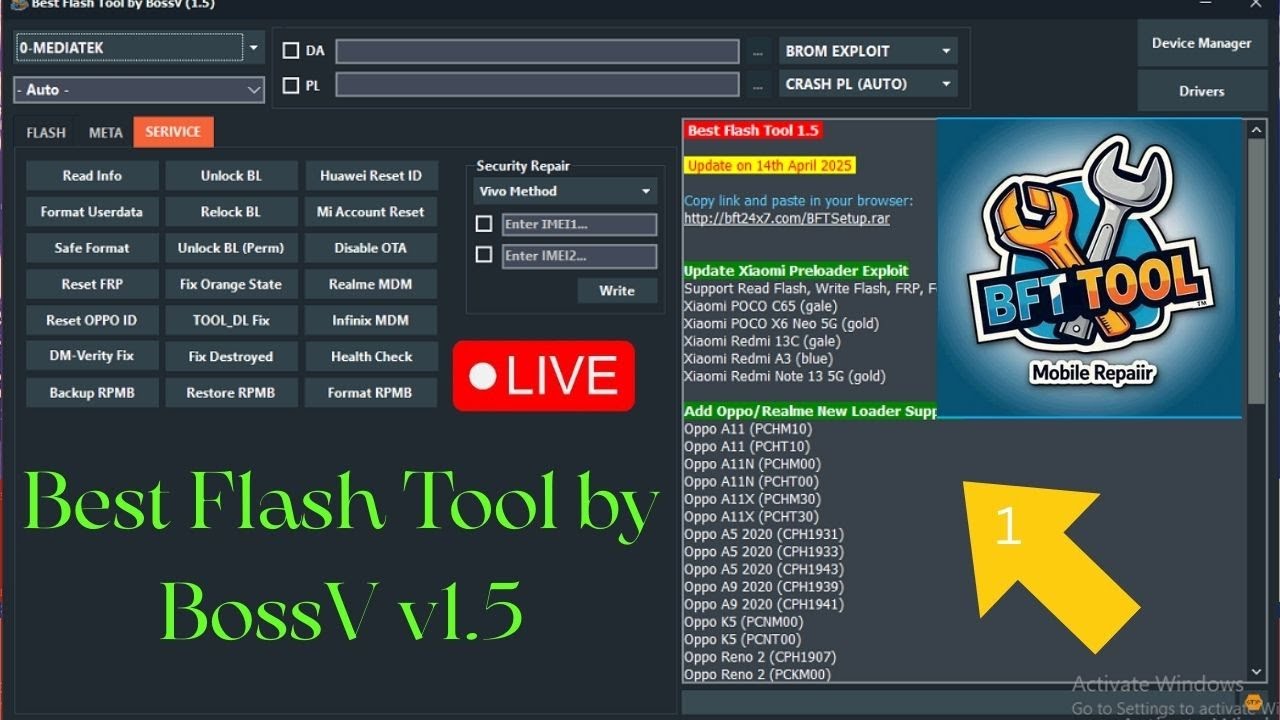
BossV Flash Tool is an Android repair software developed by the BossV team, the same group behind the Miracle tools. It's designed for technicians and advanced users who need to fix phones with software issues. Its main features include:
- Flash factory firmware to fix a device that is stuck on the logo or in a bootloop.
- Remove FRP lock after a factory reset.
- Remove the screen lock when you forgot your password.
- Repair the IMEI on devices with MTK, Qualcomm, and SPD chipsets.
- Unlock the bootloader and perform a secure format.
One clear advantage is that you don't need any hardware dongle. Everything is done from the program's interface on your PC.
What do you need before downloading BossV Flash Tool?
To use BossV Flash Tool Android correctly, prepare the following first:
1. A computer with Windows, preferably with a dual-core Intel or AMD processor or higher.
2. A USB cable that transmits data, not just charges.
3. The USB drivers from the cell phone manufacturer installed on the PC.
4. The phone with at least 50 percent battery.
5. A backup of your data, if the device still turns on.
Remember that these tools work at the system level. An error during flashing can prevent your device from booting. Follow the program's instructions and do not turn anything off mid-process.
How to download and install BossV Flash Tool step by step?
The process is simple if you follow this order.
1. Search for the latest version of BossV Flash Tool on the official BossV team website. Download the installer or compressed file to your computer.
2. Extract the file if it comes in ZIP or RAR format. Inside, you will find the executable and, in some cases, a drivers folder.
3. Run the installer and follow the on-screen instructions. Accept the permissions requested by the system.
4. Connect your Android phone to your PC using the USB cable. Wait for Windows to recognize the device.
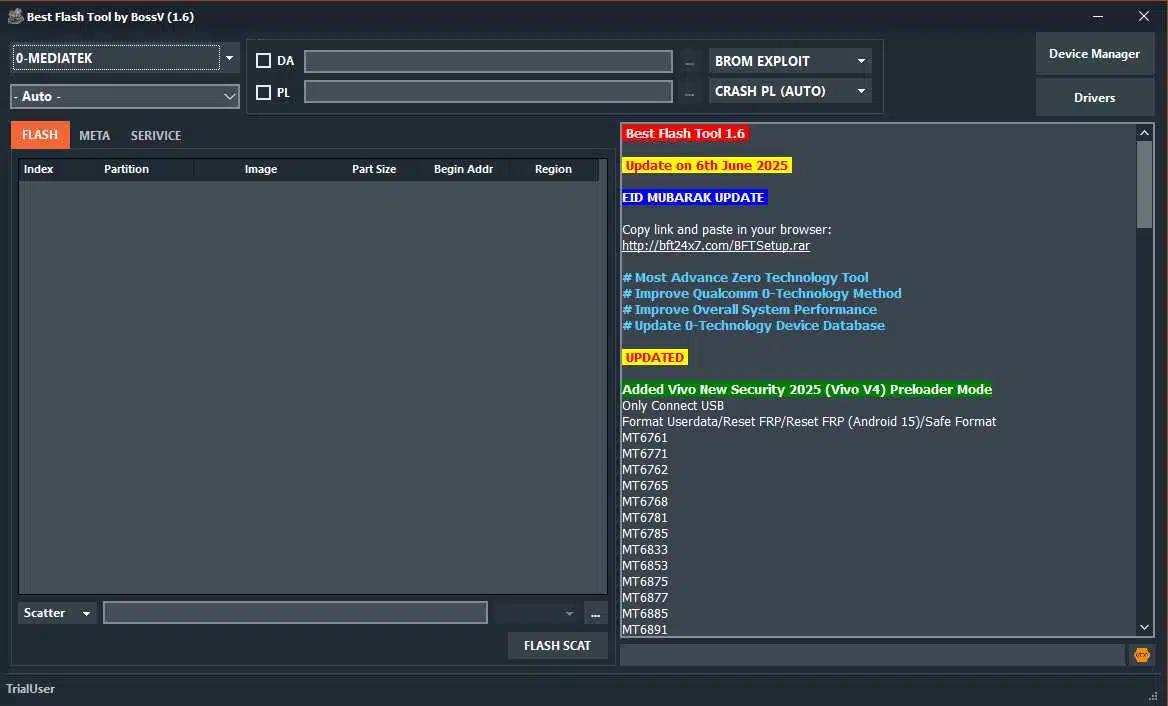
5. Open BossV Flash Tool and choose the function you need, whether it's flashing, removing FRP, or repairing IMEI.
Each function has its own flow within the program, but the logic is always the same: select the model, load the firmware file if necessary, and confirm the operation.
Is it safe to use BossV Flash Tool on Android?
Is it worth using if you're not a technician? It depends on how comfortable you are with this type of software. The tool itself is free to use and widely used in repair shops. The risk isn't in the program itself, but in downloading it from unofficial sites. A BossV Flash Tool APK file circulating on dubious websites can contain malware or brick your device. If you're going to use the tool, do so from its official source. And only use it to repair a phone that belongs to you or that you have permission to work on.
Conclusion
BossV Flash Tool is a robust solution for repairing Android devices from a Windows PC, and you should know that it's not an app that you install on your phone. If you need to flash a device, remove a screen lock, or repair the IMEI, prepare your computer, download BossV Flash Tool from its official source, and follow the steps outlined above. Take your time with each operation and don't interrupt the process midway.
 NEWS
NEWS REVIEWS
 HOWTO
HOWTO








