


How to Download Delta Force APK Latest Version for Android

2026-10-09
A practical guide to the Delta Force APK download on Android, covering installation steps, requirements, troubleshooting, and getting into your first match.
You've seen the clips, you've heard the squad chat, and now you want the extraction shooter on your own phone. Downloading Delta Force APK latest version on Android takes about five minutes once you know the right path, and this guide walks through every step so you don't end up with a corrupted file or a version that won't launch.
Here's the short version before we start: you'll download the APK from a trusted source, allow your phone to install it, then sign in and pick a mode. If the term "delta force APK download" sounds intimidating, relax. It's the same process as installing any Android game from outside the Play Store.
This guide is for two groups. First, players on phones or tablets where Google Play isn't available or the listing is region-locked. Second, anyone who wants the newest build without waiting for a staged rollout. Both end up in the same place if the steps are followed in order.
What Is Delta Force and Why Download the Android APK
Delta Force is a free-to-play first-person shooter built around three very different modes, and the mobile version runs the same content as the PC build. The core mode, Operations, is extraction gameplay: you drop into a map, loot what you can, and fight your way to an exit before rival squads take your haul. Warfare throws 48 players into large battles with tanks and helicopters on land, sea, and air maps. Black Hawk Down is the story-driven campaign for anyone who wants a scripted single-player run.
So why grab the APK instead of tapping Install in a store? Three reasons come up again and again. The Play Store listing is region-restricted in some countries, the update there can lag behind a new season, and APK files let you keep a copy of the installer if you reinstall your phone later.
The current live season is the Anniversary update, which added a new Engineer Operator, a fresh Operations map, a new boss, a new Warfare map, and a pair of new weapons. If you're on an older build, that's exactly what you're missing.
One thing worth setting straight before you install: Delta Force is a real-time shooter and it's demanding. It's not a lightweight puzzle game that'll run on a 2016 phone. Check your device against the requirements below and you'll save yourself a failed download.
Delta Force Android APK Requirements Before You Start
Skipping this section is the fastest way to waste a download. The Delta Force Android APK won't install on hardware that's below the minimum, and the failure message Android shows is rarely specific about why.
- Android version: Android 8.0 or newer. Older builds either refuse the install or crash on the loading screen.
- Storage: Around 3 GB free. The installer alone is large, but the game downloads additional assets after the first launch.
- RAM: 4 GB minimum, 6 GB or more for smooth Warfare matches. 48-player battles are memory-hungry.
- Network: A stable connection for the asset download and for online matches. A slow line means long first-run waits.
- Google services: Some builds expect Google Play Services for account sign-in. If your phone lacks them, use a guest or third-party login where offered.
A quick way to check: open Settings, then About Phone, and look at the Android version and RAM. If you're close to the line, close background apps before your first match. And no, you don't need root or any advanced tinkering. A stock phone installs this fine.
Step 1: Download the Delta Force APK From APKPure
This is the step people overthink. The goal is simple: get a clean, current installer file from a source you trust, and skip the modified APKs floating around random download pages.
To do the delta force APK download safely:
- Open APKPure in your browser or the app.
- Search for "Delta Force" in the search bar.
- Open the result and confirm the developer name and the latest update date.
- Tap the download button to save the APK to your phone.
The newest build sits at the top of the page with its file size and release date next to it. What you're checking for is that the version is current, not from six months ago. Old installers often fail to connect to the live servers because the game forces an update on launch anyway.
A word on the two main builds you'll see. There's a Garena-published version and a global build, and their package names differ. Download the one that matches your region and account, or your progress won't carry over. This guide uses the global Delta Force build that carries the current Anniversary content.
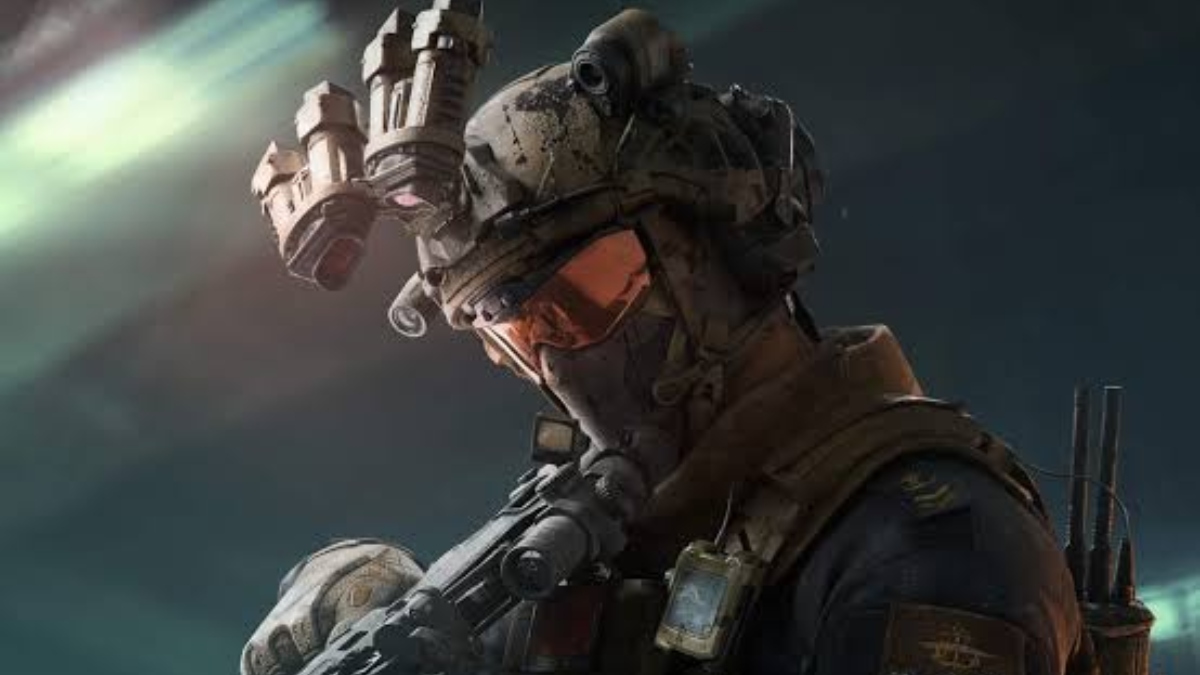
Delta Force is a modern first person shooter that combines extraction raids with large team objective battles.
Step 2: Allow Installing the Delta Force APK on Android
Android blocks installs from outside the Play Store by default, and that's a safety feature, not a sign the file is dangerous. You flip the setting once and it's done.
The usual path:
- Tap the downloaded APK file in your notifications or the Downloads folder.
- When the "unknown source" warning appears, tap Settings.
- Turn on "Allow from this source" for your browser or file manager.
- Go back and tap Install.
After the install finishes you can switch that permission off again if you want a tighter phone. The game keeps working, and your account, progress, and settings are unaffected. This is exactly the same mechanism you'd use for any legitimate app that isn't hosted in a store.
If you tapped Install three times and nothing happened, you almost certainly skipped step 3. Reopen the file and enable the permission for the specific app that's trying to install it.
Step 3: Launch Delta Force and Complete First-Time Setup
The first launch takes longer than any launch after it, because the game pulls down assets on top of the installer. Don't kill the app if it sits on a loading screen with a progress bar. Give it a few minutes on Wi-Fi.
Once it opens, you'll run through a short setup:
- Accept the terms and pick your region or server.
- Choose a sign-in method: guest, or link an account if you want your progress saved across devices.
- Let the additional resources download fully before you queue for a match.
- Set your graphics preset based on your phone's power.
Linking an account matters more than most players expect. A guest account is tied to that one install, so if you clear the game's data or switch phones, it's gone. Take two minutes to link it and you won't lose an Operator roster you spent weeks building.
For graphics, start at Medium and move up. High settings on a mid-range phone turn into dropped frames during a 48-player Warfare push, and stutter in a firefight gets you killed faster than a bad aim day.
Step 4: Pick Your Delta Force Mode and Start Playing
With setup done, the game opens into a mode select screen, and this is where the three experiences split apart. Pick based on what kind of session you want, not on which one looks best in a trailer.
- Operations: Extraction mode. Drop in, loot, and exfil. Rewards are what you carry out, so a bad run costs you gear. Best when you want tension and stakes.
- Warfare: 48-player large-scale battles with vehicles. Respawn freely, so it's the low-risk way to warm up and practice gunplay.
- Black Hawk Down: Campaign missions. A scripted, single-player experience if you want a story rather than a lobby.
For a first session, run a couple of Warfare matches. You'll learn the maps and the shooting feel without the gear-loss pressure, and you'll level up your starting Operator. Then take what you learned into Operations.
If you want to play with friends, add them before you queue. Operations rewards coordination, and a squad that shares loot and covers exits extracts far more often than four solo players running in different directions.
Delta Force APK Tips for a Smoother Experience
Once the game runs, a few habits keep it running well. These aren't beginner warnings, they're the things that actually improve your sessions.
- Update from APKPure when a new season drops. Anniversary content and balance changes arrive through the APK, and an outdated client can lock you out of live servers.
- Manage storage before a big update. Warzone-style games add assets every season, and a full phone causes failed downloads.
- Cap your frame rate to match your screen if you're on a budget phone. A locked 60 fps beats an unstable 90.
- Use headphones. Footsteps and reload sounds are information in extraction mode, and a speaker loses the direction.
- Repair gear between Operations runs rather than replacing it. It's cheaper and keeps your stash healthy.
Delta Force is a modern first person shooter that combines extraction raids with large team objective battles.
What's New in the Latest Version 1.202.37101.3002
Last updated on Aug 29, 2026
Minor bug fixes and improvements. Install or update to the newest version to check it out!
- How to Download and Play Delta Force Mobile: Global Beta Guide
- How to Download Hugly Гости ВК, Шпион Лайков APK Latest Version 3.4.80 for Android 2026
- How to Download BuzzCast: Live Stream & Chat APK Latest Version 3.2.91 for Android 2026
Troubleshooting Common Delta Force APK Problems
Installs go wrong in a handful of predictable ways. Here's what each failure means and how to fix it.
- "App not installed" error: The APK is corrupt or your storage is full. Delete the file, free up space, and re-download from the source.
- Stuck on the loading screen: Assets didn't finish downloading, or the connection dropped. Switch to Wi-Fi and let it run.
- Game crashes on launch: Your Android version may be too old, or the build doesn't match your region. Confirm you grabbed the right package for your account.
- Can't sign in or connect to servers: An outdated build. Download the latest version, since live servers reject old clients.
- Lag in Warfare matches: Lower the graphics preset and close background apps. 48-player battles push older phones hard.
If a problem repeats after a fresh download and correct install, the issue is usually device-side. Check free storage and RAM before assuming the file is bad.
 NEWS
NEWS REVIEWS
 HOWTO
HOWTO








