


How to download the latest version of Downwell APK for Android in 2026

2026-08-13
A step-by-step guide to downloading and installing the latest version of Downwell APK on Android. Everything you need to know about this vertical action roguelike game.
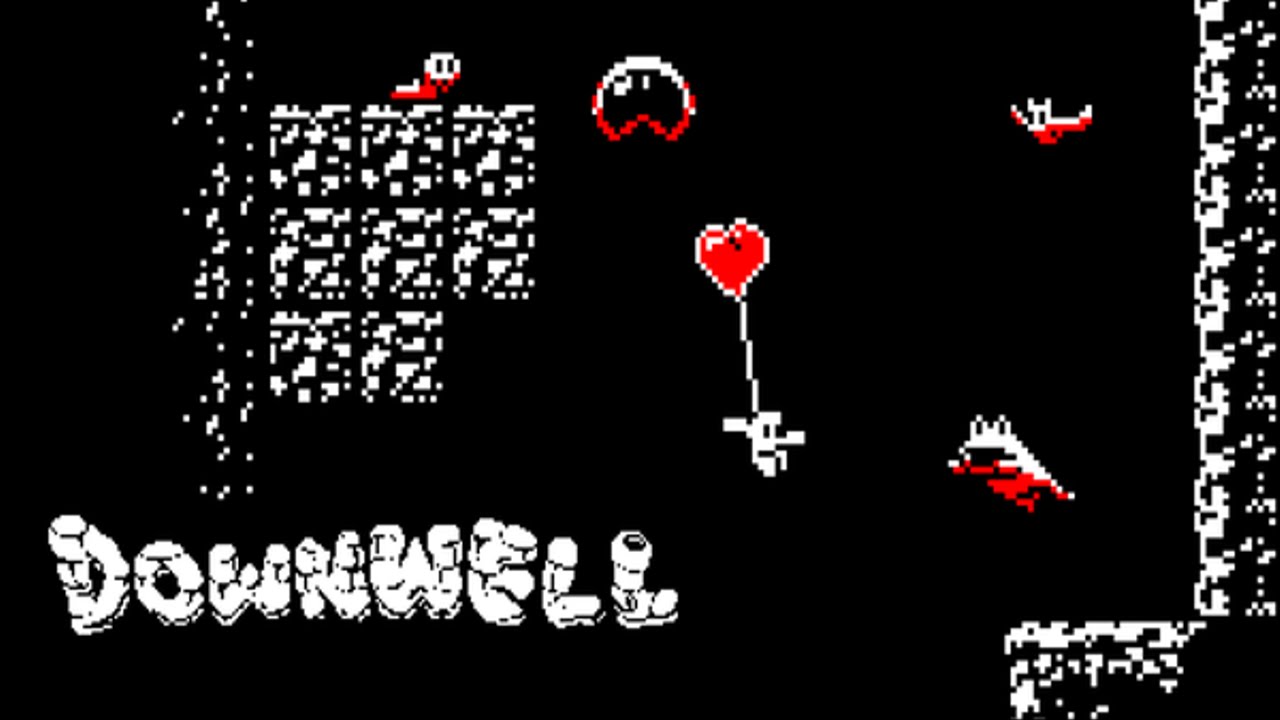
Downloading a cult indie game to your phone can be easier than you think. Downwell is one of those titles that every roguelike fan should try at least once, and in this guide, we'll explain how to get it on your Android device without any hassle.

Downwell is a 2D platformer vertical shmup rogue-like-like-like action game.

If you're already familiar with Downwell and just want a quick download, skip directly to the installation section. If you want to know why this black, white, and red pixel art game has garnered overwhelmingly positive reviews since 2015, keep reading. We cover everything from what makes this game special to how to install it on your device.
What is Downwell?
Downwell is a vertical platforming action game created by Japanese developer Ojiro Fumoto and published by Devolver Digital. The premise is simple: a young adventurer plunges into a well armed only with his Gunboots, which fire downwards to eliminate enemies and slow his fall.
The game blends roguelike mechanics with a vertical-scrolling platforming and shooting system. Each playthrough generates randomly generated levels with different configurations of enemies, items, and hidden shops. Dying means starting over, forcing you to improve with each attempt.
No two descents are the same. The four biomes (Caverns, Catacombs, Aquifer, and Limbo) offer completely different enemies, obstacles, and secrets. At the end of the four worlds awaits a single boss that will test everything you've learned.
How the Downwell gaming system works
The controls are minimalist: three on-screen buttons. Left and right for movement, and the center button to fire downwards with the gun-boots. Each shot propels you slightly upwards, allowing you to control your descent speed and glide over enemies.
The combo system is key to progressing in Downwell. Falling without touching the ground and eliminating enemies consecutively activates multipliers. Eight consecutive kills grant you 100 gems. Fifteen reward you with another 100 gems and an ammo upgrade. Twenty-five combos also restore one hit point. Gems are used to purchase upgrades in hidden shops scattered throughout the pit, adding a layer of strategy to each descent.
Between stages, you can choose from three random upgrades that drastically alter your gameplay: more health, different types of shots, or passive abilities like exploding enemies when you step on them. Finding the right combination makes all the difference between a mediocre run and one where you reach the final boss.

Prerequisites for installing Downwell APK on Android
Before downloading the Downwell APK file, check two things on your phone.
- First, you need at least 80 MB of free space. The installation file is small, but the game needs room for additional data after the first launch.
- Second, your Android device must allow installation from unknown sources. To enable this, go to Settings, then to Security or Privacy, and select the "Allow installation of apps from unknown sources" option. On Android 8 and later, the system will ask you each time you try to install an APK from an external source, so pay attention to the notification that appears on the screen.
How to download and install the latest version of Downwell APK
The process of installing Downwell APK on your Android is straightforward and takes no more than a couple of minutes.
1. Open this same page on your Android phone and locate the download button below. Tap it to start downloading the Downwell APK file.
2. When the download is complete, swipe down the notification bar and tap the downloaded file. If you downloaded it from your browser, look for it in the "Downloads" folder of your file manager.
3. The system will display a window asking if you want to install the application. Tap "Install" and wait a few seconds while the process completes.
4. Once installed, you'll see the Downwell icon on your home screen or in the app drawer. Open it and you can start playing.
Make sure you have a stable internet connection during the download. If the file doesn't complete due to a network interruption, delete the partial download and try again.
Tips for getting started on Downwell
The first few descents in Downwell might seem overwhelming, but don't get discouraged. The game is designed so you learn by dying. Each time you fall into the pit, you gain a better understanding of enemy patterns and firing rhythms.
A common mistake beginners make is firing incessantly. Gunboots have limited ammunition that only reloads when you land on a platform or stomp on an enemy. Calculate each shot and use the upward boost to strategically position yourself above enemies instead of firing wildly.
Another useful trick: stones marked with a glow conceal secret cavities containing gems or upgrades. Stick them to the sides and use a couple of shots to open them. In later levels, these rewards can make all the difference between having enough ammo and running out against a wave of monsters.
Pay attention to item combinations. A weapon like the Noppy, which bounces off surfaces, combined with the ammo upgrades you get from collecting gems, turns you into an unstoppable killing machine. Experiment with different synergies each game to find your style.
Frequently Asked Questions about Downwell
Why download Downwell APK if it's available in other stores?
APKPure lets you access the latest version of Downwell for Android even if the official store isn't available in your region or if you prefer to install the game manually. The download is direct and requires no additional steps.
Does Downwell work without an internet connection?
Yes. All game content is local. No connection, account, or registration is required. You can play on the subway, on a plane, or anywhere you want without worrying about signal.
What version of Android does Downwell need?
The game works on Android 5.0 and higher. Being a retro-style title with a small file size, it runs smoothly even on modest devices.
Conclusion
Downwell remains, almost a decade after its release, one of the best-designed roguelikes for mobile. Its blend of fast-paced action, precise controls, and meaningful choices on every descent make it an experience that rewards consistent practice.
Download the Downwell APK below to start your descent into the abyss. The difficulty curve is steep at first, but each playthrough brings you a little closer to that first boss fight. It's worth every attempt.
Downwell is a 2D platformer vertical shmup rogue-like-like-like action game.
 NEWS
NEWS REVIEWS
 HOWTO
HOWTO








