


How to Download Tvgarden World APK on Android

2026-09-11
Learn how to download Tvgarden World APK on Android and stream free live TV from around the world. Simple step-by-step setup guide.
Tvgarden World is a free live TV platform built around a spinning 3D globe. You pick a country, tap it, and channels from that region start playing. No signup, no subscription, no cable box. That simplicity is exactly why so many people end up searching for how to download Tvgarden World APK on their Android phone after a friend mentions it in passing.
The catch, and it's a small one, is that Tvgarden World runs in your browser. Before you go hunting for an install file, read the next section. It'll save you from grabbing a fake app that has nothing to do with the real thing.
What Is Tvgarden World?
Tvgarden World is a web-based live TV directory. Think of it like Radio Garden, but for television instead of radio. It doesn't host any channels itself. It collects publicly available free-to-air streams and organizes them on an interactive globe, so you can hop from a news channel in Japan to a cooking show in Italy in two taps.
Everything is free and there's no account required. You open the site, spin the globe, and watch. That's the whole pitch.
Because it's a website and not a packaged app, the phrase "Tvgarden World APK download" is a bit of a misnomer. There's no official APK to sideload. If you see a download site offering a "Tvgarden World APK," it's almost always a repackaged generic stream player wearing the name. Skip it.
How to Get Tvgarden World on Android
You don't install anything to start watching. Here's the real, working way to download Tvgarden World on your phone.
- Go to the Tvgarden World official site: https://tvgarden.world/.
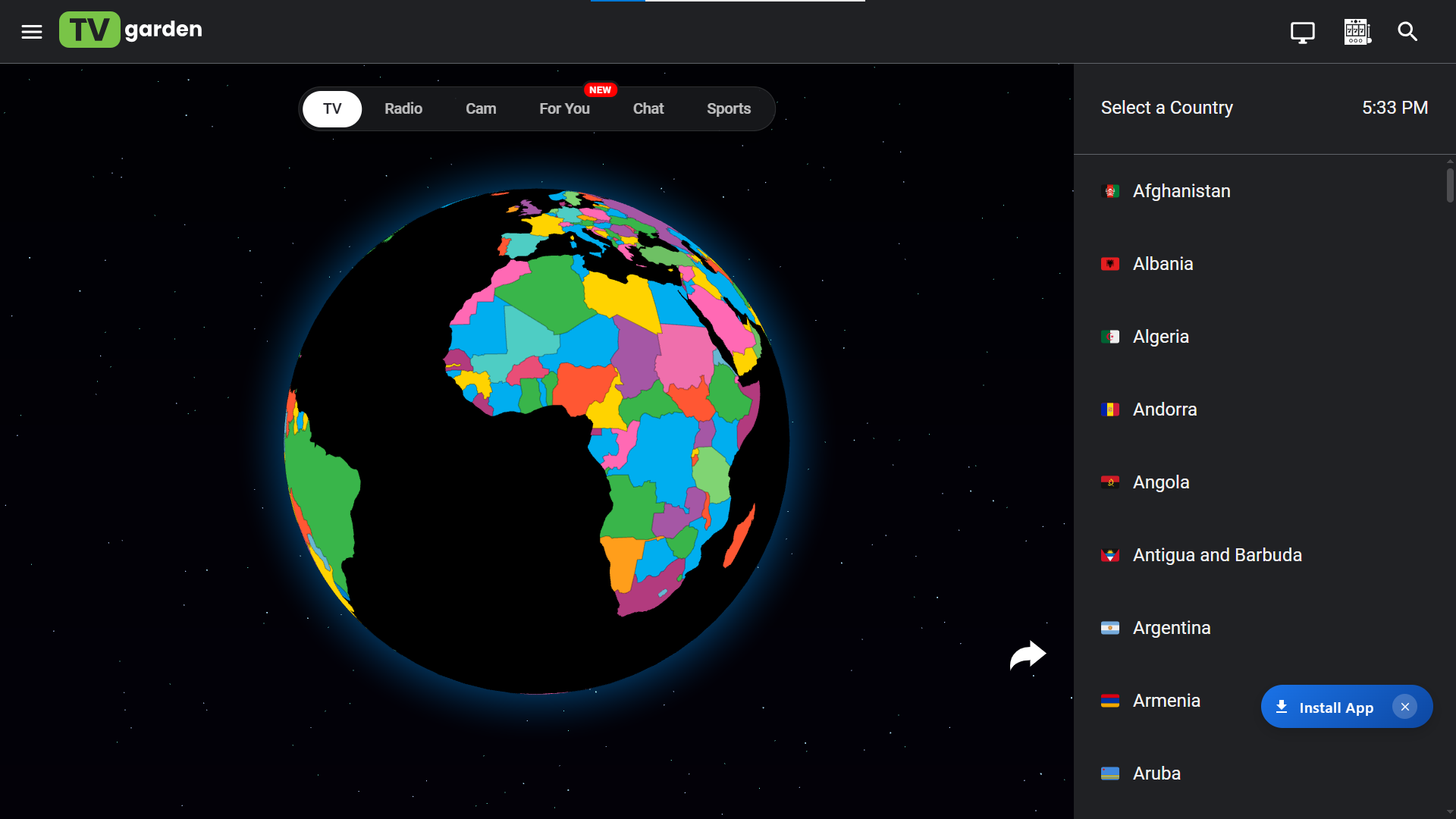
- When the globe loads, tap a country to see its channel list.
- Tap a channel, and it starts streaming.
That's it. The whole thing takes less than a minute from a cold start.
If you want it to feel like an app, add Tvgarden World to your home screen so it opens like one.
- In Chrome, tap the three-dot menu in the top right.
- Tap Add to Home screen.
- Confirm the name, and it drops an icon on your launcher.
Now Tvgarden World opens with one tap, full screen, just like any other app. This is the cleanest way to "install" it, and it keeps you off sketchy download sites entirely.
Tips for a Better Tvgarden World Experience
- Live streams are picky about connections. A few habits make a real difference.
- Stick to Wi-Fi when you can. A stable connection matters more than raw speed here, and mobile data on a moving train will drop a stream fast.
- Give a channel a few seconds to buffer before you bail. The first load pulls the stream in, and it can sit on a black screen for a moment before the picture kicks in.
- Some channels are region-blocked or simply offline at any given moment. If one won't play, spin to a neighboring country and try a different feed. There's always something live somewhere on the globe.
Is Tvgarden World Safe?
The site itself is a straightforward directory. It doesn't push installers or ask for payment. The bigger risk comes from third-party "Tvgarden World APK" files floating around, which aren't from the makers of the service and can bundle ads or worse.
So how do you tell the real thing apart from a knockoff? Easy: if a file asks you to sideload anything, it isn't the official experience. The safe move is to open the real site in your browser and skip the mystery APKs, since none of those repackaged files come from the people who actually built Tvgarden World. If you want a dedicated live TV app for your phone, APKPure is a safer place to look, because files there are checked before they go live.
 NEWS
NEWS REVIEWS
 HOWTO
HOWTO








