


How to Download WiFi Master: WiFi Auto Connect APK Latest Version 5.6.1 for Android 2026
2026-08-26
Read through this guide to learn how to download and install WiFi Master: WiFi Auto Connect apk latest version 5.6.1 on mobile in 2026. Follow the step-by-step tutorial to download WiFi Master: WiFi Auto Connect apk for Android.
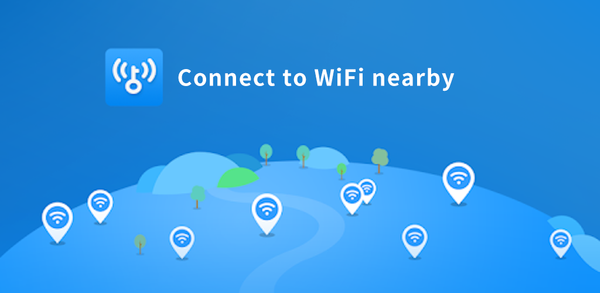
About WiFi Master: WiFi Auto Connect
WiFi Master is a tool that allows users to access open hotspots and WiFi nearby, while ensuring their privacy and security. The app has a built-in browser for safe and anonymous browsing, and all shared WiFi passwords are encrypted to protect users' privacy. The app explicitly states that it is not a hacking tool and does not assist in unlocking passwords of WiFi hotspots that are not shared by users.

WiFi Master is a WiFi utility app that auto-connects to open hotspots nearby.
How to download WiFi Master: WiFi Auto Connect on Android
To install WiFi Master: WiFi Auto Connect on your mobile device:
Step 1: Search for WiFi Master: WiFi Auto Connect on APKPure.com.
Step 2: Press the Download APK button to begin downloading it to your phone.
Step 3: Once WiFi Master: WiFi Auto Connect has finished downloading, begin installing it on your phone.
Step 4: After the installation is finished, launch it and enjoy playing WiFi Master: WiFi Auto Connect on your mobile device right away.
What's New in the Latest Version 5.6.1
Last updated on Aug 26, 2026
- More stable experience, taking much less phone memory!
- More hotspots available to be connected in the updated version
- Bug Fixed
Suggestions? officialwifimasterkey@gmail.com
If you're looking for popular mobile games to download, look no further than APKPure! Our editors have carefully selected the following three articles for you to read:
- How to Download Custom Keyboard Designer APK Latest Version 5.8.4 for Android 2026
- How to Download DDPAI APK Latest Version for Android 2026
- How to Download Audiomack: Music Downloader APK Latest Version 8.11.0 for Android 2026
 NEWS
NEWS REVIEWS
 HOWTO
HOWTO








