How to Install and Set Up Villager News Add-On on Minecraft Bedrock

2026-09-10
Step-by-step guide to installing the Villager News Add-On from Minecraft Marketplace, with tips on reputation, troubleshooting, and pairing with Actions & Stuff.
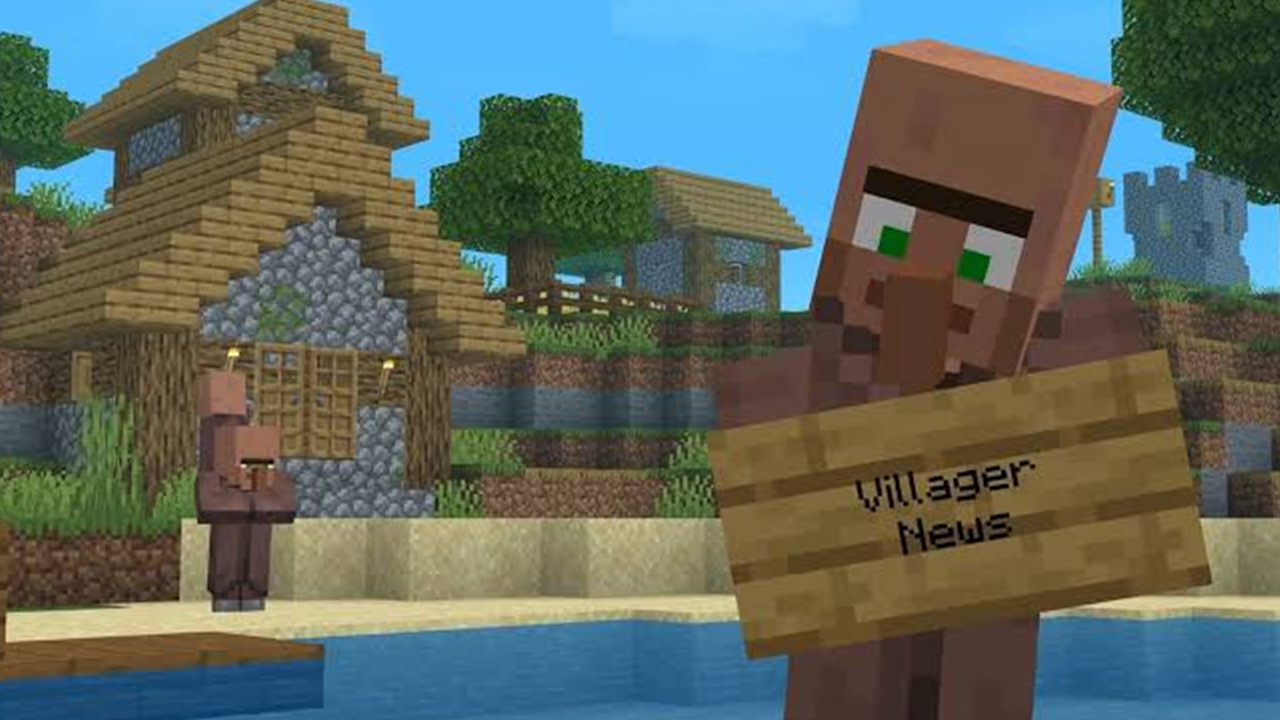


The Villager News Add-On gives Minecraft villagers over 2,000 voiced reactions, expressive animations with lip sync, and a reputation system where they gossip about you behind your back. It's an official collaboration between Oreville Studios and Element Animation, the team behind the 2013 YouTube series that turned Minecraft's grunting NPCs into deadpan news anchors. If you've been waiting to hear your villagers actually talk, this guide walks through every step of getting it running.
Safety note: Only purchase add-ons through the official Minecraft Marketplace. Third-party downloads claiming to be the villager news addon may contain malware or corrupt your world saves.
What You Need Before Installing
You need a copy of Minecraft Bedrock on any platform that supports the Marketplace: Windows, Android, iOS, PlayStation, Xbox, or Nintendo Switch. The add-on costs 1,170 Minecoins, which is roughly $6 USD depending on your region's pricing.
You also need an active Microsoft account linked to Minecraft, since Marketplace purchases are tied to your account, not your device. If you play on console, your Xbox Live or PlayStation Network account handles this automatically.
One thing to check before buying: the add-on is compatible with Oreville Studios' Actions & Stuff texture pack. If you already own that, the two work together without conflicts. If you don't, no problem. Villager News runs fine on its own.
Step 1: Buy Minecoins Through the Marketplace
Open Minecraft Bedrock and click Marketplace from the main menu. If you don't already have 1,170 Minecoins, tap the Minecoins icon in the top right corner. Pick the coin package that covers the purchase. The 1,540-coin pack leaves you with some change; the 1,000-coin pack comes up short, so you'd need the next tier.
Coins are shared across your Microsoft account, so buying them on one device makes them available on every platform where you're signed in.
Step 2: Find and Purchase the Villager News Add-On
In the Marketplace, search for "Villager News" using the search bar. The add-on is published by Oreville Studios and should appear at the top of the results. The listing shows a 4.9-star rating from over 800 reviews as of launch week.
Tap the listing, then click the price button showing 1,170 Minecoins. Confirm the purchase. The add-on downloads automatically and stays linked to your account permanently, so you can reinstall it on any world or device without buying again.
Alternatively, you can open the direct Marketplace link from a browser if you're signed into your Microsoft account, and the purchase syncs to your game client.
Step 3: Create a New World or Open an Existing One
Villager News works on any Bedrock world, new or existing. For the cleanest experience with the add-on's features, start a fresh world so you can see villagers react to you from the moment you spawn.
To apply it to an existing world: from the main menu, click Play, select your world, click Edit, then scroll to Resource Packs and Behavior Packs.
For a new world: click Create New > Create New World. Before clicking Create, scroll down to the Add-Ons section.
Step 4: Activate the Behavior Pack in World Settings
Under the Game Settings tab while creating or editing a world, scroll to Behavior Packs. Click Active next to Villager News. This layer handles the voiced reactions, reputation system, and special character trades.
If you own Actions & Stuff, activate that resource pack here too. Villager News detects it and layers its villager animations on top of the existing texture improvements.
Step 5: Activate the Resource Pack for Animations
Switch to the Resource Packs tab in the same world settings menu. Click Active next to Villager News. This layer handles the villager textures, animation models, and lip sync visuals that make conversations look like the YouTube series.
Both packs need to be active. The behavior pack without the resource pack gives you voiced reactions with no visual changes, and the resource pack alone changes appearances but adds no dialogue.
Step 6: Spawn Villagers and Start Listening
Once you're in the world, find a village or spawn villagers using spawn eggs in Creative mode. Walk up to a villager and the add-on kicks in automatically. Villagers start commenting on what you're holding, what mobs are nearby, and what you've been doing in their village.
The reputation system runs in the background. If you trade with villagers, they tell their neighbors. If you attack them or break their workstations, word gets around. Special NPC characters with unique trades also appear in villages, separate from the standard villager population.
Tips for Getting More Out of Villager News
- Stand close and look at villagers directly. Many voiced reactions trigger on proximity and line of sight. If you're sprinting past a village, you'll miss dialogue that fires when you slow down and engage.
- Try different blocks and items in hand. Villagers react to what you're holding and what's placed near them. Place a crafting table next to a villager, hold a diamond, or let a zombie wander into the village. Each situation pulls from a different pool of the 2,000+ voice lines.
- Check your reputation before trading. If villagers have been gossiping negatively about you, trades may cost more. Build reputation back by trading fairly and not harming the village.
- Record clips. The lip sync and animations are designed to match the YouTube series' style. Short clips of villagers reacting to a creeper explosion or a player falling into lava are genuinely funny and shareable.
- Pair it with Actions & Stuff. The combined effect of improved mob animations plus fully voiced villagers makes the game feel like a different experience entirely. Both add-ons are designed to coexist from the start.
Troubleshooting Common Villager News Issues
Villagers aren't talking after installation. Check that both the behavior pack and resource pack are active in your world settings. The behavior pack handles voices; the resource pack handles visuals. If only one is active, you'll get half the experience. Exit and re-enter the world if you activated packs while it was running.
The add-on doesn't appear in my pack list. Marketplace purchases can take a few minutes to sync, especially on console. Close and reopen Minecraft, or check your account settings under Profile to confirm the purchase went through. If you're on a different platform than where you bought it, make sure you're signed into the same Microsoft account.
Villager voices overlap or cut each other off. This happens when many villagers are clustered together and several try to speak at once. It's expected in dense villages. Spreading villagers out or reducing the number in a small area helps. There's no volume slider for individual villagers, so adjust the game's overall master volume if it gets loud.
Performance drops in large villages. The add-on processes voice triggers for every villager in range, which can strain lower-end devices. If frame rates drop, try reducing your render distance or capping the number of villagers in a single area. On mobile devices, keeping villages to 10-15 villagers prevents stuttering.
Special NPC characters aren't showing up. These spawn based on village size and biome. A single house with two villagers won't attract them. You need a village with at least 5-6 beds and valid workstation blocks for the special characters to appear.
Installing the villager news addon takes about five minutes once you have the Minecoins ready. The hardest part is deciding whether to start a new world to experience everything fresh or add it to a world you've been building for months. Either way, your villagers finally have something to say, and most of it is worth listening to.
 NEWS
NEWS REVIEWS
 HOWTO
HOWTO