

Huawei HiLink (Mobile WiFi) suits users who handle multiple Huawei hotspots, routers, or home gateways and want a single place to manage them. The app combines Huawei Mobile WiFi and RuMate into one tool, so you can find supported HiLink devices and manage them from your phone or tablet. It works with selected E5 series hotspots, wingles, CPEs, and home routers, and available options depend on your hardware. If you prefer an APK install method, the Huawei HiLink (Mobile WiFi) APK is available for direct setup.
Real time network and device status
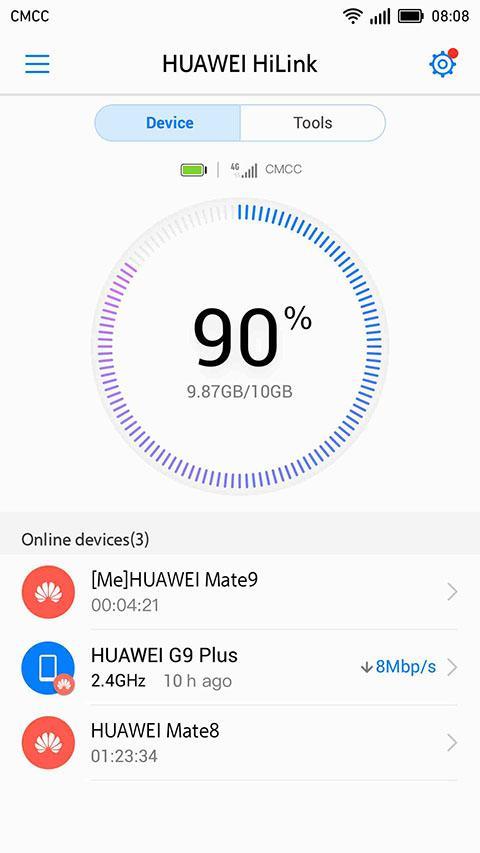
You can check carrier name, roaming state, and signal strength at a glance. Huawei HiLink (Mobile WiFi) also alerts you to low battery, steep data usage, and new messages, helping you act before service is interrupted.
Connected device control and priorities
Parental control and guest access
For household use, you can enable parental control and set time limits for children’s Internet use. You can also create a guest WiFi network for visitors to keep your main network separate and safer.
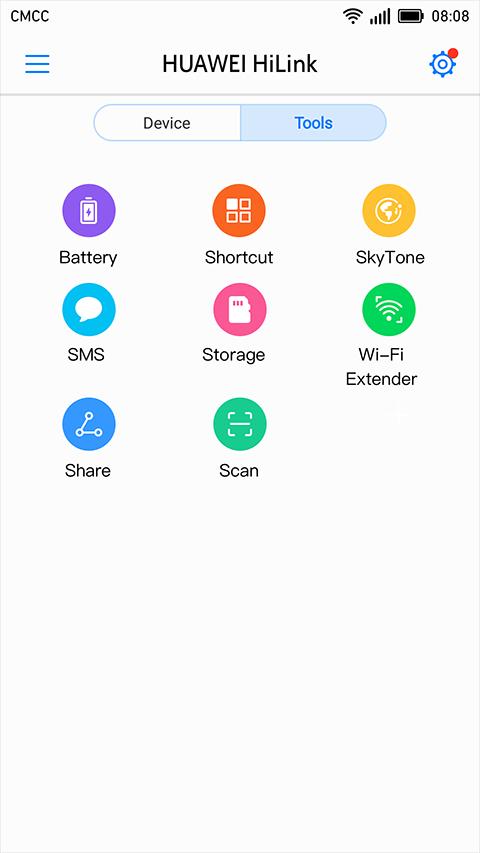
Backup, sharing, and setup tools
Features may vary by model, so check your hardware and the Huawei HiLink (Mobile WiFi) latest version for best compatibility.
This app brings device discovery, basic configuration, status checks, and everyday controls into one place for supported Huawei hardware. To begin, download Huawei HiLink (Mobile WiFi), connect from your phone or tablet, and follow the prompts to find your device and complete setup.
Latest Version
9.0.1.323Uploaded by
Naing Ohn
Requires Android
Android 4.3+
Category
Free Tools AppContent Rating
Everyone
Report
Flag as inappropriateLast updated on Sep 30, 2020
9.0.1.323,please update(17.6 MB)
1. Fixed some known bugs.



APKPure - A multi-platform app store primarily focused on Android, providing extensive app-related content. Discover the app you want easier, faster, and safer, with quick and efficient downloads and installations.