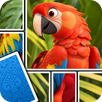
Jigsawcard fits players who want a calm picture puzzle but also want more interaction than placing fixed pieces on a board. Instead of a standard jigsaw layout, it presents puzzle parts as cards that you move and reveal while building the final image. As a result, each round asks you to observe shapes, remember hidden cards, and plan small moves. The Jigsawcard APK is suitable for short breaks as well as longer puzzle sessions.
Jigsaw puzzles with card based movement
Jigsawcard mixes picture assembly with solitaire style card play. You do not only look for a matching edge or color, because each puzzle piece appears as a card that can be moved into position. This gives the game a different rhythm from a normal jigsaw puzzle while still keeping the goal easy to understand. As you continue, the complete picture slowly becomes clearer.
Simple swipe controls for puzzle cards
You control Jigsawcard mainly by swiping and moving cards on the screen. The controls are built around common phone gestures, so you can focus on matching pieces instead of learning complex commands. When a card fits correctly, it can snap into place and help reveal the structure of the image. This makes each move feel clear and easy to follow.
Mystery cards that add memory play
Jigsawcard includes face down cards that need to be flipped during the puzzle. You have to remember what you uncovered and decide when to use that information. Because of this, the game is not only about visual matching. It also asks you to keep track of card positions and clues as the image develops.
Snap effects and chain connections
Jigsawcard gives visual feedback when pieces connect in the right place. A correct match can trigger a snap effect, and several connected cards may join together in a chain. This helps you understand which parts of the image are confirmed. In longer puzzles, these connections also make it easier to read the board and plan the next move.
HD pictures across everyday themes
You can solve pictures based on themes such as nature, animals, art, and scenery. The image themes give each puzzle a clear visual target, which helps you compare colors, shapes, and small details. However, the experience should be understood as a casual picture puzzle game rather than a gallery app. Some puzzles may feel familiar after repeated play, depending on the available picture set.
Jigsawcard Solitaire Puzzle is designed around a no timer format, so it does not push you to finish a board within a fixed countdown. This makes it easier to pause, think, and return to the same puzzle pace when you have time. At the same time, players who prefer fast score chasing may find the slower rhythm less direct.
The game is also built for single player puzzle sessions. You can play it as a quiet activity when you want to focus on matching cards and completing images by yourself. Since the design centers on casual play, it is best for users who enjoy small decisions, repeated pattern checking, and picture completion rather than competitive modes.
Before choosing the Jigsawcard download, it is also useful to know that the experience may include ads during play. This is common in many free casual games, but it can affect the flow of a puzzle session. In addition, some picture details may look uneven in certain images, so users looking for fully consistent art quality should keep that in mind.
Jigsawcard is easy to start once the game opens, because the main action is moving puzzle cards and checking how they fit together. If you install the Jigsawcard latest version, follow the in game layout and build each image step by step.
Jigsawcard offers a calm mix of jigsaw solving, card sliding, hidden clues, and picture completion. If this style of puzzle fits your play habits, you can download Jigsawcard and try its solitaire inspired puzzle format on Android.
For official information and support, use the developer details below:
Latest Version
1.5.22Uploaded by
Ganang Adi Pangestu
Requires Android
Android 7.1+
Category
Free Puzzle GameContent Rating
Everyone
Report
Flag as inappropriateLast updated on Sep 16, 2026
Jigsawcard Solitaire Puzzle is a welcomed and addictive Jigsaw Puzzle & Solitaire Card game on Google Play Store. You can download it for your android phone and tablet, have fun.



APKPure - A multi-platform app store primarily focused on Android, providing extensive app-related content. Discover the app you want easier, faster, and safer, with quick and efficient downloads and installations.