KineMaster helps people who need to edit short videos, tutorials, vlogs, product clips, or social posts without moving files to another device. The app uses a full-screen timeline that keeps your media and edits in one workspace. As a result, it suits creators who want to arrange footage, refine a draft, and prepare a video for publishing from their phone. This KineMaster video editor also supports projects ranging from simple social clips to layered video edits.
Layered timeline editing
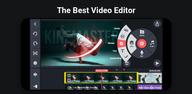
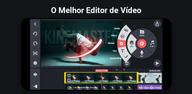
KineMaster lets you place videos, images, text, GIFs, stickers, effects, and audio on separate timeline layers. Magnetic guides help line up items, while multi-selection makes it easier to move or change several items together. You can preview the project in full screen and use undo or redo when adjusting an edit.
Clip and animation controls
You can trim and arrange clips, reverse footage, and change speed for slow motion or faster sections. KineMaster also supports keyframe animation, so text, images, and other layers can move over time. In addition, color controls help adjust the appearance of clips before export.
Green screen and perspective effects
KineMaster includes Chroma Key for replacing a green screen background with another image or video. Corner Pin can change the perspective of a layer, which is useful when placing content onto a screen or flat surface in a shot. These controls are available alongside the normal timeline tools, so you can continue editing the rest of the video.
AI-assisted tools
You can create automatic captions, turn written text into speech, and use AI voices in a project. The app also provides tools for background removal, noise reduction, vocal separation, subject tracking, media upscaling, and AI styles. Results can vary depending on the original video, audio, lighting, and subject movement.
Assets, audio, and templates
KineMaster provides templates for social video formats, which you can personalize with your own photos and clips. The Asset Store includes effects, transitions, fonts, stickers, filters, stock media, music, and sound effects. For music or other assets used in client work, promotional content, or public posts, check the displayed royalty-free licensing details for the selected item before publishing.
The free version of KineMaster includes ads and places a small watermark on exported videos. The Premium removes ads and the export watermark, and it includes KineCloud storage. Premium subscribers also receive Spring Premium.
KineCloud can back up projects so you can keep an unfinished edit available when changing to another device. Before downloading KineMaster latest version, make sure to consider whether cloud backup, ad removal, and watermark-free exports matter for the videos you plan to publish.
KineMaster templates can provide a starting layout for Reels, Shorts, TikTok videos, intros, product demonstrations, vlogs, and tutorials. You can replace the included media with your own files and adjust the project before exporting. The Mix community also lets creators publish reusable project templates that other users can customize.
Start with the media you want to turn into a finished video, such as recorded clips, photos, narration, or music. The following process covers a basic phone editing workflow after installing the KineMaster APK. Save your project as you work if you plan to return to it later.
Open the app and create a new project, then choose the screen format that fits the video you are making.
Add video clips or images to the timeline, arrange them in order, and trim each section so the main content appears when needed.
Add text, audio, stickers, effects, or extra video layers where they support the message of the video.
Use the preview to check timing, captions, sound levels, speed changes, and transitions, then make corrections with undo or direct timeline edits.
When the project is ready, select an export setting that suits your destination and save the finished video. KineMaster supports exports up to 4K at 60 FPS and can create videos with transparent backgrounds.
KineMaster is suited to Android users editing short social videos, tutorials, vlogs, and layered projects on a phone. Review the free and Premium differences, then download KineMaster APK from APKPure if its timeline, templates, assets, and export controls fit your editing needs.
For product support and official details, use the information below.
Website: https://www.kinemaster.com/
Support email: support@kinemaster.com
Latest Version
8.2.8.37278.GPUploaded by
Adam Elghazery
Requires Android
Android 8.0+
Category
Free Video Players & Editors AppContent Rating
Everyone
Report
Flag as inappropriateLast updated on Oct 5, 2026
• Get inspired faster: Let AI recommend templates that match your editing style
• Align with precision: Select and adjust multiple layers at once
• Edit across devices: Handoff projects seamlessly between devices



APKPure - A multi-platform app store primarily focused on Android, providing extensive app-related content. Discover the app you want easier, faster, and safer, with quick and efficient downloads and installations.