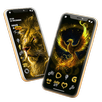
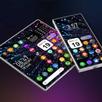
Liquid Glass Icon Pack suits users who want a quick way to refresh the look of their phone without a deep setup. It focuses on consistent icons and curated backgrounds so your layout feels cohesive within minutes. Because it works with many popular launchers, you can keep your usual home screen flow while changing the look. The pack installs like any regular app, then you apply it from your launcher settings. If needed for manual install, Liquid Glass Icon Pack APK is a common option for Android users.
Distinct glass effect icons
Liquid Glass Icon Pack provides icons with a transparent, glossy finish that creates a subtle depth on the home screen. The set follows a consistent style so app rows and folders look unified. This can make grids appear clean without extra tweaks.
High resolution visuals
Icons are supplied in high resolution for modern phones and tablets. As a result, shapes and edges stay crisp when you change grid sizes or use larger displays. The visuals hold up well with dark or light wallpapers.
Broad launcher support
The icon pack works with well known Android launchers including Nova, Apex, Smart, and Lawnchair. You can apply it through each launcher’s theme or icon settings with only a few taps. This helps you keep your preferred layout while changing the icon style.
Matching HD wallpapers
Complementary wallpapers are included to create a coordinated glass theme. You can pick backgrounds that emphasize the transparent look or keep things simple with clean gradients. Switching wallpaper and icons together helps the home screen feel balanced.
Fast to apply and regularly updated
Liquid Glass Icon Pack is designed to open quickly and apply without extra setup steps. Updates are provided from time to time to add or refine icons, which helps maintain a consistent look as new apps appear. You can reapply after updates if you switch launchers or change layouts.
This icon pack is for Android and needs a compatible launcher to apply. It changes icons and wallpapers only and does not modify system menus, notifications, or animations. If you have seen the Liquid Glass effect on other platforms, note that this pack focuses on static home screen visuals rather than dynamic system effects.
Liquid Glass Icon Pack is made for popular launcher apps on Android. Examples include Nova Launcher, Apex Launcher, Smart Launcher, and Lawnchair. If your launcher supports third party icon packs, you should be able to apply Liquid Glass Icon Pack from its theme or appearance settings.
Applying the pack takes only a few minutes on a compatible launcher. If you plan to download Liquid Glass Icon Pack, review the steps below to prepare your setup. The process is similar across supported launchers.
Launcher paths for quick reference: Nova Launcher Settings then Look and feel then Icon style then Icon theme. Apex Settings then Theme settings then Choose theme then Icons. Smart Launcher Settings then Personalization then Icon pack. Lawnchair Settings then Look and Feel then Icon Pack.
Liquid Glass Icon Pack offers a clear glass look for icons and coordinated wallpapers that you can apply through compatible launchers. To get the most recent icons and assets, check for the Liquid Glass Icon Pack latest version when you set up your home screen. Download and apply the pack to give your Android device a consistent, glass themed appearance.
Latest Version
v2.0.6Uploaded by
တုဂ္ဝ ကး
Requires Android
Category
Free Personalization AppContent Rating
Everyone
Report
Flag as inappropriateLast updated on Oct 13, 2026
This release includes minor bug fixes and general improvements. Update to the latest version for the best experience.



APKPure - A multi-platform app store primarily focused on Android, providing extensive app-related content. Discover the app you want easier, faster, and safer, with quick and efficient downloads and installations.