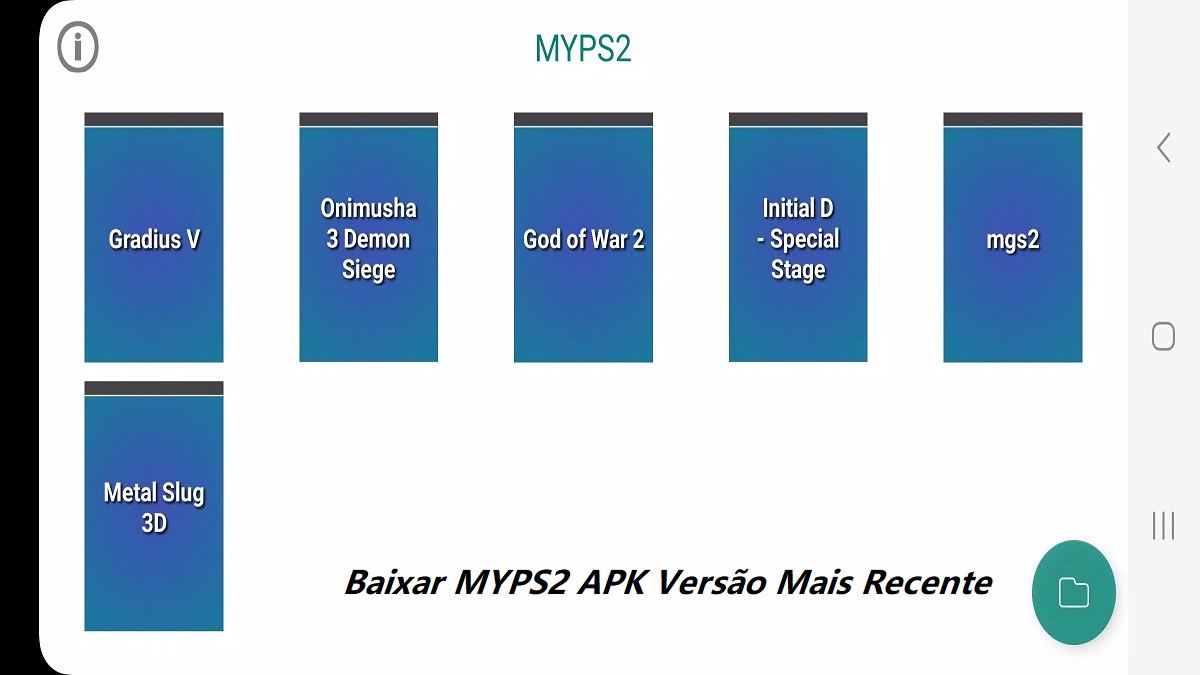
MYPS2 suits users who want to play console classics on a phone in a familiar emulator setup. It is ported from the PCSX2 project and keeps a straightforward approach to file handling, so you can organize and launch your own game backups with minimal steps. There are no preloaded titles and no ISOs included, because you must provide your own legally obtained game files. With a clean layout and clear file controls, it focuses on practical use rather than extras, which helps new users and returning emulator fans. If you need an Android build in an easy package, the MYPS2 APK offers that format.
Play PS2 games on Android
MYPS2 runs many PlayStation 2 console titles on a mobile device, bringing a classic library into your pocket. It functions as a PS2 emulator, so gameplay and controls run within the app, not through streaming. This gives you a local setup that works even when offline.
Built from the PCSX2 source
The emulator is ported from the PCSX2 code base, which helps users who already know the PC environment feel at home. The interface and behavior follow familiar patterns, so you spend less time relearning basic actions and more time loading your own library.
Bring your own ISO files
MYPS2 includes no games and no ISOs. You must supply your own legally obtained disc backups to use the emulator. This design keeps the app focused on emulation and respects game ownership, so only titles you own are loaded into your library.
Straightforward file import flow
You can add games with a simple process that avoids complex paths. Tap the folder button at the bottom of the screen, then place your ISO files in the GAME folder so they appear in the library. This makes your collection easy to find when you open the app again.
Quick file management with long press
MYPS2 helps you keep things tidy with basic file actions. Long press any folder or file to reveal the bottom menu and access quick options for organizing your content. This saves time when you need to manage multiple ISOs or adjust your folder structure.
Designed for modern Android hardware
The app targets contemporary phones and tablets to deliver a smooth experience when conditions allow. Actual performance varies by device and by game, so results depend on your hardware and the specific title you run. This sets clear expectations before you build a large library.
Ownership and legal use
MYPS2 ships without game content. You should only load ISOs created from discs you own. This approach keeps your library aligned with personal backups and avoids distributing copyrighted material through the app.
Compatibility and performance expectations
Every PS2 game is different, and not all titles behave the same way on every device. Some games may run more smoothly than others, and settings may need adjustment for specific cases. Plan to test a few titles first to understand how your device handles them.
Distribution format
MYPS2 is provided as an Android APK download. This format lets users install the app directly on supported devices and update as new builds become available.
Getting started is direct and takes only a few minutes once your ISO files are ready. After you download MYPS2 and install it, the main screen focuses on your game library and file tools. Follow these steps to prepare your folder and load a title.
MYPS2 offers a practical way to run PS2 titles on a phone with a clear file workflow and a familiar emulator base. It keeps the focus on your own ISOs and simple controls, so you can build a personal library at your pace. To stay current, check the MYPS2 latest version when you want updates or fixes.
Latest Version
2.6Uploaded by
Thet Zay Pyho
Requires Android
Android 8.0+
Category
Free Arcade GameContent Rating
Everyone
Report
Flag as inappropriateLast updated on Aug 26, 2026
What's New:
1. New game options are now available in Settings.
2. Added support for two games: Teenage Mutant Ninja Turtles and WWE SmackDown vs. Raw.
3. Fixed an issue where the game crashed or failed to run properly on Galaxy Z Fold8.



APKPure - A multi-platform app store primarily focused on Android, providing extensive app-related content. Discover the app you want easier, faster, and safer, with quick and efficient downloads and installations.