What Is Seekee? AI Search & Assistant Tool Explained

2026-08-05
Learn how this AI-powered search engine and assistant works, its key features like image generation and document handling, and whether it's worth downloading.
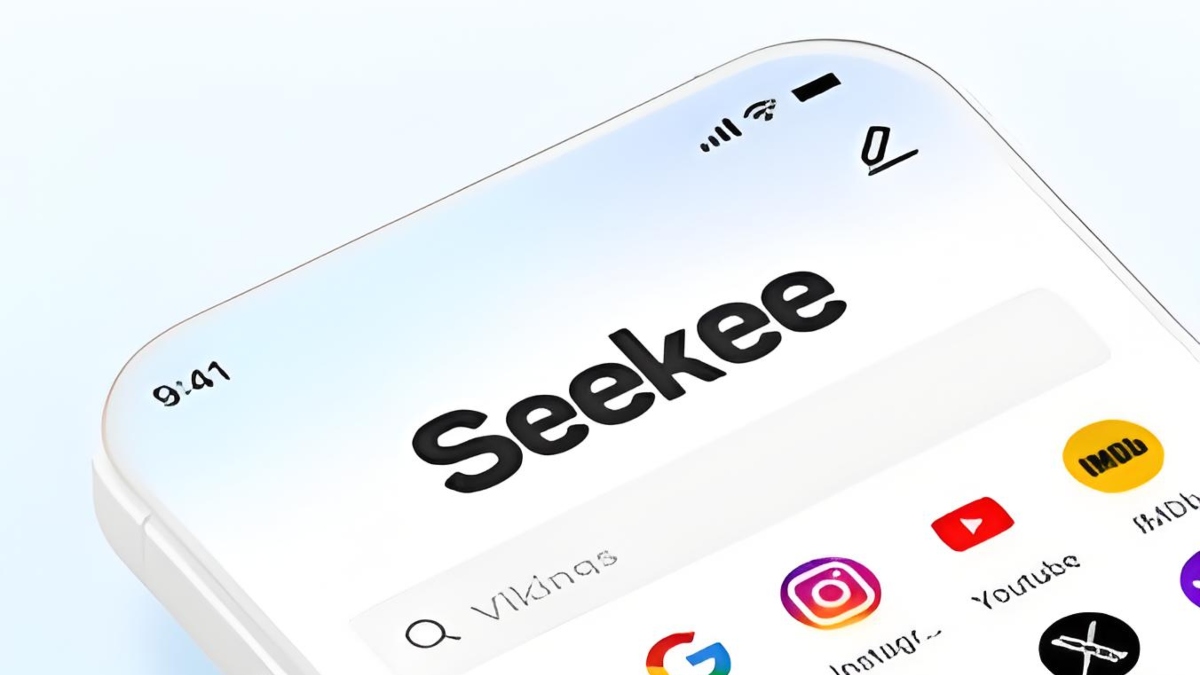
Seekee is an AI-powered search engine and productivity assistant wrapped into a single Android app. It combines web search, image generation, document management, and language tools under one roof — the kind of app that replaces three or four separate tools on your phone.
The app hit 22 million downloads less than two years after launch, with its strongest growth in Latin America where it regularly ranks in the top 5 of Google Play's Tools category. That rapid adoption isn't just marketing dollars at work. People seem genuinely drawn to having an AI assistant that does more than chat.
How Does Seekee Work?
At its core, Seekee uses an AI model to power a smarter search bar. Type a few words, and instead of just links, you get generated answers with images, summaries of web pages, and content that reads like someone understood your actual intent rather than just matching keywords.
The app processes your query through its AI engine, pulls relevant results from the web, and reformats everything into a digestible response. Think of it as a search engine that doesn't make you click through ten pages to find what you need.
Beyond search, the AI handles a bunch of tasks that normally need separate apps. You can ask it to write a work report, summarize a PDF, translate a document between languages, or generate images from text descriptions. All of it happens inside the same app.
How to Download Seekee on Android and iOS?
Seekee is available as an APK for Android devices running Android 4.5 or newer. The app takes up about 131 MB — reasonable for an AI tool with image generation capability.

Seekee is an AI browser and assistant that turns search into a conversational workspace.
If you're on iOS, Seekee is also available on the App Store. Both versions offer the same core feature set, though some advanced tools may vary between platforms.Is Seekee Free?
What Can Seekee Do?
AI Search Engine
The MegaSearch Bar is Seekee's flagship feature. It generates smart answers with visuals and context, so a search about "best coffee brewing methods" returns a structured explanation with images showing different techniques, not just ten blue links. The company claims the AI is built to "think with you" — sparking ideas and turning short queries into detailed results.
Image Generation
You describe it, the AI draws it. Whether you need a visual for a social media post, a concept mockup for a project, or just want to see what "a cat wearing a space helmet eating pizza" looks like, the tool generates images from text prompts. It's not Midjourney-level fidelity, but for quick visuals on mobile, it gets the job done.
Document Handling
Seekee can read, summarize, and create PDFs. Upload a 30-page report and ask for the key takeaways. Need to generate a PDF from scratch? Tell the AI what you want and it'll produce one. The translation feature also works directly on documents — upload a Spanish contract, get an English version back.
AI Writing
Blog posts, work reports, video scripts, social media copy, project proposals — the AI writing tool covers a wide range of formats. You provide the topic and some direction, Seekee generates the draft. It's positioned as a productivity booster rather than a creative writing tool, so the output leans toward professional and structured rather than literary.
AI Assistant & Visual Recognition
The assistant mode handles everyday tasks: identify objects through your camera (point it at a plant, learn what species it is), get math help, set reminders, and answer general knowledge questions. It's the catch-all mode for when you don't need a specific tool, just a smart helper.
Seekee vs. Other AI Tools
Seekee's main differentiator is bundling everything into one app. Instead of switching between a search engine, an image generator, a document reader, and a writing assistant, you stay in Seekee. The trade-off: none of its individual features beats the best-in-class standalone tools. The image generation won't outdo Midjourney, and the writing won't match Claude or ChatGPT at their best. But it's good enough for most everyday tasks, and the convenience factor is real.
The closest competitor in the all-in-one AI space is probably Perplexity — both offer AI-powered search, but Seekee adds image generation and document handling that Perplexity doesn't natively include in one app.
- How to Download Keys Cap - Make Your Keyboard APK Latest Version 3.11.11 for Android 2026
- How to Download ClassDojo APK Latest Version 9.2.0 for Android 2026
- How to Download TFT: Teamfight Tactics APK Latest Version for Android 2026
FAQs
Q: What exactly is Seekee?
Seekee is an AI-powered browser and assistant app that combines intelligent web search, image generation, document management, language translation, and content creation in one platform.
Q: Who developed Seekee?
Seekee was developed by the Seekee App Team and has received venture capital funding. The company operates globally with a particularly strong presence in Latin American markets.
Q: Is Seekee free to use?
The app offers a free tier with basic access to all features. Premium plans remove usage limits and unlock advanced capabilities.
Q: Is Seekee Safe?
Seekee launched late‑2024 with vetted multi‑million‑dollar pre‑A & A institutional funding. It requests routine Android permissions. No major privacy scandals exist, yet avoid submitting sensitive personal data as user inputs are server‑processed.
 NEWS
NEWS REVIEWS
 HOWTO
HOWTO