Scan Date:May 18, 2025
Show More

NexTv suits users who already have digital content sources and want a simple way to browse and watch them. It focuses on a clean interface and steady playback for straightforward viewing. You bring your own streams or files, and the player presents them with artwork and basic info for easier navigation. Additionally, NexTv is a player only and does not include any channels or media. For installation on Android, many users look for NexTv APK.
NexTv does not provide or host any media. You add your own sources for live TV, movies, and series, then play them inside the app. The player reads your content and keeps control with you at all times. This sets clear expectations before setup and keeps the experience focused on playback.
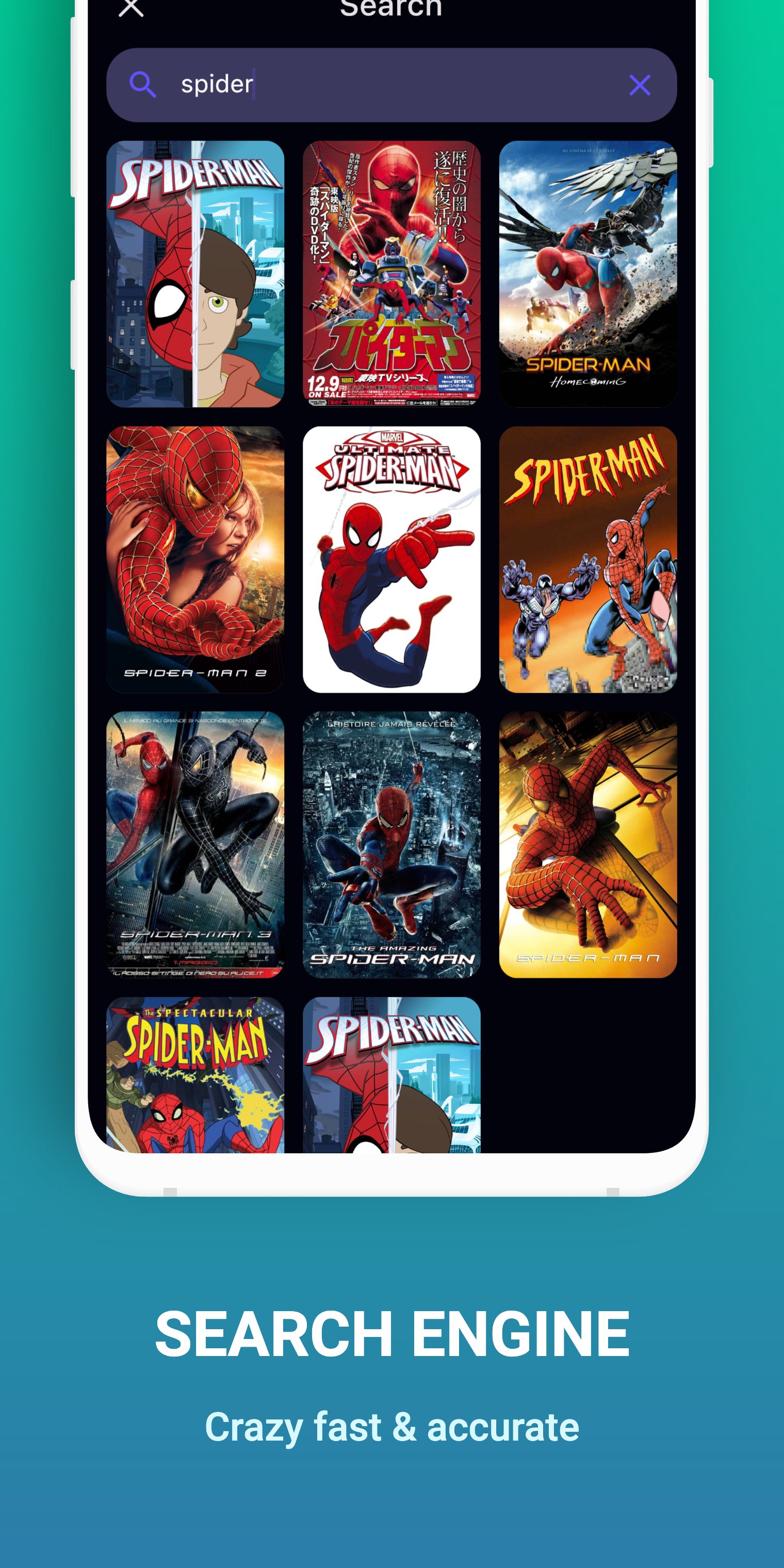
Artwork and details powered by TMDbNexTv fetches posters, backgrounds, and basic information through the TMDb API to enrich browsing. This helps you identify titles quickly and makes libraries easier to scan. The app is not certified by TMDb, and data availability can vary by title or source. If artwork is missing, core playback continues to work as expected.
Stable playback using ExoPlayerNexTv relies on ExoPlayer maintained by Google developers for video playback. This provides predictable behavior across many Android devices and supports common player controls. You can play, pause, seek, and switch tracks when your source includes those options. With this foundation, moving between items feels consistent.
You retain full control of sourcesThe player is content‑agnostic and never influences where your streams come from. You handle credentials, links, or access rules provided by your content source. NexTv and its founder are not responsible for the material you watch. This clear separation keeps configuration centered on your chosen sources.
Simple, streamlined interfaceThe layout keeps menus minimal and highlights content tiles and the video player. Navigation is straightforward, so you can move from browsing to watching without extra steps. Screenshots shown are illustrative and may not reflect your library or sources. These visuals help you understand the interface before adding content.
NexTv is a player only and does not include bundled channels, playlists, or an internal catalog. Any login or credentials you use belong to your content provider, not to a NexTv account. The app does not offer cloud DVR, voice remotes, or regional services. If you search for a companion or extra modules, confirm they come from your own provider and add them as sources inside the player.
NexTv uses the TMDb API to display artwork and basic details for easier browsing. Results depend on how your titles match TMDb and may differ across libraries. The app is not certified by TMDb, and artwork or info can be incomplete or unavailable for some items. Playback does not rely on metadata, so you can still watch even when artwork is missing.
After you download NexTv, the player works with sources you already have. It does not include any channels or media, so prepare links or access details from your provider or library. Then follow these steps to start watching on your device.
NexTv offers a straightforward IPTV player experience for users who bring their own sources. To begin, install the NexTv latest version and add the content details provided by your chosen source.
Latest Version
3.5.1-rev1-google-tvUploaded by
Ahmed Sabha
Requires Android
Android 7.0+
Category
Free Video Players & Editors AppContent Rating
Everyone
Security Report
Report
Flag as inappropriateLast updated on May 11, 2025
This update enhances overall stability and includes several bug fixes to improve performance and reliability.





APKPure - A multi-platform app store primarily focused on Android, providing extensive app-related content. Discover the app you want easier, faster, and safer, with quick and efficient downloads and installations.