Scan Date:Oct 2, 2024
Show More


Package Name Viewer helps when you need reliable identifiers for automation, debugging, or device management. Developers can quickly confirm the main activity for intents and deep links, while testers and power users can verify the exact package for scripts and tools. Additionally, ADB users and IT admins benefit from clear visibility across user and system apps, which simplifies common workflows. If you prefer a direct, lightweight tool for this task, consider getting the Package Name Viewer APK for a focused experience without distractions.
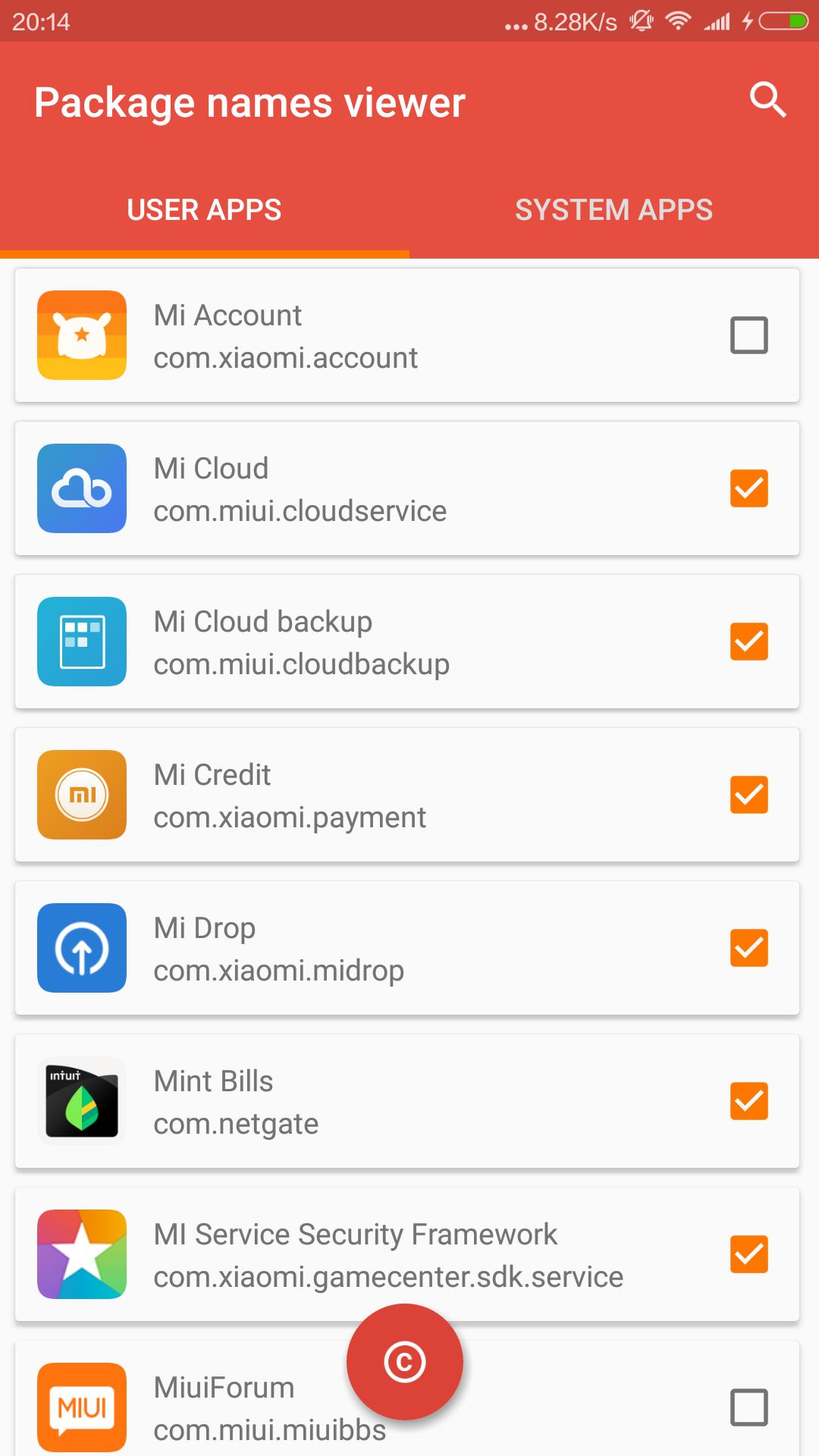
Package Name Viewer lists every app on your device with its package name and launcher class. This includes system apps, which are essential for tasks like debloating, device audits, or script validation. You can scan the list to confirm the exact identifier and the main activity without opening each app.
Fast in-app searchWhen you need a specific app, type its name in the search field and see instant results. The list filters as you type, which reduces scrolling and helps you focus on the target quickly. This saves time during repetitive checks or when working across many apps.
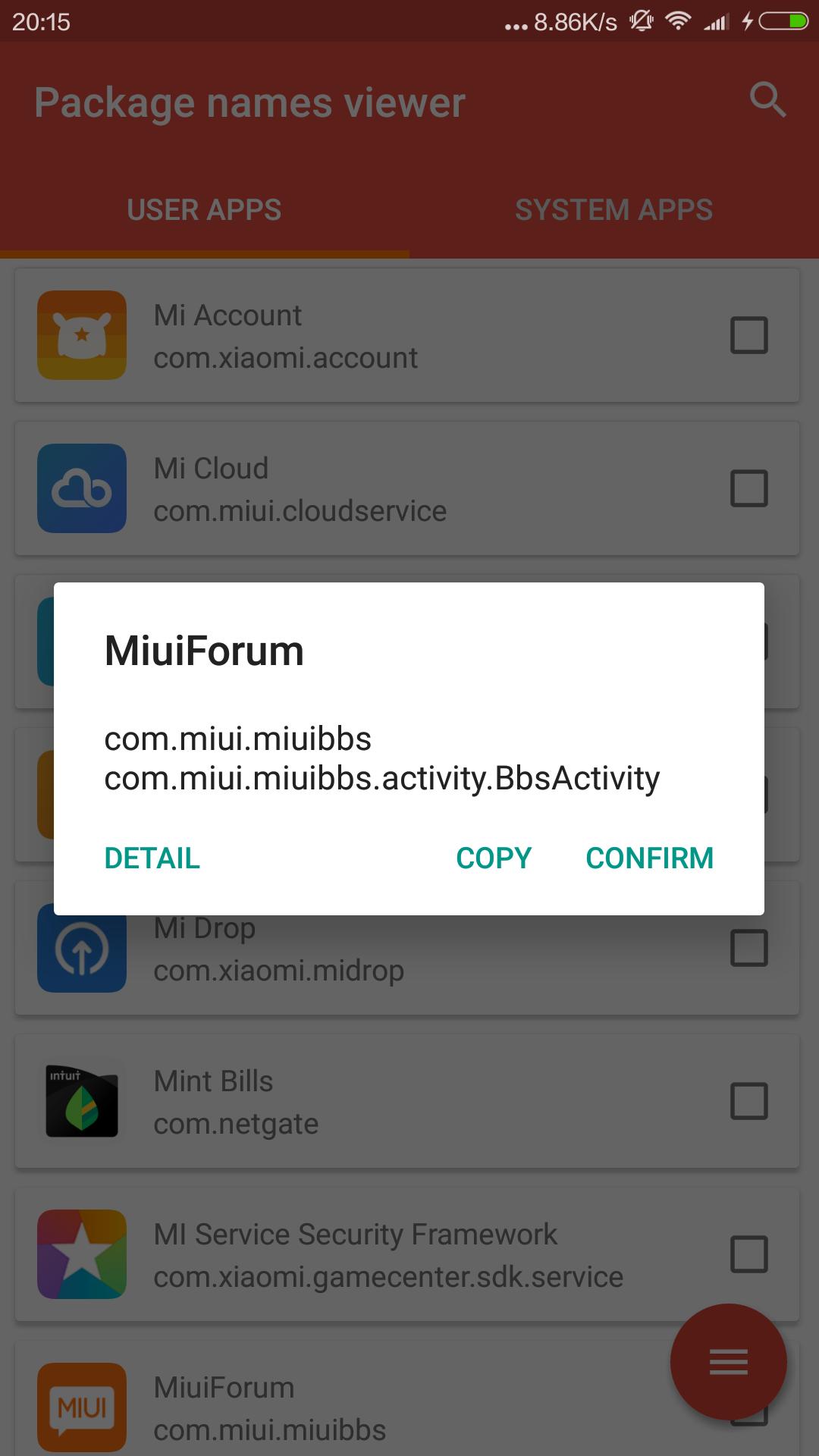
One-tap copy and multi-copyYou can copy a package name or launcher class with a single tap. For larger tasks, long press to select multiple apps and copy all identifiers at once. This is useful for batch operations, ADB commands, or sharing a set of Android app package name values with colleagues.
Jump to app settingsIf you need to review permissions, storage, or disable options, open an app’s system settings directly from Package Name Viewer. This shortcut reduces extra steps during troubleshooting or device tuning. It integrates smoothly into workflows that require frequent checks across many apps.
Material Design, organized viewsThe interface uses clear Material Design with separate views for user and system apps. This structure makes scanning faster, especially on devices with many preinstalled services. You can move between categories without losing your place, which improves everyday navigation.
Package Name Viewer supports developer and QA tasks where the launcher class is required for intents, deep link testing, or instrumentation. It also assists ADB users and those following debloating guides by providing precise package IDs to avoid mistakes. Moreover, IT and MDM administrators can identify unmanaged or in-house apps quickly, which helps with policy decisions and inventory checks. These scenarios benefit from clear identifiers and easy copy actions that reduce manual effort.
The developer declares No data collected and No data shared for Package Name Viewer. This disclosure helps users who prefer tools that run locally without sending personal or device information. It aligns with simple utility use cases where the app’s role is to surface on-device identifiers and provide straightforward actions like search and copy.
After you download Package Name Viewer, setup is quick and focused on finding identifiers. The app opens to organized lists that separate user apps from system apps, which makes scanning easier. Use the steps below to locate and copy the details you need.
Package Name Viewer offers a simple way to view and copy package names and launcher classes across your device. For a clean utility focused on identifiers, consider checking the Package Name Viewer latest version to keep workflows efficient.
For support or contact, use the following details.
Latest Version
3.4.0Uploaded by
Htet Naing Kyaw
Requires Android
Android 5.0+
Category
Free Tools AppContent Rating
Everyone
Security Report
Report
Flag as inappropriateLast updated on Aug 3, 2024
Updated:
1. Home page horizontal and vertical screen modes adapt themselves according to the direction set by the system;
2. Customized selection of copied application information.




APKPure - A multi-platform app store primarily focused on Android, providing extensive app-related content. Discover the app you want easier, faster, and safer, with quick and efficient downloads and installations.