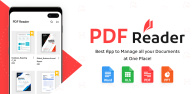
PDF Reader App: Read All PDF is made for users who handle files on an Android phone during study, work, or daily tasks. It gives one place to read ebooks, check office files, save receipts, review notes, and prepare PDFs without switching between many tools. As a result, users who want to download PDF Reader App: Read All PDF can expect a practical document app focused on reading, file handling, and basic PDF work.
Find and organize PDF files
PDF Reader App: Read All PDF scans the phone and lists PDF files so users can find documents faster. It also shows recent files, favorites, and folders, which helps when the same files are opened often. From there, you can sort, rename, delete, move, or search for a file by name.
Read PDFs in different viewing styles
You can read page by page or use continuous scrolling depending on the type of document. The app supports horizontal and vertical viewing, zoom, page jumping, and bookmarks, so long files are easier to follow. For reading at night or for longer sessions, dark mode and eye comfort mode are also available.
Edit and mark up documents
PDF Reader App: Read All PDF includes tools for common reading and review tasks. You can highlight text, underline important lines, strike through content, draw notes, add text, insert images, copy text, and place an electronic signature. This is useful when reviewing class notes, checking work files, or signing a document from the phone.
Create, convert, and adjust PDF files
You can turn images and text into PDF files, and you can scan paper pages into PDF format with the phone camera. After creating a file, the app also supports merging, splitting, compressing, rotating, cropping, adding pages, and deleting pages. These tools are helpful for receipts, handwritten notes, forms, and image based documents.
Handle long files with reading support
PDF Reader App: Read All PDF includes AI summary tools, chat with PDF, and Text to Speech. These functions can help users review long files by reading key points, asking about document content, or listening instead of reading on screen. They are especially useful for study materials, reports, and ebooks that take more time to finish.
PDF Reader App: Read All PDF APK is suitable for users who want one Android app for PDF reading, light editing, file scanning, and document viewing. It also works as an all document viewer for PDF, Word, Excel, PowerPoint, Docx, and text files. This can reduce the need to open separate apps just to check common office documents.
The app is described as a simple, free, lightweight, and all in one PDF Reader App. However, users should still review the app page details before installing, especially if they need a specific tool such as PDF compression, page cropping, electronic signatures, or AI summaries. Checking the PDF Reader App: Read All PDF latest version helps users confirm that the available package matches the current app listing.
After installation, the app can be used as a central place for reading, editing, and managing documents on an Android phone. Users looking for a free PDF reader for Android can start with basic reading first, then use editing or conversion tools when needed.
PDF Reader App: Read All PDF brings PDF reading, editing, scanning, conversion, file organization, and document viewing into one Android app. If these tools match your daily document needs, download PDF Reader App: Read All PDF APK and use it to manage study, work, ebook, note, receipt, and office files from your phone.
Official information for the app is available through the developer channels below.
Latest Version
1.34.0Uploaded by
Алексей Яшкин
Requires Android
Android 8.0+
Category
Free Tools AppContent Rating
Everyone
Report
Flag as inappropriateLast updated on Oct 3, 2026
🚀 New: PDF Scanner + AI Summarize!
📷 Scan any document or photo into a PDF instantly
🧠 Get instant AI summaries of your PDFs
⚡️ Faster file browsing & improved PDF editing
🎨 Refreshed preview & editing screens
✨ Bug fixes and performance improvements



APKPure - A multi-platform app store primarily focused on Android, providing extensive app-related content. Discover the app you want easier, faster, and safer, with quick and efficient downloads and installations.