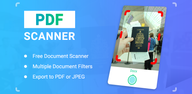
PDF Scanner helps when you need to keep paper records on your Android phone instead of carrying physical copies. It is useful for work, study, business tasks, and daily paperwork, especially when you need to save receipts, notes, IDs, forms, certificates, or handwritten pages. With PDF Scanner APK, users can create digital files from paper materials and prepare them for sharing, storing, or reviewing later.
Scan paper documents to PDF
PDF Scanner lets you scan documents with your phone camera and convert them into PDF files. You can use it for paper forms, receipts, class notes, printed photos, and other physical pages. After scanning, the app helps turn the captured image into a file that is easier to save or send.
Detect edges and crop pages
PDF Scanner supports auto edge detection, so the app can find the borders of a page during scanning. This helps remove the table, floor, or background around the document. As a result, the scanned file looks cleaner and focuses on the actual page content.
Adjust scan appearance
You can use HD enhancement and filter options to make scanned pages easier to read. PDF Scanner supports color, grayscale, and black and white output, depending on the type of document. For example, color may suit certificates or cards, while black and white may fit text pages and forms.
Create multi page PDF files
PDF Scanner supports batch scanning for users who need to scan more than one page. This is useful for books, study materials, contracts, or long office documents. Instead of saving each page separately, you can collect related pages into one PDF file.
Convert images and extract text
You can also use PDF Scanner as an image to PDF tool for photos, cards, certificates, and handwritten pages. In addition, the OCR text scanner can extract text from scanned documents or images. This helps users copy content from a page and reduce manual typing when working with notes or printed materials.
PDF Scanner is designed for practical document tasks on an Android phone. Students may use it to organize notes and book pages, while office users may scan contracts, receipts, or forms during daily work. Business users can also prepare shareable PDF files when paper documents need to move quickly between people.
When comparing PDF Scanner with a Document Scanner or scan to PDF app, consider the type of files you handle most often. If you often scan long documents, batch scanning and multi page PDF creation matter. If you work with printed text, OCR support may be useful because it helps turn scanned content into selectable text.
Using PDF Scanner latest version is a simple process when you need to digitize a paper document on your phone. Before scanning, place the page on a flat surface with enough light so the camera can capture the text clearly.
PDF Scanner focuses on turning paper pages, photos, notes, and forms into digital files on Android. If you need a tool for daily document capture, you can download PDF Scanner and use it to create PDF or JPG files from your phone.
Latest Version
6.3.9Uploaded by
حسين الكناني
Requires Android
Android 7.0+
Category
Free Tools AppContent Rating
Everyone
Report
Flag as inappropriateLast updated on Oct 1, 2026
This release includes minor bug fixes and general improvements. Update to the latest version for the best experience.



APKPure - A multi-platform app store primarily focused on Android, providing extensive app-related content. Discover the app you want easier, faster, and safer, with quick and efficient downloads and installations.