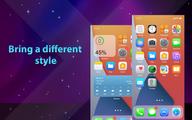
HiPhone Launcher suits users who want a cleaner look and quicker access to everyday actions. It replaces the default launcher with a simple layout focused on search and handy controls. You can keep icons organized while reaching common settings without digging through menus. If you want to explore a new style without heavy customization, you can download HiPhone Launcher and test the basics first, then fine tune details when ready.
Swipe down search
You can open a search panel by swiping down anywhere on the home screen. This gesture helps you find what you need quickly without leaving the launcher. It reduces taps when you need something fast.
Custom quick toggles
HiPhone Launcher provides toggles for silent mode, airplane mode and Bluetooth. You can change size, color and position, and enable vibration feedback. This lets you place useful controls where they are easiest to reach.
Screen style and lock options
You can decorate the home screen with a small collection of wallpapers. The launcher also offers a lock screen display with passcode or pattern. Availability can vary by device settings, so review options inside the app before enabling them.
Permissions and accessibility
Checking these prompts before use helps you understand how the launcher works on your device.
HiPhone Launcher focuses on a clean layout, quick search and simple controls. Users who want a different look can install and try it in minutes. For updates and fixes, check the HiPhone Launcher latest version before starting.
Latest Version
1.0.9.1Uploaded by
Kailane Costa
Requires Android
Category
Free Tools AppContent Rating
Everyone
Report
Flag as inappropriateLast updated on Oct 7, 2026
This release includes minor bug fixes and general improvements. Update to the latest version for the best experience.



APKPure - A multi-platform app store primarily focused on Android, providing extensive app-related content. Discover the app you want easier, faster, and safer, with quick and efficient downloads and installations.