
PRISM Live brings mobile streaming, screen casting, and avatar presentation into one clean workspace so you can produce a show without extra gear. It organizes scenes, sources, and chat in a way that helps you move quickly from setup to live. Creators use it for IRL sessions, gaming, tutorials, and talk formats with a consistent look. Get the PRISM Live APK latest version on APKPure for a secure install, and start streaming with the tools you need on Android.
Multistream to several channels
PRISM Live lets you broadcast to multiple platforms at the same time. This helps you reach your audience everywhere from a single control room. It reduces duplicate work and keeps your focus on the content.
VTuber mode with VRM avatars
You can go on camera without showing your face by selecting a 2D or 3D VRM avatar. PRISM Live tracks expressions and movement so your avatar feels natural. This is useful for privacy, character branding, or themed shows.
Mobile screen and game casting
PRISM Live supports sharing your phone screen for apps and games. You can capture gameplay, demos, or walkthroughs while keeping overlays and audio under control. This is designed for stable, viewer friendly streams on mobile.
Overlays, media, and effects
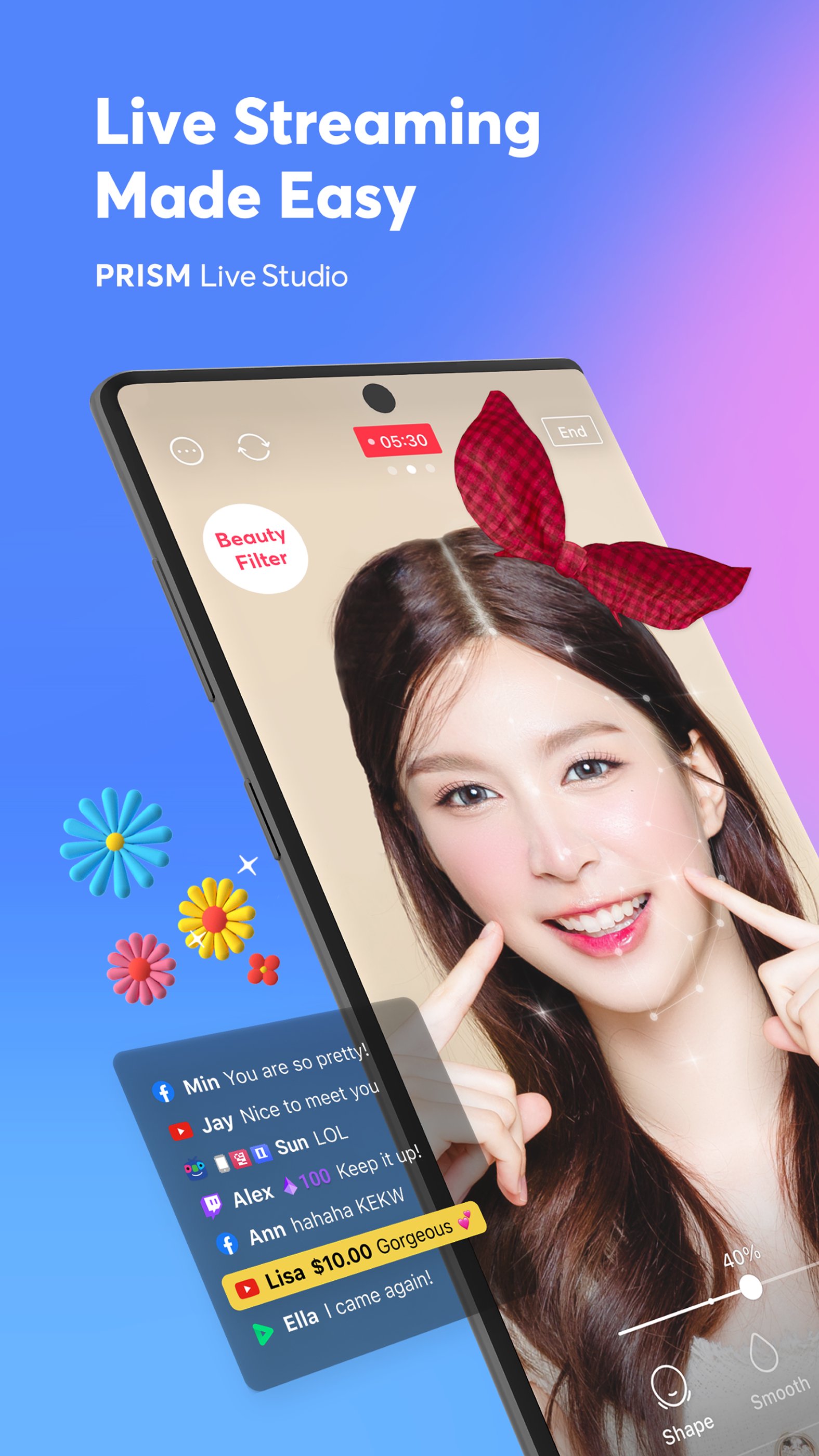
PRISM Live adds photos, videos, and music on top of your scene with simple layering. You can apply animated text themes, beauty effects, and web widgets to frame your story. As a result, your stream gets a clear identity without extra editing tools.
Pro video and keying controls
PRISM Live supports streaming up to 1080p at 60 fps on compatible devices. You can adjust focus, exposure, and white balance, then apply a mobile chroma key for green screen setups. These controls help you maintain consistent visual quality.
Chat tools and ecosystem pairing
PRISM Live shows live chat on screen with highlights so you can respond without switching views. It supports background streaming, quick account linking, and CONNECT mode to pair your phone as a source for PRISM Desktop. This makes expanding into multi camera or PC workflows straightforward.
PRISM Plus is an optional subscription that extends features across the PRISM Live ecosystem. One account works on mobile, desktop, and PRISM Lens so you can use benefits wherever you create. You can subscribe in the mobile app and keep your tools consistent across devices.
New creators can learn fast with the official User Guide, Discord, and YouTube tutorials. These resources cover scene building, audio routing, VTuber setup, and multistream tips. Many creators highlight the ease of text and effect tools when giving feedback.
PRISM Live pairs with PRISM Desktop through CONNECT mode for flexible camera and mic setups. You can place your phone as a wireless angle, a handheld mic, or a remote controller for scenes. This is helpful when you want PRISM Live Studio PC download workflows to match your mobile layouts.
Follow this quick guide to begin your first broadcast. It covers the basic flow from setup to going live so you can test your scene and audio before publishing.
PRISM Live helps creators produce camera, screen, and avatar streams with effects and multistream support on Android. Get the PRISM Live APK on APKPure to install the PRISM Live APK latest version and keep your setup ready for any show.
If you need official support or product information, use the links below.
What is PRISM Live used for?
PRISM Live is used for live streaming with camera, mobile game casting, and VTubing. It adds effects, media, and music so creators can build engaging broadcasts in one app.
Is the PRISM Live streaming app free?
Yes, PRISM Live is free to use. An optional PRISM Plus subscription is available for enhanced features, and one subscription works across mobile, desktop, and PRISM Lens.
Is the PRISM Live app safe?
According to its Privacy Policy, PRISM Live operates internal personal information management plans and a dedicated organization to protect user data.
Can I use PRISM Live with PRISM Desktop through CONNECT mode?
Yes, PRISM Live supports CONNECT mode so your phone can act as a camera, microphone, or remote for PRISM Desktop. This is useful for multi angle layouts and hybrid mobile plus PC setups.
How do I download or update PRISM Live APK?
You can download PRISM Live APK safely on APKPure. To update to the PRISM Live APK latest version, return to APKPure, check the version details, and install the new build over your current app.
Latest Version
5.3.1Uploaded by
Rafael Bütenbender De Oliveira
Requires Android
Android 10.0+
Category
Free Video Players & Editors AppContent Rating
Teen
Report
Flag as inappropriateLast updated on Aug 20, 2026
- Added the Overlays.uno scoreboard widgets
- Added camera movement in 3D VTuber
- Added a screen-sharing option in Screencast
- Added noise suppression
- Added a voice changer
- Added YouTube monetization support
- Added YouTube stream latency options
- Added YouTube pre-broadcast link sharing
- Added a CustomRTMP input guide
- Added a current-date text effect
- Added a simple clock effect



APKPure - A multi-platform app store primarily focused on Android, providing extensive app-related content. Discover the app you want easier, faster, and safer, with quick and efficient downloads and installations.









