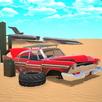
Project Bengal suits players who want freedom to roam, clear goals, and steady progression on Android. The game places you in a detailed version of Bangladesh where city streets, forests, and ruins connect into one space. You move between areas at your own pace, then take on challenges when ready. Because sessions often happen on the go, activities vary in length to fit short breaks and longer play. If you plan to download Project Bengal, expect a focus on exploration and story that grows as you advance.
Project Bengal features
Bangladesh inspired open world
Project Bengal builds a single, connected space shaped by cities, forests, and ancient sites. Landmarks and layout reflect regional culture, so movement between areas feels natural and grounded. This helps you learn routes, discover shortcuts, and return to places with new goals.
Varied mission types
You take on rescues, stealth infiltrations, puzzle challenges, and treasure hunts. Each mission pushes a different skill, so the pace changes as you alternate between action, planning, and problem solving. As you finish tasks, new opportunities appear to keep progress moving.
Dynamic weather and interactive environments
Project Bengal changes conditions as you play, so weather can shift and affect visibility and timing. Objects in the world can be used or examined, which adds small decisions during travel and combat. This variety keeps familiar locations fresh when you return later.
Customization and progression
You unlock abilities, weapons, and gear as you advance, then choose upgrades that match how you prefer to play. Options support stealth paths, direct combat, or a blend of both. This structure lets you adjust tactics when mission demands change.
Story and presentation
The narrative introduces characters and mysteries that expand as you step through major missions. Conversations and discoveries add context to the world and explain why each task matters. High fidelity visuals highlight locations and give clear cues for navigation, exploration, and combat.
How to play Project Bengal on Android
New players can get started in a few minutes by following a simple flow. The tutorial introduces movement, camera, and core actions inside the first area. If you install the Project Bengal APK, use the steps below to learn the basics quickly.
- First, install and open the game, then wait for any initial resources to complete and watch the opening sequence.
- Next, visit the settings menu to adjust graphics, control layout, and sensitivity so touch inputs feel comfortable on your device.
- After that, follow the on screen markers to reach the first contact, accept the starting mission, and learn how objectives appear on the map.
- Then, explore nearby streets and paths, open the map to set a waypoint, and travel through city blocks, forest trails, or ruins as directed by the mission.
- Finally, collect rewards from completed tasks, open the progression menu, unlock new abilities or gear, and equip upgrades before beginning the next objective.
Start playing Project Bengal today
Project Bengal offers a large world, mission variety, and flexible progression designed for mobile play. You can move at your own pace, take on challenges when ready, and refine your loadout over time. To keep features and content current, look for the Project Bengal latest version when updating.
For official details and announcements, visit the developer’s site below.