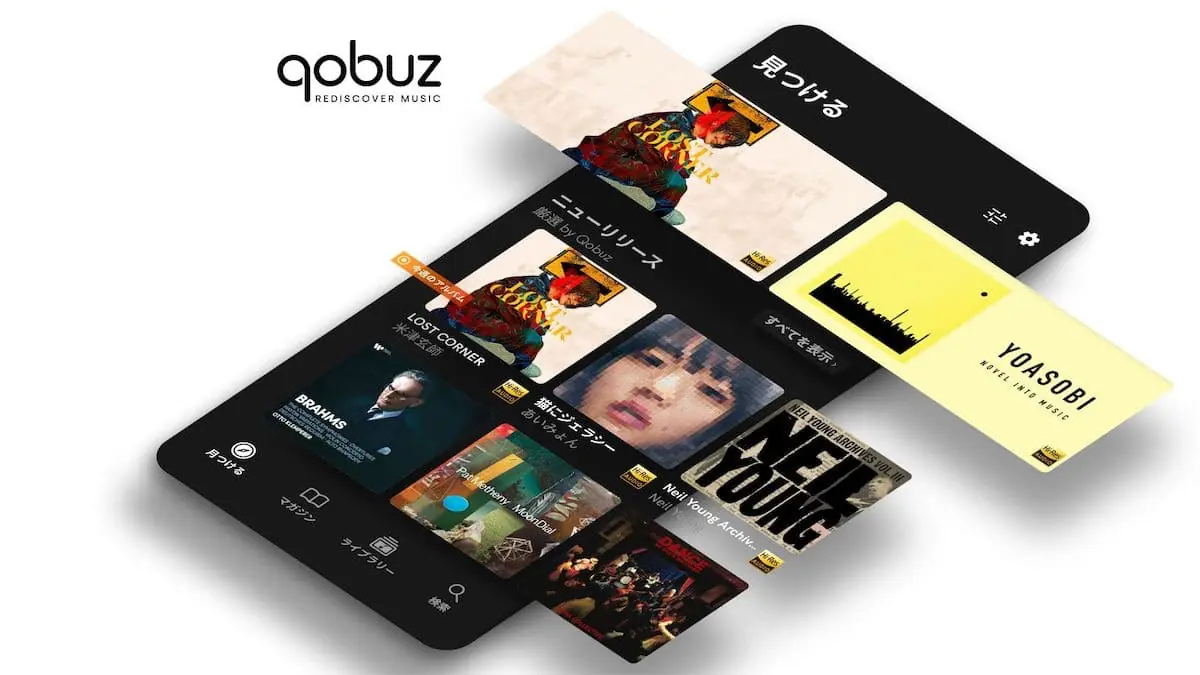
Qobuz helps listeners who value sound quality and clear guidance when discovering music. It brings together lossless streaming with a store for high resolution purchases, plus an editorial layer that highlights new releases and deep catalog picks. On Android, navigation focuses on quick access to artists, albums, and playlists, so moving from discovery to listening stays simple. If you prefer direct installs, the Qobuz APK is available for Android devices.
Qobuz streams in FLAC at true CD quality and up to 24 bit 192 kHz for compatible releases. You can also buy and download albums or tracks in high resolution to own permanently. Purchases do not require an active subscription, and some plans may include discounts on eligible titles. This dual setup lets you choose between unlimited listening and keeping the files you want.
Extensive catalog with human curationQobuz offers over 100 million tracks across all major genres, with frequent new releases and reissues. Thousands of playlists are assembled by editors to guide your exploration rather than relying only on algorithms. As you browse, genre sections and new release areas help you narrow choices quickly. This approach supports quick sessions and deeper catalog searches alike.
Magazine articles and discovery toolsYou can read over 500,000 editorial pieces including news, panoramas, and interviews alongside albums and tracks. The Discover page and magazine search surface context while you listen, from artist background to release notes. Home screen widgets on Android provide quick access to fresh stories and picks. This added context helps you decide what to play next with more confidence.
Offline mode and background controlsQobuz lets you save albums, tracks, or playlists for offline listening when you are away from a connection. During playback, audio continues in the background, and you can pause or skip directly from Android notifications. These controls reduce app switching and keep your queue easy to manage on the move. It is practical for commutes, flights, or areas with limited signal.
Device ecosystem, Qobuz Connect, and library extrasYou can use Qobuz on Android, iOS, Mac, PC, and the web, with support for Chromecast, AirPlay, and Roon. With Qobuz Connect on partner Hi Fi devices, you control playback from your phone while the device streams directly at the intended quality. Many releases include digital booklets and liner notes to read as you listen. To get set up faster, you can import playlists and favorites from other services using Soundiiz.
Service availability varies by country. If you see a message that the app is not available in your region, check the official website to confirm supported countries and follow updates. Availability may change over time based on licensing.
Streaming requires a paid plan. Buying and downloading high resolution releases does not require a subscription, and purchased files remain in your library. Certain plans, such as Sublime tiers, may offer discounts on eligible high resolution purchases. If you only want to buy and own files, you can use the store without a streaming plan.
In addition to Qobuz for Android, there are desktop apps for Windows and Mac, a Web Player, and a dedicated Qobuz Downloader for managing purchased files. If you plan to use Qobuz for PC alongside your phone, your favorites and purchases sync with the same account across the ecosystem.
Getting started is quick once you download Qobuz. The app centers on music selection, audio quality choices, and straightforward controls. Follow these steps to begin.
Qobuz combines lossless streaming, high resolution purchases, and expert editorial in one Android app. If you want consistent audio quality and flexible ownership, the Qobuz latest version provides these options in a clear interface. Install the app, sign in, and start exploring music with context.
For official resources and more details, visit the links below.
Latest Version
10.1.2.0Uploaded by
Roxanna Gabriela Quintanilla Cantu
Requires Android
Android 6.0+
Category
Free Music & Audio AppContent Rating
Teen
Report
Flag as inappropriateLast updated on Oct 3, 2026
Here's what we have been working on:
We’ve made some improvements and squashed a few bugs for a smoother experience.
Tell us what’s working (or what’s not)! Share your feedback at https://www.qobuz.com/store-router/help/contact/



APKPure - A multi-platform app store primarily focused on Android, providing extensive app-related content. Discover the app you want easier, faster, and safer, with quick and efficient downloads and installations.