Package Name:com.gismart.guitar
SHA-256:a503cc267a9107c603df6e981797caaadc031a92fbe94a34e3d0793581130fc5
Show More


Real Guitar helps users who want to practice guitar sounds, rhythm, chords, and simple songs without carrying an instrument. It suits beginners, kids, casual players, and musicians who need a quick way to try ideas on an Android phone. In daily use, the app works like a music practice space where you can play, listen, and repeat parts at your own pace. For users checking the Real Guitar APK, the main value is portable guitar practice with clear play modes.
Virtual guitar sounds
Real Guitar offers several guitar sound types based on live instrument recordings. You can switch between acoustic, electric, classic, twelve string, nylon string, and steel string sounds depending on the style you want to practice. This makes the app useful for comparing tones before playing chords, tabs, or short song ideas.
Chord Mode for strumming
Real Guitar lets you practice guitar chords through Chord Mode, which focuses on strumming and chord changes. You can follow different strumming patterns and change chords while playing, so the practice feels closer to simple rhythm guitar. Because the mode centers on timing and movement, it fits users who are learning basic accompaniment or trying to keep a steady beat.
Solo Mode for riffs and notes
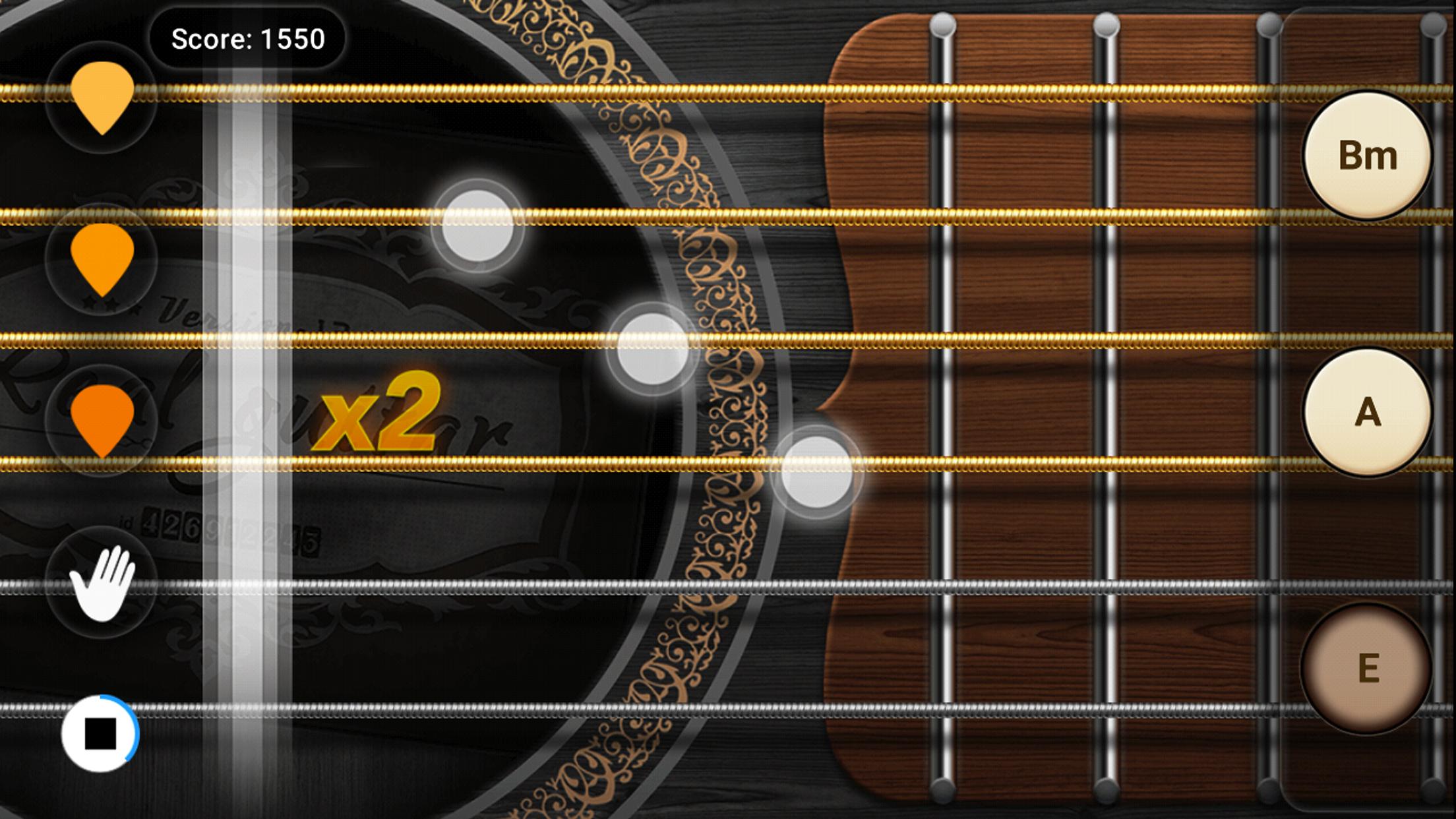
You can use Solo Mode when you want to play single notes, riffs, or short solos. Real Guitar shows animated notes and note indicators, while the fretboard style layout helps you follow where the notes are placed. The mode also supports capo use, so players can adjust the pitch area while practicing different song parts.
Songbook and chord library
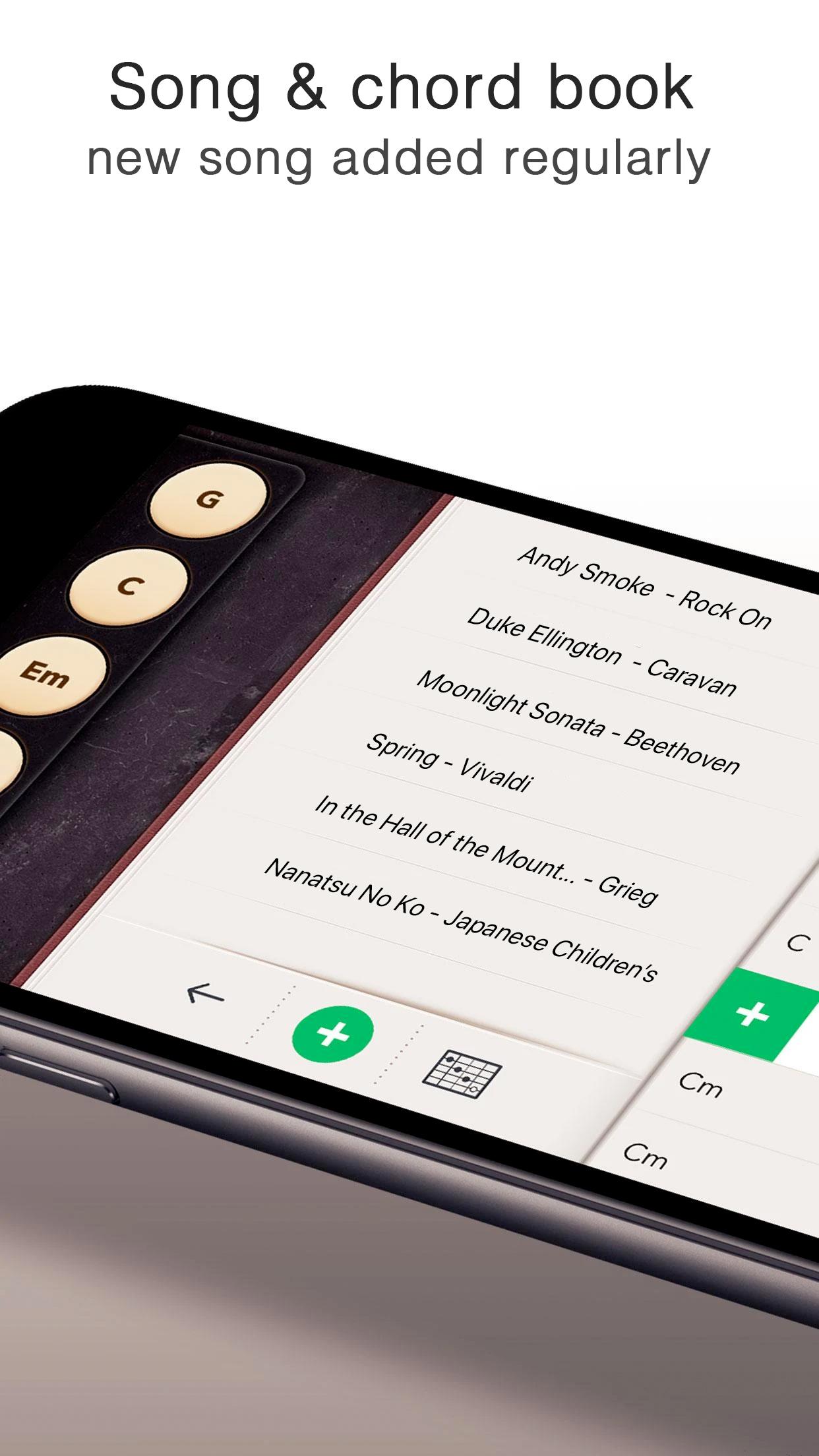
Real Guitar includes a Songbook and a chord library for users who prefer learning through songs. You can listen, add chords, select songs, create songs, and use playback while practicing. This gives beginners a more guided way to connect guitar tabs, guitar chords, and rhythm instead of practicing each part separately.
Chord Finder and scale practice
You can use Chord Finder to locate chords on the fingerboard more quickly. Real Guitar also helps users study scales on the fretboard, which is useful when moving from simple chord playing to note practice. As a result, the app can support both casual playing and basic music lesson routines.
Real Guitar is easier to use when you choose a mode based on what you want to practice first. If you want to work on rhythm, Chord Mode is the more direct choice because it focuses on strumming and chord switching. If you want to follow notes, riffs, or melody parts, Solo Mode gives a clearer view of note movement on the virtual fretboard.
For song practice, the Songbook and chord library are more suitable because they connect listening, playback, and chord selection in one place. This is helpful for users who learn better by repeating a song section instead of studying isolated chords. Before you download Real Guitar, it is useful to think about whether your main goal is rhythm practice, note practice, or song learning.
Real Guitar is designed for short practice sessions on a phone, so it can fit into travel, lessons, breaks, or casual playing at home. Users do not need a real guitar, strings, or an amp to test chord changes, rhythm patterns, scales, or song ideas. This makes the app practical for beginners who are still learning the basics and for experienced players who want a quick sketchpad for music ideas.
The app also fits family and classroom situations where kids or new learners need a simple way to hear how guitar sounds relate to touch input. Since the focus is on playing and repeating, users can spend a few minutes on one chord shape, then move to a pattern or song section. This steady approach works better than trying to cover every mode at once.
Real Guitar can be used as a casual music game or as a basic practice tool for guitar chords, tabs, and rhythm. After installing the Real Guitar latest version, start with one mode and repeat short parts until the touch controls feel familiar.
Real Guitar gives Android users a virtual way to practice guitar sounds, chords, tabs, songs, and simple riffs in short sessions. Users who want a portable guitar simulator can download Real Guitar and use it for learning, casual play, or quick music practice.
Official information is available from the developer source listed here.
Latest Version
3.40.4Uploaded by
Tesfay Gebreslassie
Requires Android
Android 5.0+
Category
Free Music GameContent Rating
Everyone
Security Report
Check Now
Report
Flag as inappropriateLast updated on Jun 14, 2024
Take the Stairway to Guitar heaven in our latest update.
Performance improvements and minor bug fixes.






APKPure - A multi-platform app store primarily focused on Android, providing extensive app-related content. Discover the app you want easier, faster, and safer, with quick and efficient downloads and installations.