Package Name:shareit.lite
SHA-256:94f32a5ed3525b2fdcd4bf783b65f65d1a65c967c88b1d9738dc5d5753bd6740
Show More


Built by SHAREit Technologies, SHAREit Lite keeps the essentials of SHAREit in a smaller, simpler package designed for quick sharing without mobile data. It focuses on fast connections between phones and computers, clear navigation, and stable offline transfers that protect your privacy. It is made for users who want dependable sending and receiving without extra steps, and it supports everyday sharing at home, at work, and on the go.
Fast offline transfers
SHAREit Lite - Fast File Share uses a direct wireless connection for speeds up to 42 MB/s. You send files without mobile data, and connections remain stable until the transfer finishes.
Any file type and size
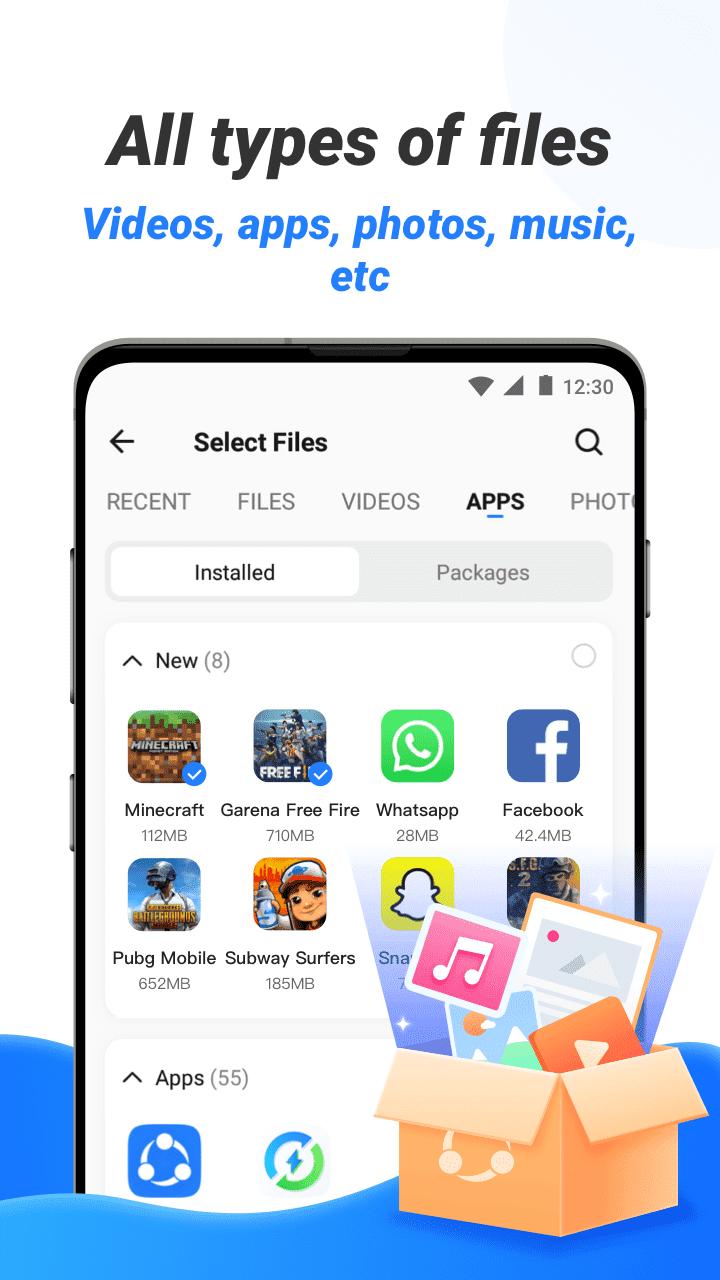
You can send apps and APKs, videos, photos, documents, and entire folders without size limits. This helps you move everything you need in one go and avoid repeated tasks.
Cross-platform sharing
SHAREit Lite - Fast File Share connects Android with iOS, Windows, Mac, and kaiOS devices. Therefore, you can move files between phones and PCs with a single workflow.
Lightweight and easy to use
The compact install keeps navigation simple, so you connect quickly and start sending in fewer taps. It reduces distractions and keeps the focus on reliable sharing.
Tools for everyday tasks
Downloader for media from WhatsApp, Facebook, and Instagram.
Video to MP3 converter and a basic file manager with ZIP support.
SafeBox, media player, and file preview for quick checks after transfer.
Encrypted transfers and privacy
SHAREit Lite - Fast File Share uses encrypted connections during sending and receiving. This protects your files in transit, and it gives you better control over what is shared.
Independent sources report positive safety checks. The SHAREit APK available on APKPure has passed VirusTotal’s comprehensive scan - the package contained no malware or spyware at the time of testing. In addition, SHAREit Lite - Fast File Share uses encrypted transfer channels that help protect your data while devices connect and exchange files. Download SHAREit Lite APK latest version on APKPure today and start sharing.
To work correctly, the SHAREit Lite app may request Nearby Devices and Wi‑Fi access to discover and connect to other phones or PCs. It may also ask for Files and Media permissions to read items you want to send and to save received items to your device. Depending on your Android version, Location permission can be required by the system for Wi‑Fi discovery. You can review and adjust these permissions in Settings at any time.
SHAREit Lite sends files offline between nearby devices. The process is straightforward, so you can start sharing in minutes. Follow the steps below to connect and transfer.
Install and open SHAREit Lite - Fast File Share on both devices that will send and receive.
On the sender, tap Send. On the receiver, tap Receive to make the device discoverable.
After that, select the photos, videos, documents, apps, or folders you want to share with the sender.
Start the transfer and follow the on-screen prompts to connect. The app will create a hotspot or use the same Wi‑Fi network to link both devices.
Then, wait for completion on both sides. Open received files from the app’s Received section. For sharing with a PC or iPhone, choose the phone to PC or phone to iPhone option and follow the guided connection steps.
SHAREit Lite focuses on quick, offline transfers in a clean, lightweight app. Download SHAREit Lite latest version on APKPure and start sending files across phones and PCs without mobile data.
Does SHAREit Lite use mobile data?
No, transfers in SHAREit Lite - Fast File Share happen over a direct wireless link, so your mobile data is not used for sending or receiving. Only online actions, such as using the built-in downloader, will use the internet.
Is SHAREit Lite safe to install?
Yes, SHAREit Lite APK on APKPure is VirusTotal-verified — the package was free of malware and spyware when tested. Moreover, the transfers in SHAREit Lite - Fast File Share are encrypted. For installation, use APKPure to download SHAREit Lite - Fast File Share APK securely.
Can I share files between Android and PC or iPhone with the SHAREit Lite app?
Yes, SHAREit Lite - Fast File Share supports cross-platform sharing with iOS, Windows, Mac, and kaiOS. You can move files between an Android phone and a computer or another phone by selecting the appropriate mode and following the connection prompts.
Latest Version
3.17.58_APUploaded by
Shareit
Requires Android
Android 4.1+
Category
Free Productivity AppContent Rating
Everyone
Security Report
Check Now
Report
Flag as inappropriateLast updated on May 16, 2024
Optimize user experience




APKPure - A multi-platform app store primarily focused on Android, providing extensive app-related content. Discover the app you want easier, faster, and safer, with quick and efficient downloads and installations.