Scan Date:Oct 4, 2017
Show More


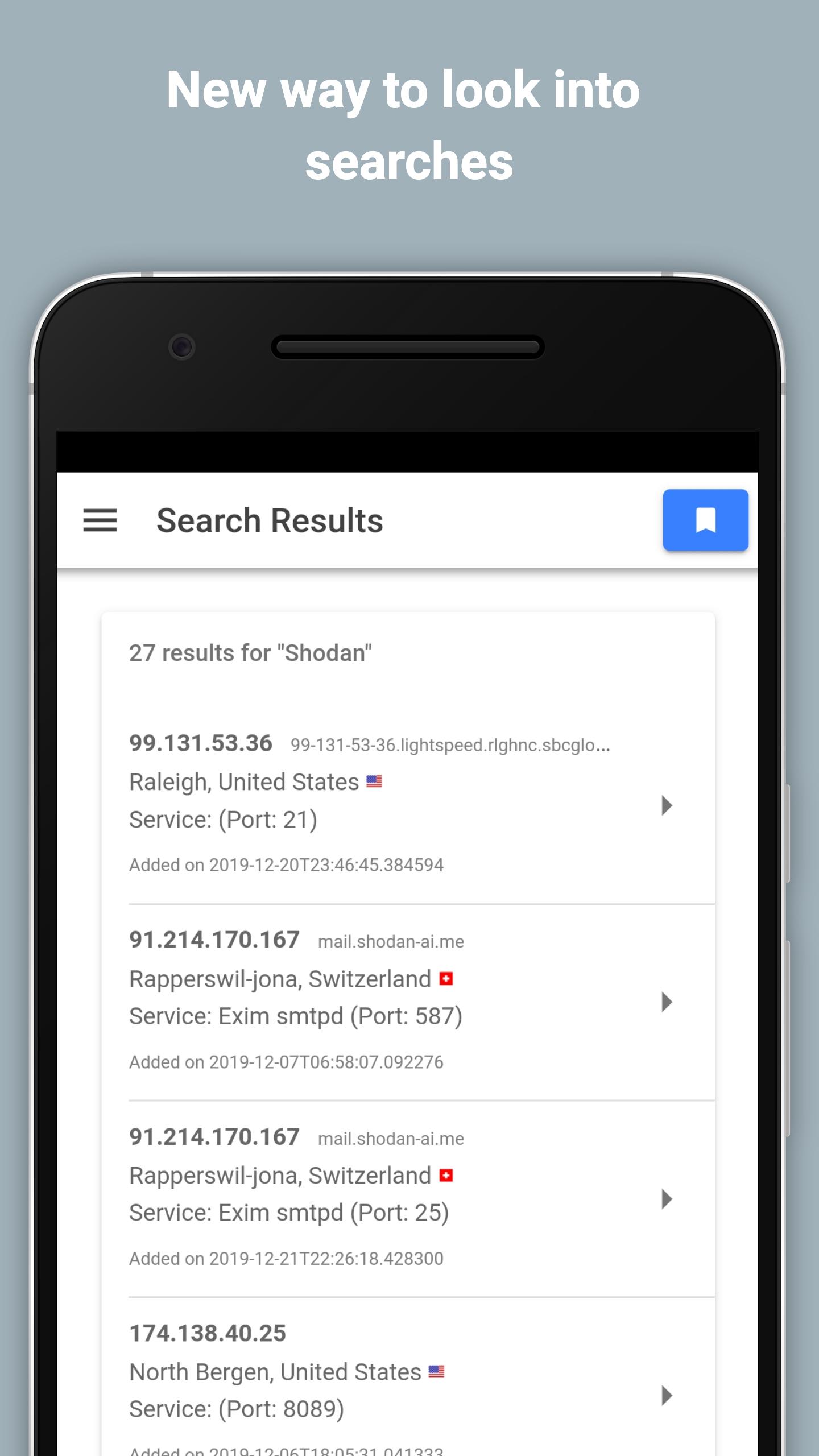
Shodan.io App brings the Shodan search engine to your Android phone so you can look up exposed services and connected devices anywhere. It provides a focused mobile interface for quick checks, fast lookups, and simple exploration when you are away from a desktop. You can start with a term, review popular searches, and move from high level results to detailed device information in a few taps. This mobile client aligns with the broader Shodan ecosystem, which includes Search, Maps, Images, Monitor, and the Developer API. Therefore, download Shodan.io App from APKPure to keep essential Shodan data at your fingertips.
Shodan powered search
Shodan.io App uses the same index and API that power Shodan Search. You can run targeted queries from your phone and review results with consistent data fields you already know.
Keyword and popular queries
You can type a specific keyword or start with popular queries to explore common exposures. This approach helps new users discover patterns and lets experienced users move faster.
Authenticated access with API key
Shodan.io App supports sign in with your Shodan account and API key so your queries run against your plan’s limits. Your authenticated session keeps results aligned with your account level.
Privacy focused permissions
The app no longer requests camera access. Previously, it was only used to scan a QR code for faster login, and it is not required anymore for Shodan App download and use.
Mobile reconnaissance workflow
You can check asset exposure, confirm findings, and review host details on the go. Results load quickly so you can validate an issue during a meeting or while traveling.
Consistent experience in the Shodan ecosystem
Shodan.io App mirrors field names and concepts from the web interface. Therefore, switching between mobile and desktop tools is straightforward when you continue your work later.
Shodan.io App requires a Shodan account and an API key to query data. If you do not have one, create an account on the official site and retrieve your key from your profile. You can start here: https://www.shodan.io/
The current build does not require camera permission, which aligns with a minimal data approach. For details on data handling, see the Privacy Policy in the official repository. You can review it on GitHub: https://github.com/PaulSec/Shodan.io-mobile-app
Shodan.io App is available for Android, and the iOS version is not available anymore according to the official repository. For documentation and support articles, visit the Shodan Help Center at https://help.shodan.io/
Shodan.io App fits into common workflows with Shodan Search, Maps, Images, Monitor, and the Developer API. Moreover, it is intended for lawful security research, network inventory, and exposure awareness.
This quick guide shows how to set up Shodan.io App and run your first search. It assumes you already have a Shodan account and API key. If you are new to Shodan, sign up on the official site first.
Shodan.io App lets you check Internet connected devices and exposed services from your Android phone with your Shodan account and API key. Get the Shodan.io App APK latest version on APKPure for quick, reliable access to Shodan data wherever you are.
Official resources for reference:
How is Shodan.io App different from the Shodan website?
Shodan.io App delivers a mobile interface that uses the same Shodan index and API as the website, while focusing on quick lookups on Android. It complements desktop workflows by letting you verify exposures and host details when you are away from a computer. Therefore, you can begin a search on mobile and continue deeper analysis on the web later.
Can I use Shodan.io App without an API key?
You need a valid Shodan account and API key to run queries in Shodan.io App. The app authenticates against your plan so results and rate limits match your account. Without a key, you cannot perform searches in the mobile client.
How do I update to the Shodan.io App APK latest version?
To update, download Shodan.io App APK from APKPure and install the new build over your current app. Your sign in state and settings normally remain intact. If prompted, approve the update so the Shodan download for Android completes successfully.
Is there an iOS version of Shodan.io App?
The iOS version is not available anymore based on the official repository notes. You can use the Android app via Shodan App download on APKPure, or access Shodan on the web from any browser.
Where can I find support for using Shodan.io App?
For usage questions about Shodan.io App, consult the Shodan Help Center at https://help.shodan.io/. Development details and app status are tracked in the official repository at https://github.com/PaulSec/Shodan.io-mobile-app, while APK installation and updates are available on APKPure.
Latest Version
0.0.2Uploaded by
Enrique Peña Gamez
Requires Android
Android 4.0.3+
Category
Free Business AppContent Rating
Everyone
Security Report
Report
Flag as inappropriateLast updated on May 29, 2016
Bug fix with the response timeout.
Added 'Copy to clipboard' functionality so you can share results with your colleagues/friends.




APKPure - A multi-platform app store primarily focused on Android, providing extensive app-related content. Discover the app you want easier, faster, and safer, with quick and efficient downloads and installations.