Scan Date:Mar 19, 2025
Show More

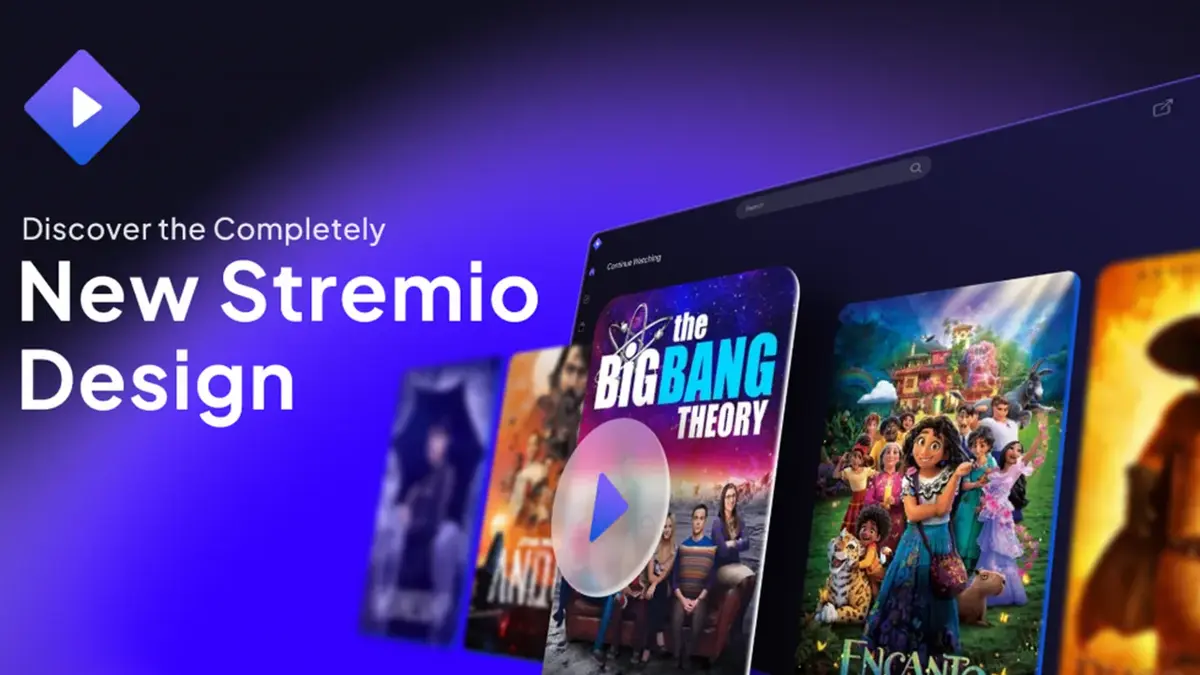
Stremio helps people who want to browse films, series, live channels, sports, and podcasts without moving between separate services. It works as a content aggregator, which means it does not host videos directly. Instead, available streams come from addons selected by the user. Before choosing to download Stremio, it is useful to understand that the content, languages, and playback quality shown in the app depend on the sources you add.
One catalog for different media
Stremio brings several media categories into a single browsing area. You can look for movies, TV series, live TV, sports, web channels, and podcasts from the same app. This can help when you follow different types of content and want one place to organize what to watch next.
Addons choose the available sources
Stremio uses official and community addons to show streaming sources. You can install addons for the categories that matter to you, such as series, films, or live channels. Since each addon works differently, the titles, languages, links, and video quality available to you can change according to the addon you select.
Discover titles and save plans
Stremio includes a Discover area for finding new or popular titles. When you see something you want to return to, you can add it to the Board. The Board helps you keep started titles, planned viewing, and saved items together instead of searching for them again later.
Continue watching with an account
You can sign in to keep your library and watch progress linked to your account. For example, if you stop halfway through an episode, Stremio can retain that progress on supported devices where you use the same account. This is useful for viewers who follow several shows at the same time.
Playback links and TV casting
Stremio can play sources supplied through HTTP links, magnet links, and torrent files when an addon or source provides them. Some sources may offer resolutions up to 4K HDR, but the actual result depends on the supplied stream and your connection. You can also cast compatible playback from an Android phone to a TV with Chromecast, while optional caching may help playback when a connection is unstable.
Stremio itself organizes content and connects to sources, rather than storing a video catalog of its own. Therefore, an addon may provide streams for one type of content but not another, and some titles may have no available source. Review each addon’s description before installing it, and add only sources you trust.
Stream availability can also vary by country, language, and the provider behind an addon. A listed title does not always mean that a playable stream is available. Users considering a Stremio download should check their preferred addons first, especially if they want particular channels, subtitles, or language options.
Stremio can be used with an account or explored in Guest mode if you do not want to sign in straight away. After installing the Stremio APK, take a moment to set up only the content sources and viewing tools you need.
Open Stremio and choose whether to sign in, create an account, or continue in Guest mode.
Open the addon area, then read the available addon details before adding sources for films, series, live TV, or other media.
Go to Discover and search for a title, browse categories, or check currently popular items.
Select a title and choose an available stream from the sources shown by your installed addons.
Add titles you want to revisit to the Board, then use your account to keep viewing progress when supported.
Stremio is designed for organizing media discovery, saved viewing, and addon based streaming sources in one Android app. Install the Stremio latest version if you want to browse available content sources, manage your Board, and continue supported playback from where you stopped.
Official information is available from the developer:
Website: https://www.stremio.com
Latest Version
1.6.13Uploaded by
Chit Ko Ko
Requires Android
Android 5.0+
Category
Free Entertainment AppContent Rating
Teen · Diverse Content: Discretion Advised
Security Report
Report
Flag as inappropriateLast updated on Oct 28, 2024
Update android target to Android 14



APKPure - A multi-platform app store primarily focused on Android, providing extensive app-related content. Discover the app you want easier, faster, and safer, with quick and efficient downloads and installations.