Sygic helps when you need reliable directions in cities, on highways, or in remote areas with limited signal. It works without mobile data and gives clear guidance on familiar routes or new trips. Maps are stored on your phone and updated regularly, which keeps routing current as roads change. You can use it on your phone or connect it to your car’s display for easier control. If you want quick access on Android, you can download Sygic in just a few steps.
Offline 3D maps with regular updates
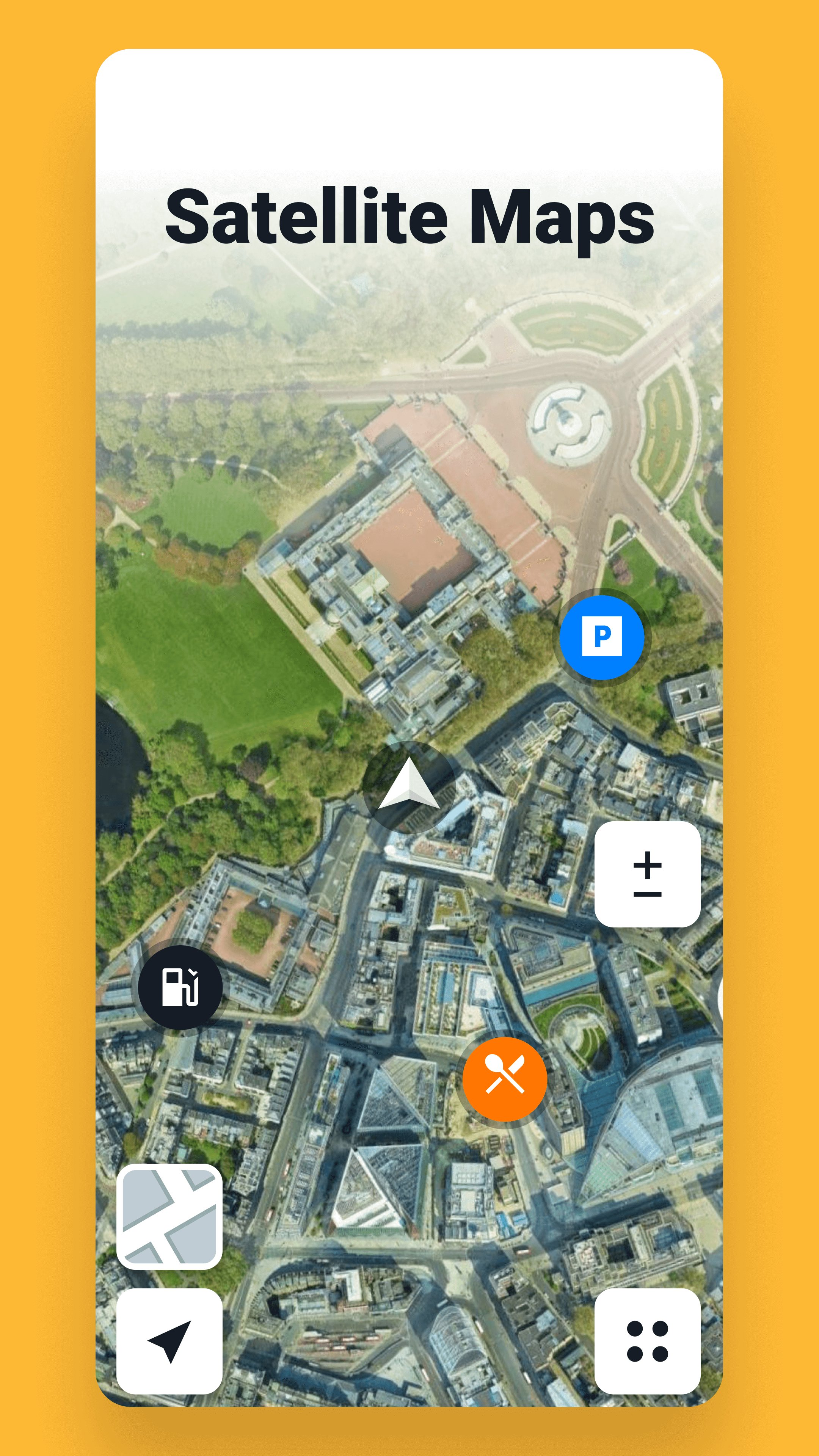
Sygic stores detailed 3D maps on your device so you can navigate without an internet connection. Multiple map updates each year keep road data fresh and include millions of places, pedestrian guidance, and satellite view search. This design supports Sygic offline maps for daily commutes and long trips where coverage may be weak.
Real-time traffic and driving alerts
To help you avoid delays, Sygic provides live traffic information that suggests faster routes when conditions change. You also see speed limits along your route and receive alerts for speed cameras where available. These tools work together so you can adjust in time and drive with better awareness of the road ahead.
Android Auto and Apple CarPlay support
Sygic connects to your car’s display with Android Auto or Apple CarPlay on supported vehicles. You can view the map, choose destinations, and follow directions using your car controls, which reduces phone handling while driving. This car-first approach keeps the map at eye level and makes routine actions simpler during the trip.
Safety tools and SmartCam features
For extra awareness, Sygic includes Dynamic Lane Assistant, a heads-up display mode, traffic sign recognition, and wrong-way alerts powered by Bosch. The SmartCam set adds Dashcam recording and AR Real View for on-road guidance, plus sign recognition while driving. A 7-day Premium+ trial unlocks these SmartCam functions so you can test them before deciding on upgrades. Check local laws in your country, as recording or sharing video may be restricted in some regions.
Cost-aware routing, fuel and parking info
Sygic can plan routes with current fuel prices to help you pick convenient stops along the way. You also get parking suggestions with availability and pricing where supported, so you can park with fewer detours. Together with traffic data, these options help you choose routes with clearer timing and fewer surprises.
Motorbike Mode and precise addressing
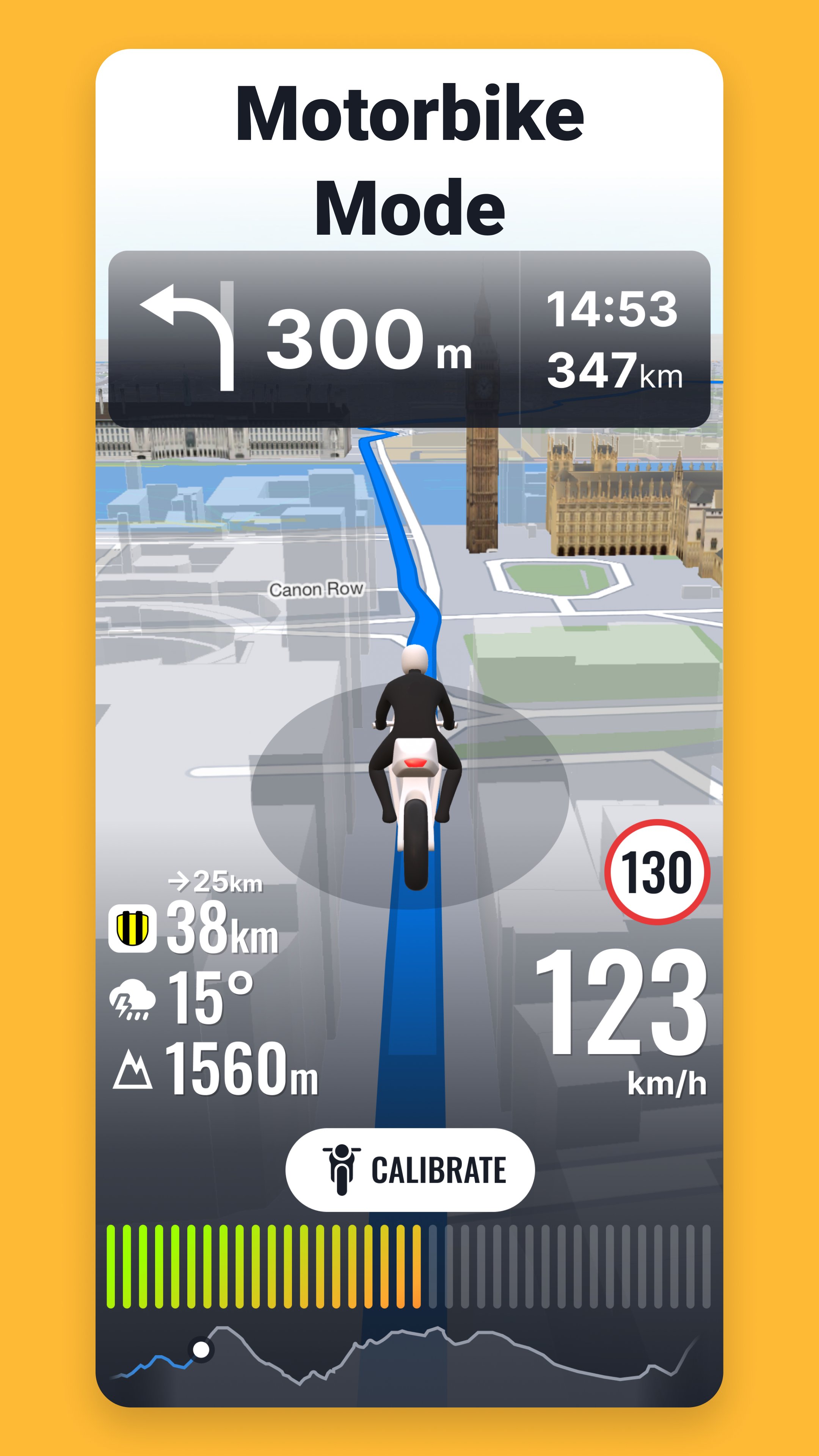
Riders can switch to Motorbike Mode to get twisty routing, a glove-friendly interface, and lean and elevation tracking. For hard-to-find entrances or rural areas, Sygic supports what3words addressing so you can enter three-word locations and navigate directly. This makes meeting points, trailheads, and service entrances easier to reach without long descriptions.
Getting started is straightforward, whether you plan a quick errand or a cross-country drive. If you prefer direct installation, the Sygic APK can be set up quickly on your device. Once installed, a short setup prepares maps and guidance for your area.
Install Sygic on your Android phone, open the app, and choose your language and units.
Allow location and storage permissions, then download the maps you need for your region.
Enter a destination by address, saved favorite, point of interest, or a what3words address, and review the suggested routes.
If you use a car display, connect with Android Auto and select your route on the dashboard; otherwise, place the phone securely and pick your driving mode, including Motorbike if needed.
Start navigation, follow voice guidance, and watch real-time traffic and alerts; during the trial, you can enable Dashcam or AR Real View if local laws allow it.
Sygic provides offline maps, live road data, and car display support to handle daily commutes and long-distance trips. To keep features current, consider installing the Sygic latest version when updates are available. Choose the setup that fits your drive and begin your route with clear guidance on screen.
For official resources and more details, visit:
Website: https://www.sygic.com/gps-navigation
Latest Version
26.5.5-119142Uploaded by
Guilherme Silva
Requires Android
Android 8.0+
Category
Free Maps & Navigation AppContent Rating
Everyone
Report
Flag as inappropriateLast updated on Sep 17, 2026
General improvements and fixes for a smoother and more reliable navigation experience.





APKPure - A multi-platform app store primarily focused on Android, providing extensive app-related content. Discover the app you want easier, faster, and safer, with quick and efficient downloads and installations.