Scan Date:Jul 16, 2026
Show More

Tic Tac Toe suits players who want a quick board game without a long setup or complex rules. It follows the familiar XO format, also known as Noughts and Crosses, so most users can understand the basic goal right away. At the same time, the game gives players different ways to play depending on whether they are alone, sitting with a friend, or looking for an online match. For users comparing options before a Tic Tac Toe download, this app focuses on simple rule based play and short sessions.
Classic XO rules
Tic Tac Toe uses the standard X and O turn system. You and the other player place marks on the board one move at a time, then try to form a full line across a row, column, or diagonal. Because the rule set is familiar, each match starts quickly and keeps the focus on choosing the next square carefully.
Single player and two player modes
You can play against the computer when no other player is available. After that, you can switch to a two player match when a friend is nearby and wants to share the same game session. This makes Tic Tac Toe 2 Player useful for short breaks, waiting time, or casual play at home.
Online matches with friends
Tic Tac Toe also supports online two player gameplay. Instead of needing to sit together, you can challenge a friend remotely and play the same XO Game format over a connection. This option is helpful when both players already know the rules and just want a simple match without learning a new game system.
Several board sizes and difficulty choices
You can choose from different grid formats, including 3x3, 6x6, 9x9, and 11x11 boards. The smaller board keeps the match close to the classic Noughts and Crosses style, while larger grids give players more space to plan. With difficulty options included, Tic Tac Toe can feel different from one session to the next without changing its basic rules.
Neon style visuals and animations
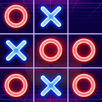
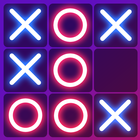
Tic Tac Toe presents the board with neon glow effects, animations, and a modern visual style. These effects help the digital board feel clear on a phone screen while keeping the X and O marks easy to read. Since the game is still based on simple board placement, the visuals support the match rather than changing how it is played.
Tic Tac Toe is best suited for users who want short puzzle matches instead of long game sessions. A standard 3x3 game can finish quickly, so it works well when you only have a few minutes. Larger boards can take more time, but they also give players more room to think ahead before placing a mark.
The app may appeal to players who remember XO or Noughts and Crosses from paper based play. However, this version is not limited to the basic classroom style grid. Because it includes computer play, local two player matches, and online challenges, users can choose the mode that fits the situation before starting a round.
Tic Tac Toe keeps the gameplay direct, so new players can start with the classic rules and then try larger boards later. If you are checking the Tic Tac Toe APK before installing, the main thing to know is that the game centers on taking turns, reading the board, and planning the next move.
Tic Tac Toe offers a familiar XO puzzle format with computer matches, two player play, online challenges, and multiple grid sizes. Users who want the Tic Tac Toe latest version can use APKPure to get started and choose the match style that fits their play situation.
Latest Version
0.50Uploaded by
Luisantonio Ascencio Fernandez
Requires Android
Android 8.0+
Category
Free Puzzle GameContent Rating
Everyone
Security Report
Report
Flag as inappropriateLast updated on Jul 16, 2026
Enjoy it! Tic Tac Toe



APKPure - A multi-platform app store primarily focused on Android, providing extensive app-related content. Discover the app you want easier, faster, and safer, with quick and efficient downloads and installations.