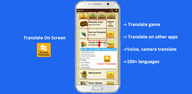
Translate On Screen helps when you face text in another language inside chats, games, social feeds, or web pages. Instead of copying and switching apps, it shows the meaning right on top of your current screen so you keep your focus. With simple controls and a small floating bubble, it fits everyday use at home, work, or travel. For users who prefer an installer, Translate On Screen APK is also available, making setup flexible without changing how the core tool works.
Floating bubble for instant translation
Translate On Screen places a small bubble on your display that you can move anywhere. When you tap it, the app detects visible text and shows translations as an overlay. This approach avoids app switching and keeps your place in chats, browsers, or games. You get quick results with minimal steps.
Works inside any app in real time
You can translate text directly on the screen across messengers, social timelines, web articles, documents, or mobile games. The overlay appears above the app you are using, so you continue reading without losing context. Automatic language detection helps when a page or comment mixes different languages, and results appear right after detection.
Support for 100 plus languages with auto detection
Translate On Screen covers a wide language range for reading posts, replies, and site content in many regions. You can set a target language once and let auto detection identify the source language each time. This reduces manual switching and keeps the process simple during busy tasks.
OCR for images, screenshots, and comics
When text is part of an image, the built in OCR reads it and provides a translation overlay. This is useful for screenshots, infographics, and manga or comics where dialogue is embedded. You tap to scan and then read the translated text in place. It helps when copy paste is not possible.
Voice and camera modes plus clipboard support
If you want to capture printed signs or labels, the camera mode translates what it sees. Voice input helps when a phrase is spoken or you prefer to read text aloud. You can copy translated results for sharing, and the app can auto translate content you copy to the clipboard. These options cover different situations without leaving your current screen for long.
Accessibility and overlay permissions
The app uses the Android Accessibility Service API to read text shown on your screen and display the overlay. To show the floating bubble, it also needs permission to appear over other apps. Granting these permissions enables on screen translation to work as designed. You can change these settings later in your device permissions if needed.
Privacy statement from the developer
According to the developer, the app reads on screen text to perform translation and states it does not collect or share personal data. Translation happens while you stay in your current app, and the bubble can be moved or closed at any time. Users who want an updated build can look for Translate On Screen latest version details in the app information before installing.
Getting started is straightforward and takes only a minute. After you finish the basic setup, the bubble stays available so you can translate on any screen. If you plan to download Translate On Screen for the first time, the steps below cover the core activation and daily use.
Translate On Screen provides a simple bubble and real time overlay so you can read foreign text without switching apps. It supports many languages and covers typed text, images, and voice. To begin, you can download Translate On Screen and follow the quick setup to enable the overlay.
Official support and contact information:
Latest Version
1.186Uploaded by
Tân Chục Cú
Requires Android
Android 10.0+
Category
Free Education AppContent Rating
Everyone
Report
Flag as inappropriateLast updated on Sep 22, 2026
• Fixed minor bugs and enhanced stability.



APKPure - A multi-platform app store primarily focused on Android, providing extensive app-related content. Discover the app you want easier, faster, and safer, with quick and efficient downloads and installations.