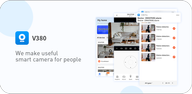
V380 helps you keep an eye on rooms, doors, pets, and daily activity when you are not at home. It connects to supported IP and WiFi cameras so you can check live views and manage devices from a phone. As needs change, it supports common camera styles such as mini, bulb, dome, and PTZ, which makes setup flexible for different spaces. With clear controls and storage options designed for routine use, home monitoring stays straightforward with V380 APK.
Remote HD streaming
V380 delivers real time video up to 720P over WiFi or mobile networks. You can open a live preview, capture snapshots, start a quick recording, and review recent clips without leaving the app. When needed, videos can be downloaded to your phone albums for later review. Access works across multiple devices, so family members can check in when permission is granted.
PTZ control and digital zoom
V380 supports pan, tilt, and zoom with simple touch gestures. You can set preset positions to move the view to common angles quickly and return to a spot with one tap. Digital zoom helps you examine details without moving the camera. This makes it practical to follow activity across a room with minimal effort.
Motion detection and recordings
V380 sends alarms when motion is detected, helping you respond to activity. Recordings can be saved to a server or cloud service, and local storage on a microSD card is also supported. You can choose how and where clips are kept, then adjust sensitivity to reduce unwanted alerts. This gives you a clear record of events when needed.
Two way audio and live sound
V380 enables two way audio, so you can speak through the camera and hear responses through the app. This helps with quick check ins, short greetings, or basic instructions at home. Live audio monitoring also supports general listening without starting a full call. Communication remains simple and timely during routine use.
Fast setup and cross platform access
V380 offers WiFi Smartlink, AP configuration, and QR code binding to add devices quickly. You follow on screen steps, enter network details, and confirm the camera once it comes online. After that, you can view and manage cameras on Android, and compatible Windows PC software is available for desk viewing through V380 for PC. This helps you switch between screens without changing cameras.
V380 works with a range of camera types, including mini, bulb, dome, PTZ, and VR WiFi cameras. Mini models suit small spaces, bulb cameras fit common light fixtures, and dome units handle wide coverage. PTZ models offer flexible movement and are useful for larger rooms or entryways. VR WiFi cameras provide immersive viewing, which can help with situational awareness in open areas.
For local storage, use a high quality microSD card and format it in the camera before recording. Cloud storage keeps clips available when a card is full or the camera is not reachable. Place cameras within a strong WiFi signal zone and keep routers away from sources of interference. Test alarms at different times of day, then adjust motion sensitivity to reduce false triggers from light changes or pets.
If the app cannot recognize a camera, confirm the camera is powered and in pairing mode, then retry the add process. When the live view shows a black screen, check network speeds, move closer to the router, and refresh the preview. If WiFi is unstable, switch to a less crowded channel or connect the camera via Ethernet if supported. When problems persist, rebind the device by using AP mode or QR code binding to reset the connection flow.
To begin, download V380 and prepare your camera near a stable router. The setup process is straightforward, and you can switch methods if your network has special settings. Follow these steps to add a camera and start a live view.
V380 provides real time viewing, PTZ controls, motion alerts, and flexible storage in one app. It is designed for routine home monitoring and quick check ins from your phone. For the most stable experience, keep the app updated to the V380 latest version.
For official support and resources, use the contact details below.
Latest Version
6.4.90Uploaded by
Yacine Bènaboű
Requires Android
Android 7.0+
Category
Free Business AppContent Rating
Everyone
Report
Flag as inappropriateLast updated on Sep 14, 2026
1. Adapted for hunting cameras
2. Optimized call interface for cameras with screens
3. Optimized QR code sharing function
4. Optimized cloud storage user experience
5. Optimized AI alarm service user experience
6. Added battery health management function
7. Added support for Czech, Slovak, and Ukrainian languages
8. Other function optimizations
9. Fixed known issues



APKPure - A multi-platform app store primarily focused on Android, providing extensive app-related content. Discover the app you want easier, faster, and safer, with quick and efficient downloads and installations.