Package Name:com.google.android.apps.youtube.unplugged
SHA-256:537ec271c25b8a15358ffa26231ef8c84a6c534c99a1a04450936def689fb015
Show More


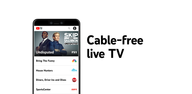
YouTube TV fits users who want live channels and sports without long contracts or technician visits. It brings a familiar guide and simple navigation to phones and TVs, so you can start quickly and manage everything in one place. Plans are flexible with optional add-ons for more sports or premium networks, and you can cancel when it no longer fits.
Live channels and local coverage
YouTube TV offers more than 100 live channels across the United States, covering major networks, sports, news, and entertainment. The exact lineup depends on your ZIP code, so local stations and regional sports may vary by location. Service availability is limited to the United States. This focus on local availability helps match your home area and travel location to the correct channels.
Cloud DVR and playback controls
YouTube TV includes unlimited cloud DVR for every profile on an account, with recordings stored for nine months. After a show airs, most DVR recordings allow fast-forwarding through breaks, which helps you catch up on your schedule. Live TV includes ads as it would on traditional broadcast, and some on-demand programs may include ad breaks that cannot be skipped. This mix mirrors typical TV behavior while giving you more control when using a DVR.
Sports viewing tools and NFL Sunday Ticket
Sports fans can use Multiview to watch up to four games on one screen, follow Key Plays highlights for quick catch-up, and check Stats View for extra context. The app also offers the exclusive NFL Sunday Ticket add-on for out-of-market Sunday regular-season games. Some local or digital-only games are not included, so checking each week’s schedule is important. For additional coverage, consider Sports Plus with NFL RedZone to see scoring drives and whip-around action.
Family sharing and simultaneous streams
YouTube TV supports up to six household accounts, each with its own recommendations and library. Three simultaneous streams are included, which often cover typical home use. Power users can add 4K Plus to unlock unlimited streams at home on the same network. This add-on also enables offline DVR downloads on supported content, which is useful when watching without an internet connection.
Devices and quick setup
You can watch on Android phones, tablets, computers, smart TVs, and popular streaming devices. There is no cable box, no appointments, and no hardware to return. Setup takes only a few minutes, and you can start by confirming your home area to get the right local channels. If your devices support 4K, 4K Plus enables playback on select titles that are produced in 4K.
YouTube TV has a main plan with 100+ channels and an optional Sports Plan with 30+ sports networks. Premium add-ons are available for extra entertainment, including networks such as HBO Max, Paramount+ with SHOWTIME, and STARZ. Discounts may appear for a limited time, and you can cancel or pause your plan when needed. This structure helps you pay for what you watch and adjust as your interests change.
YouTube TV is available in the United States only. Channel availability is based on your ZIP code and may change as you travel. To keep local stations accurate, you may be asked to sign in from your home area periodically, generally every three months. You can check local channel availability inside the app by confirming your location.
Set up is straightforward on an Android phone, and the process takes only a few minutes. For users who installed the YouTube TV APK, the steps below outline the basics from first launch to watching your first program.
Open the app, sign in with your account, and confirm your home ZIP code so local channels are accurate.
Create or choose your profile, then follow the prompts to pick a base plan and any add-ons you want.
Go to Live to browse what is airing now, or use Search to find teams, shows, or networks.
To record, select Add to library on a show, team, or league, and new airings will save to your DVR.
When you watch, tap the player controls to switch to Multiview when available, or use fast forward on eligible DVR recordings after they air.
YouTube TV brings live TV, DVR, sports tools, and flexible plans into a single Android app with no equipment to install. It is straightforward to manage channels, recordings, and add-ons as your needs change. To keep features current, you can always download YouTube TV latest version APK from APKPure.
If you need official resources or plan details, use the link below.
Official website: https://tv.youtube.com/welcome/
Latest Version
10.40.0Uploaded by
حسين حسين
Requires Android
Android 10.0+
Category
Free Entertainment AppContent Rating
Teen
Security Report
Check Now
Report
Flag as inappropriateLast updated on Oct 5, 2026
Bug fixes and performance improvements



APKPure - A multi-platform app store primarily focused on Android, providing extensive app-related content. Discover the app you want easier, faster, and safer, with quick and efficient downloads and installations.