TCG Card Shop Simulator Pokemon Mod Not Working? Here's How to Fix It

2026-10-09
Pokemon mods in TCG Card Shop Simulator break most often after a game update. Here's how to diagnose crashes, missing packs, and BepInEx load errors and get your shop working again.
Your Pokemon mod worked, then the game updated, and now the shop crashes the moment it loads. Or the packs simply never show up. Either way you're staring at a broken modded game, and the fix isn't obvious because the symptoms point in different directions.
This guide walks through the failure modes TCG Card Shop Simulator mods actually hit, in the order you should check them. Most of these trace back to one root cause: a version mismatch between the game, BepInEx, Enhanced Prefab Loader, and the mod itself.

First, Confirm the Pokemon Mod Was Working Before
Before you change anything, pin down what broke. The most common story in the game's community threads is simple: everything ran fine, then a game patch landed and the shop stopped working. That tells you the mod itself isn't faulty. The game moved and left your loader behind.
A second story is a fresh install that never worked at all. That points to a setup problem, not an update problem, and you'll want to start at the loader stage rather than the mod stage.
Write down which one you're in. It cuts the troubleshooting in half, because a post-update crash and a never-worked install fail for different reasons.
A lot of people searching for a TCG Card Shop Simulator mod crash land on the update story, so start there unless you know your install never ran.
And if you're here to fix a Pokemon mod TCG Card Shop Simulator setup that once worked, the answer usually lives in the loaders, not the mod. Read on for the exact checks.
Fix a Pokemon Mod Crash After a Game Update
This is the single most common problem, and the fix is usually a version refresh. The game, BepInEx, Enhanced Prefab Loader, and the Pokemon mod all have to line up with each other. When the game jumps forward, an older loader stops matching, and the game crashes on load.
- Note your current game version. The game ships frequent updates, including a big one that added the Tetramon Duel Master battle mode.
- Download the BepInEx pack that matches your new game build, not a generic version.
- Replace the old BepInEx files in the game root with the new ones.
- Update Enhanced Prefab Loader to the version the mod expects.
- Check whether the Pokemon mod itself has a newer release built for the current game version.
- Launch the game and let it load fully before touching anything.
If the crash stops, the mismatch was the cause. If it doesn't, move to the clean-start test below. Don't add other mods back in until this one works on its own.
Fix Missing Pokemon Packs and Cards in the Shop
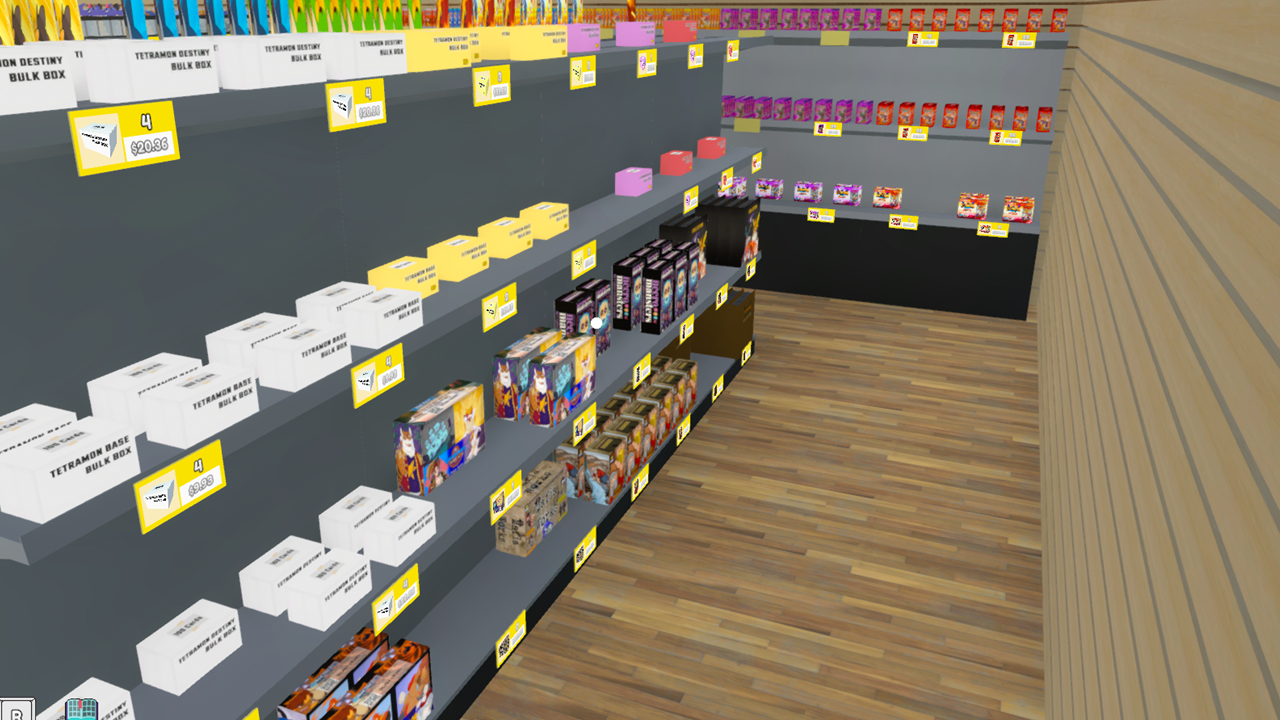
When the game runs but the Pokemon content never appears, the loader is usually the missing piece. Pure reskins can survive without much help, but anything that adds new cards, packs, or props needs Enhanced Prefab Loader to register those parts.
Start by opening the BepInEx menu in-game with F1 and checking the plugin list. If EPL isn't there, its files went somewhere the game isn't reading them. Move them back into the BepInEx plugins folder inside the game directory.
If EPL is loaded and the packs still don't show, check the mod's own requirements. Many content mods, including Pokemon TCG expansions, need you to buy a license inside the game before the packs appear at the card machine. Series-based mods that ship one file per set need each file installed separately, so a pack tied to a file you skipped won't be there.
One more cause worth checking: folder nesting. If you extracted into a folder that already had the game's BepInEx folder inside it, you may have ended up with BepInEx inside BepInEx. Flatten it so the folder structure sits directly under the game root.
If you're trying to fix a Pokemon mod in TCG Card Shop Simulator and the packs still won't appear, the issue is almost never the mod's code. It's placement, licensing, or a loader that isn't running. Treat those three in that order.
Fix a Save That Won't Load After Removing a Mod
A save that suddenly refuses to load after you changed something is its own problem, and it has a specific cause. Card mods write new card entries into your collection. If you remove a content mod while your collection still holds its cards, the save contains data the base game no longer understands, and it won't load.
The fix is to restore the backup you took before modding. If you didn't take one, you're in the harder position. Reinstall the mod exactly as it was, load the save, and clear the affected cards from your collection before removing the mod again.
This is the reason a backup matters more in this game than in most. Your whole collection is the point, and it's the thing a bad mod change can cost you.
Do a Clean-Start Test to Isolate the Broken Mod
When nothing obvious explains the failure, isolate it. The goal is a known-good baseline, then one variable at a time.
- Close the game and move your entire BepInEx folder somewhere temporary, outside the game directory.
- Launch the base game. It should run fine with no mods. If it doesn't, the problem is the game install, not mods.
- Reinstall BepInEx and confirm the game still loads with the console window appearing.
- Add Enhanced Prefab Loader and launch again.
- Add the Pokemon mod by itself and launch.
- Only then add other mods, one per launch.
The step where it breaks is your culprit. If it breaks the moment a second mod goes in, the two mods are conflicting, and you'll need to choose between them or find a compatible pairing.
Prevent Pokemon Mod Problems From Coming Back
A few habits stop most of these failures before they start.
- Update the loaders, not just the mod, after every game patch. BepInEx and EPL go out of step fastest.
- When a BepInEx error TCG Card Shop Simulator logs on launch appears in the console, read the line above it. That line names the plugin or version that failed, which tells you exactly what to reinstall.
- Snapshot your save before any mod change, and keep the last working version.
- Read a mod's requirements before installing. If it lists EPL or a specific version, match it exactly.
- Stick to one source for your downloads and only install from established community hosts. Mods are unofficial fan work, so scan every file and treat anything promising free currency or account perks as suspicious. Basic security caution applies the same way it would to any third-party download.
Getting Your Pokemon Shop Running Again
Nine times out of ten, a Pokemon mod that stopped working after an update just needs the loaders refreshed to match the game. The rarer cases are missing EPL, skipped licenses, or a save that carried cards from a mod you removed.
If you want the shortest path to a working setup, rebuild the stack in order: base game, then BepInEx, then Enhanced Prefab Loader, then the mod, testing after each step. That single habit is how you fix an existing break and how you avoid the next one.
Work from the base game upward, change one thing per launch, and you'll find the break point fast. Keep your game and loaders current, keep a save backup ready, and the next update won't take your Pokemon shop down with it. If you're rebuilding from scratch, grab the game from a trusted store, set up your loaders first, and add mods one at a time.
 NEWS
NEWS REVIEWS
 HOWTO
HOWTO