


6 Best File Managers for Android in 2026

2026-07-14
Looking for the best file manager for Android? We tested 6 top file explorer apps and picked the best for storage cleanup, cloud access, and managing files on your phone.
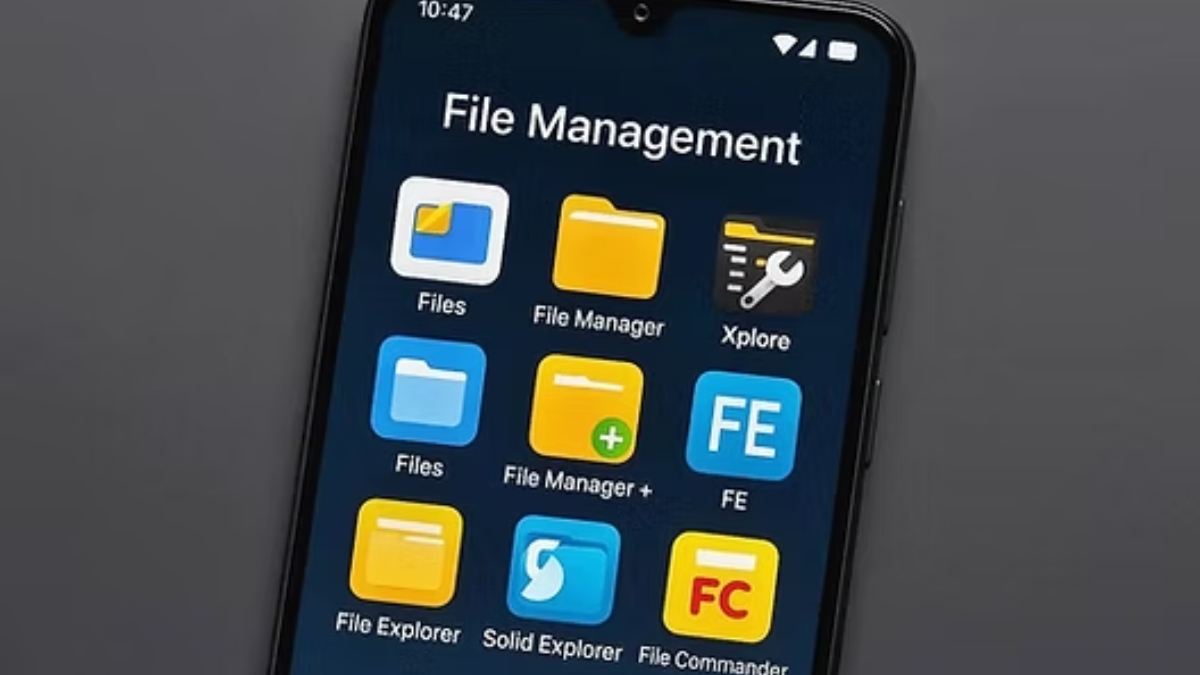
Android phones come with a built-in file manager. It lets you browse folders, move files around, and delete stuff you don't need. For most people, that's where file management starts and ends.
But the built-in app usually stops there. It won't connect to your home NAS. It can't open archives in odd formats. It certainly won't let you batch-rename a folder full of vacation photos or browse files on a USB drive you plugged in.
We spent a week testing the most popular file manager apps on Android. The ones we picked do more than just show you files. Each has a real reason to exist on your phone. We looked at how they handle everyday tasks like freeing up space and finding old downloads, plus power-user stuff like network storage, archive support, and whether the free version actually gets the job done.
Every app on this list is available on APKPure. Here's what stood out.
Quick Picks
| Pick | Developer | Highlights |
|---|---|---|
| Files by Google | Google LLC | Free cleanup tool built in, no learning curve |
| Solid Explorer File Manager | NeatBytes | Dual-pane pro-grade browser, connects to every cloud |
| MiXplorer | Hootan Parsa | Free Swiss Army knife, does more than any single app should |
| Material Files | Hai Zhang | Open source, zero tracking, does basics beautifully |
| RS File Manager | RS Mobile Apps | Strong network tools without the price tag |
| CX File Explorer | Cx File Explorer | Simple design, handles archives and networks for free |
Files by Google
The one that does cleanup and file browsing in a single tap, and it's already on millions of phones
If your phone storage keeps filling up and you're not sure why, this is where you start. Files by Google isn't trying to be a power-user file explorer. It's a cleanup tool with a file browser attached. And that's exactly what makes it useful.
Open it and the first thing you see is a big "Clean" button with an estimate of how much junk it can clear. Temporary files, duplicate images, old memes from WhatsApp, downloaded APKs you already installed. It finds them all. One tap and you're done. No digging through folders, no guessing what's safe to delete.
The file browser side is basic but competent. You get folders sorted by category (images, videos, audio, documents), a downloads section, and a simple file picker. It won't mount network drives or extract RAR archives. But for the person who just wants to find a PDF and free up 2GB without thinking about it, nothing else on this list is faster.
It also has a local file sharing feature that works without internet, similar to what Nearby Share used to do. Handy if you're passing photos or APKs between two Android phones in the same room.
Pros
- One-tap junk cleanup that finds things you'd miss manually
- Zero ads, zero upsells, completely free
- Built-in offline file sharing between Android devices
- Works smoothly on phones with as little as 2GB RAM
- Browse by category (images, videos, documents) without guessing folder names
Cons
- No network storage support (no SMB, FTP, or cloud drives)
- Can't extract or create archives beyond basic ZIP
- No dual-pane view for moving files between folders
| Price | Free |
| Requires Android | 8.0 and up |
| Cloud Storage | Not supported |
| Network Protocols | Not supported |
| Archive Support | ZIP only |

Files by Google is a file manager app that helps you clean storage, find content quickly, share offline, and keep private files secure.
Solid Explorer File Manager
A dual-pane file explorer that handles local files, cloud drives, and home servers from one window
Solid Explorer has been the gold standard for Android file management for years, and it's earned that spot. It looks clean, it's fast, and the dual-pane layout makes moving files between folders something you can do by dragging instead of navigating back and forth.
The real strength is in what it connects to. Google Drive, Dropbox, OneDrive, Box, your home NAS over SMB, remote servers over FTP and SFTP. All of them show up as folders alongside your phone's internal storage. You can copy a file from your NAS to your SD card the same way you'd move it between folders on one device. No separate app, no "download then re-upload" dance.
It also handles archives well. ZIP, 7Z, RAR, TAR. You can browse them like folders without extracting, or create new archives on the fly. The built-in media viewer plays music and shows images from cloud storage too, so you don't need to download files just to check what they're.
The catch is the price. It's a 14-day free trial, then a one-time payment. For a tool you'll use every day, that's reasonable. But if you only open a file manager twice a month, the free options below might make more sense.
Pros
- Dual-pane drag-and-drop makes complex file operations fast
- Connects Google Drive, Dropbox, OneDrive, Box, SMB, FTP, SFTP, and WebDAV
- Browse ZIP, 7Z, RAR, and TAR archives without extracting
- Password or fingerprint lock for sensitive folders
Cons
- Free trial expires after 14 days, then requires one-time payment
- No built-in storage cleanup or junk scanning
- Some plugins (like OTG support) need separate downloads
| Price | Free trial (14 days), then one-time purchase |
| Requires Android | 5.0 and up |
| Cloud Storage | Google Drive, Dropbox, OneDrive, Box, Mega, and more |
| Network Protocols | SMB, FTP, SFTP, FTPS, WebDAV |
| Archive Support | ZIP, 7Z, RAR, TAR |

Solid Explorer is a file manager app that offers dual pane browsing and secure file handling.
MiXplorer
Completely free, absurdly capable, and the only file manager on this list with its own plugin system
MiXplorer is the kind of app that shouldn't exist in 2026. It's fully free with no ads, it gets regular updates from a single developer, and its feature list reads like someone kept adding things for a decade and never stopped. Which is basically what happened.
The first thing you'll notice is the tabbed interface. You can have your internal storage, SD card, and a remote FTP server open in separate tabs, then switch between them with a swipe. Turn your phone sideways and the tabs become a dual-pane view. It's the kind of flexibility that makes you wonder why every file manager doesn't work this way.
Then there's the plugin system. MiXplorer uses separate add-ons for archives, images, PDFs, metadata editing, and codecs. This keeps the base app small, and you only install what you need. The archive plugin handles around two dozen formats. The metadata plugin lets you edit MP3 tags directly from the file list. There's even an auto-task system that can schedule file copies or deletions. Niche, but useful if you're moving log files or backups on a schedule.
The interface takes some getting used to. There are menu options everywhere, and the default look is functional rather than polished. But give it an hour and you'll find your way around. The custom theme system helps. You can change colors, icon sets, and which buttons show up where.
Pros
- Completely free with no ads, no trial period, no paid tier
- Tabbed browsing with dual-pane mode in wide screen
- Two dozen archive formats supported through plugins
- Built-in FTP/HTTP server turns your phone into a file server
Cons
- Busy interface with a learning curve
- Plugins need to be downloaded separately from the developer's site
- Default visual design isn't as polished as Solid Explorer
| Price | Free |
| Requires Android | 5.0 and up |
| Cloud Storage | Google Drive, Dropbox, OneDrive, Box, Mega, Baidu, and more |
| Network Protocols | SMB, FTP, SFTP, WebDAV, HTTP server, TCP server |
| Archive Support | 20+ formats via plugin |

MiXplorer Silver File Manager is a file management app that helps you organize Android storage and connected locations.

Material Files
Open source, no permissions you don't grant, and the cleanest file browsing experience on Android
Material Files is the opposite of MiXplorer. It doesn't do everything. It does a few things and gets them exactly right. If you want a file browser that's fast, private, and looks like it was designed by someone who actually uses their own app, this is it.
The app is open source and requests no internet permission. It can't phone home because it literally doesn't have the ability. That's rare in 2026, and it's the main reason privacy-focused users gravitate toward this one. What you see is what you get: a file browser that stays on your device.
Navigation is snappy. The folder tree on the left sidebar lets you jump between directories without backing out. The dark theme is properly dark, not that muddy gray some apps call "dark mode." It handles root access if your device is rooted, and the built-in text editor is decent enough for quick config file edits.
What it doesn't do: network storage, cloud drives, or archive creation. No SMB, no FTP, no Google Drive. It reads ZIP files and that's about it. If your file management needs stop at "find stuff on my phone and organize it," Material Files is perfect. If you need to pull files from a NAS, look at the next option.
Pros
- Open source with no internet permission, zero data collection
- Fast folder navigation with a sidebar tree view
- Clean Material Design with a proper dark theme
- Root access support for system file browsing
Cons
- No network or cloud storage support at all
- Read-only ZIP support, can't create or extract other archive types
- No batch rename or advanced file operations
| Price | Free |
| Requires Android | 5.0 and up |
| Cloud Storage | Not supported |
| Network Protocols | Not supported |
| Archive Support | ZIP (read only) |

RS File Manager
Solid network and cloud support wrapped in a straightforward interface, with no price tag
RS File Manager sits somewhere between Files by Google and Solid Explorer on the complexity scale. It does network storage and cloud drives, which Files by Google can't. But it's simpler and more approachable than Solid Explorer or MiXplorer, which makes it a strong pick for anyone who wants network access without a manual.
Connecting to an SMB share or FTP server takes a few taps. The app scans your local network automatically and lists available shares, so you don't need to type IP addresses by hand. Cloud drives work the same way. Sign into Google Drive or OneDrive once, and they show up as folders in the main view. Moving a file from cloud to local storage is as simple as selecting it and picking a destination.
The file manager itself covers the usual ground. Copy, move, rename, delete, create folders, sort by name or date or size. There's a built-in image viewer and a basic text editor. No archive creation, but it handles ZIP and RAR extraction without trouble. Storage analysis shows you which folders are eating up space, which is useful if you're trying to figure out where your free storage went.
Pros
- Free with no trial or subscription, supports SMB, FTP, and cloud drives
- Auto-scans local network for available SMB shares
- Storage analysis shows folder sizes at a glance
- Clean, intuitive interface with no learning curve
Cons
- No archive creation, extraction only
- No dual-pane or tabbed browsing
- Fewer cloud services than Solid Explorer (Google Drive, OneDrive, Dropbox only)
| Price | Free |
| Requires Android | 5.0 and up |
| Cloud Storage | Google Drive, OneDrive, Dropbox |
| Network Protocols | SMB, FTP |
| Archive Support | ZIP, RAR (extraction only) |
Password Protection Apply Dark Mode Wallpaper Changer Recent Apps & Folders.
CX File Explorer
A free file browser with network tools and a built-in app manager, wrapped in a design that won't overwhelm you
CX File Explorer does a lot of things that other free file managers reserve for paid tiers. It connects to SMB shares, FTP servers, and cloud storage. It extracts archives in multiple formats. It even has an app manager that lets you uninstall or back up APKs from a single screen. And it asks for nothing in return.
The interface is split into tabs at the bottom: Local, Network, Cloud, and Tools. The Local tab shows your phone's storage with category-based browsing for images, videos, music, documents, and APK files. The Network tab scans for nearby SMB shares and lets you connect with a tap. The Cloud tab handles Google Drive, OneDrive, and Dropbox.
The Tools section is where CX File Explorer differentiates itself. The app manager lists every installed app with the option to back up the APK or uninstall it. A storage analyzer shows what's taking up space on your phone. The download manager tracks files you've grabbed through the app. None of these are revolutionary, but having them all in one place saves the trouble of juggling three different utilities.
The free version has ads, but they're not aggressive. A small banner at the bottom that you stop noticing after a few minutes. For a tool that covers local files, networks, and clouds at no cost, that's a reasonable trade-off.
Pros
- Free network and cloud support with auto-scan for SMB shares
- Built-in app manager for APK backup and uninstall
- Storage analyzer and download manager included
- Simple bottom-tab navigation, no learning curve
Cons
- Banner ads in the free version
- No archive creation
- Fewer cloud options than Solid Explorer or MiXplorer
| Price | Free (with ads) |
| Requires Android | 6.0 and up |
| Cloud Storage | Google Drive, OneDrive, Dropbox |
| Network Protocols | SMB, FTP |
| Archive Support | ZIP, RAR, 7Z (extraction only) |

Cx File Explorer is a file manager app that organizes files across device, cloud, and network storage.
How to Choose the Right Android File Manager
The file manager app you need depends almost entirely on what frustrates you about your phone's built-in file browser. If storage is always full and you can't figure out why, get Files by Google and run the cleanup once a week. It's free and it just works.
If you regularly pull files from a home NAS, a work server, or multiple cloud accounts, Solid Explorer is worth the one-time purchase. The dual-pane view and cloud integration save real time when you're moving things between locations.
MiXplorer is the pick if you want maximum capability without spending anything. You'll spend a few minutes setting it up and learning where everything lives, but once it's configured, there isn't much it can't handle.
Material Files earns its spot for one reason: it asks for nothing. Open source, no network permissions, no ads, no data collection. If your file management is local-only and you value privacy above features, this is the one.
RS File Manager and CX File Explorer fill the gap between free and functional. They offer network and cloud access without cost, and they're easier to navigate than MiXplorer. If you need SMB or FTP a few times a month, either will do the job.
| If you want | Suggest | Download |
|---|---|---|
| Free cleanup + simple browsing | Files by Google | Download |
| Dual-pane pro file management | Solid Explorer | Download |
| Maximum free features | MiXplorer | Download |
| Privacy-first open source browser | Material Files | Download |
| Free network + cloud for light use | RS File Manager / CX File Explorer | Download RS / Download CX |
The best file manager for Android isn't the one with the longest feature list. It's the one that solves your actual problem. Start with the app that addresses your most frequent frustration, and you'll know within a day or two if it's the right fit. Since five of the six are free, there's no reason not to try a couple and see which one clicks.
 NEWS
NEWS REVIEWS
 HOWTO
HOWTO










