


7 Best New Android Apps September 2026: AI Tools and More

2026-09-15
Looking for the best new Android apps September 2026? Explore 7 top picks including ChatGPT, Gemini, Perplexity, CapCut, and more for productivity and creativity.
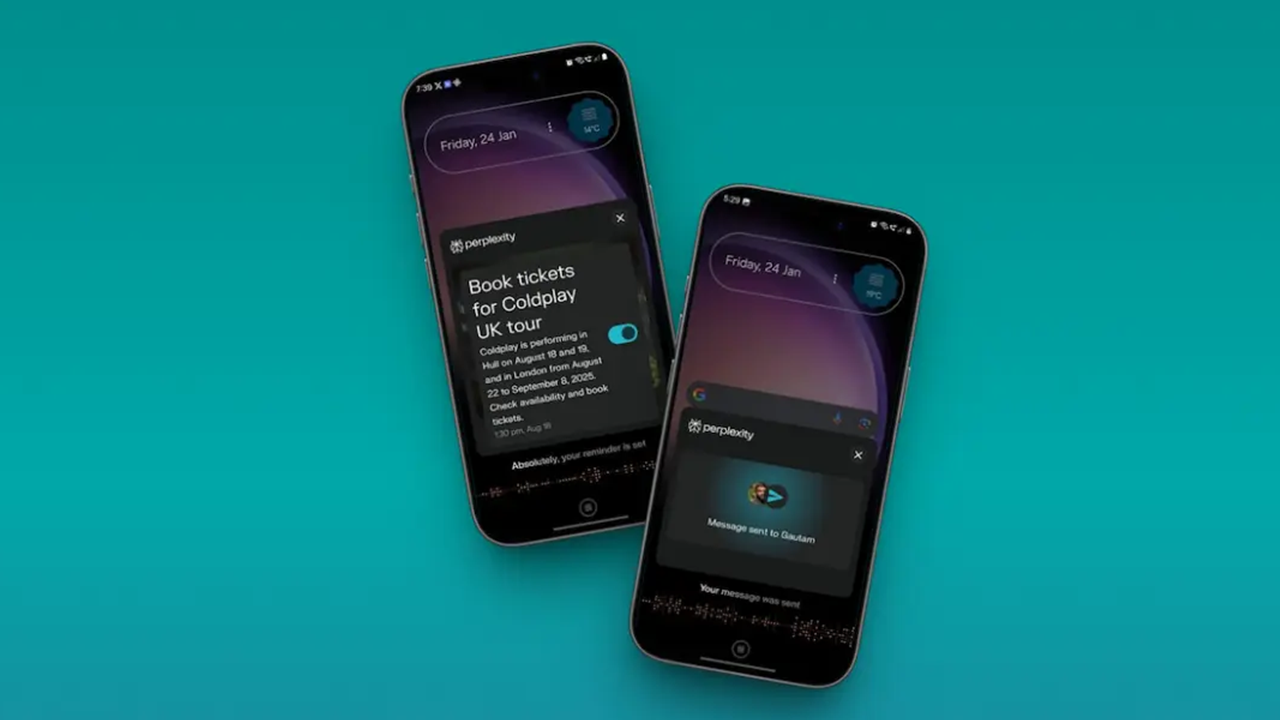
Android's app library keeps growing, and finding the ones worth your time gets harder every month. This September brings a fresh batch of tools that lean heavily into AI, smarter productivity, and creative workflows. We tracked down seven apps that either launched recently or received major updates that change how they work. Each one covers a different category, from AI assistants to video editors, so you're not just looking at five chatbots with different logos.
Our selection criteria: the app must have an active Android build on APKPure, offer something genuinely useful beyond what your phone already does, and show signs of real development in 2026. We skipped apps that are just wrappers for web interfaces or that gate every feature behind a paywall.
Quick Picks
| App | Highlights | Size |
|---|---|---|
| ChatGPT | AI chat with vision and voice | ~50 MB |
| Google Gemini | Google AI with Workspace integration | ~45 MB |
| Perplexity | AI search with cited sources | ~30 MB |
| CapCut | AI video editor with templates | ~200 MB |
| Notion | AI workspace for notes and tasks | ~80 MB |
| Microsoft Copilot | AI assistant with GPT-5 access | ~70 MB |
| Taskade | AI task manager and project planner | ~40 MB |
ChatGPT
The AI assistant that needs no introduction
ChatGPT's Android app has grown into something that actually feels native on your phone. Voice mode works well enough to replace simple search queries, and the vision features let you point your camera at a math problem or a broken appliance and get real help. The free tier covers most daily use. Pay for Plus and you get access to the reasoning models that handle complex multi-step problems.
What makes the app worth keeping isn't the chat interface itself. It's the custom GPTs. You can build a assistant that knows your writing style, your codebase, or your recipe preferences, and call it up without retyping context. The Android app syncs these across devices, so a GPT you built on desktop shows up on your phone within seconds.
The conversational memory has gotten better at not forgetting things mid-thread. It still trips up on long technical discussions, occasionally losing track of earlier constraints. But for drafting emails, summarizing articles, or brainstorming ideas on the go, ChatGPT on Android is the app most people should try first.
- Voice mode works hands-free and responds naturally
- Custom GPTs sync across devices instantly
- Free tier covers daily tasks without limits
- Vision input handles photos and camera in real time
- Memory feature remembers context across conversations
- Plus subscription needed for advanced reasoning models
- Occasional context loss in long technical threads
- Battery drain during extended voice conversations
| Developer | OpenAI |
| Subcategory | AI Assistant |
| Price | Free / $20/month Plus |
| Approx. Size | ~50 MB |
Google Gemini
Google's AI built into your daily workflow
Gemini on Android has one advantage no competitor can match: it talks to your Google Workspace data. Ask it to summarize your last ten Gmail messages from a specific sender, or pull action items from a Google Doc, and it actually does that without you needing to copy-paste anything. The app also handles image generation through its built-in tools, which puts it in odd competition with dedicated image apps.
The redesigned interface from the latest update splits the app into three tabs: chat, images, and history. It's a small change but makes navigation faster. Voice input through the app uses Google's speech recognition, which is still the best on Android for non-English languages. If you've used Gemini in a browser, the mobile version doesn't feel like a downgrade.
Where Gemini struggles is with creative writing. Ask it to draft a short story and the output reads like every other AI-generated text. For factual queries, coding help, and workspace integration, it's strong. For anything requiring a voice that sounds human, ChatGPT and Claude both do better.
- Deep integration with Gmail, Docs, and Calendar
- Image generation built into the app
- Superior voice recognition for non-English languages
- Free tier includes image generation credits
- Clean three-tab interface
- Creative writing output feels generic
- Workspace integration requires Google account setup
- Image generation quality trails behind dedicated tools
| Developer | |
| Subcategory | AI Assistant |
| Price | Free / $19.99/month Advanced |
| Approx. Size | ~45 MB |

Google Gemini is a productivity and creativity app that supports live conversations and multimodal creation.
Perplexity
Search that shows its work
Perplexity is what happens when you build a search engine from the ground up with AI. Every answer comes with citations you can tap, and the sources aren't just SEO content farms. The app pulls from academic papers, news sites, and forum discussions, then synthesizes them into a response you can actually verify. That citation-first approach makes it the research tool I open before Google now.

Perplexity is a knowledge search app that delivers cited, up to date answers across devices.
The Android app added a feature called Copilot in recent updates. It asks you clarifying questions before answering, which sounds annoying but actually produces better results. Ask "what laptop should I buy" and it'll ask about your budget, use case, and operating system preference before giving you a tailored answer with links.
The free version gives you five Copilot searches per day. That's enough for casual research. Power users who hit that limit will want Pro, which also unlocks file uploads and longer conversations. The app's offline mode is limited to reading saved threads, so you need a connection for anything new.
- Every answer includes tappable source citations
- Copilot mode asks clarifying questions for better results
- Clean reading mode for saved threads
- Academic and news source priority over SEO content
- Fast response times even on mobile data
- Free tier limited to five Copilot searches daily
- No true offline mode for new queries
- Sometimes struggles with very recent events
| Developer | Perplexity AI |
| Subcategory | AI Search |
| Price | Free / $20/month Pro |
| Approx. Size | ~30 MB |
CapCut

CapCut is a mobile video editor that helps you create and export videos for social platforms.
Video editing that doesn't feel like work
CapCut has been around long enough that calling it "new" feels wrong. But the 2026 updates added enough AI features to make it worth another look if you dropped it months ago. The app now auto-generates captions with scary accuracy, removes backgrounds from video clips without a green screen, and applies templates that turn raw footage into a watchable short in under a minute.
The template library is where most people will start. You pick a style, drop in your clips, and the app handles timing, transitions, and music sync. The results look like something a professional editor spent hours on, not a 60-second auto-generated clip. For social media creators, this alone justifies keeping the app installed.
Performance on mid-range phones has improved. CapCut used to choke on 4K footage on anything below a flagship. The latest version handles 1080p editing on budget phones without dropping frames, but 4K still needs a recent device. The free tier is generous but adds a watermark on some template exports. Pro removes that and unlocks the full effects library.
- AI auto-captions with near-perfect accuracy
- Background removal without green screen
- Template library auto-syncs clips to music
- 1080p editing runs smooth on mid-range phones
- Cloud sync lets you start on phone, finish on desktop
- Watermark on some free-tier template exports
- 4K editing needs flagship hardware
- Effect library can feel overwhelming to navigate
| Developer | ByteDance |
| Subcategory | Video Editor |
| Price | Free / $7.99/month Pro |
| Approx. Size | ~200 MB |
Notion
Your workspace, now with AI built in
Notion on Android used to be a slow, clunky wrapper around the web app. The 2026 redesign changed that. The app opens fast, pages load without the spinner, and the AI features are woven into the editing flow instead of being a separate button you forget exists. If you take notes for work or school, Notion is the one app that handles both quick captures and long-form documents without making you switch tools.
The AI integration works in two directions. You can ask it to write, summarize, or translate text within any page. More useful is the database AI: it can analyze a table of tasks and tell you which ones are overdue, suggest priorities, or draft a weekly summary. That turns your task list from a static document into something that actively helps you plan.
Sync is reliable across phone, tablet, and web. Offline editing works for pages you've recently opened, and conflicts resolve cleanly when you reconnect. The free plan covers personal use. Teams will need a paid plan for unlimited file uploads and shared AI features.
- AI analyzes task databases and suggests priorities
- Fast page loads on mobile after 2026 redesign
- Offline editing for recently viewed pages
- Templates for notes, tasks, and project tracking
- Clean editing flow with inline AI assistance
- Free plan limits file upload size
- AI features need paid plan for team use
- Complex databases can get slow on older phones
| Developer | Notion Labs |
| Subcategory | Productivity |
| Price | Free / $10/month Plus |
| Approx. Size | ~80 MB |
Microsoft Copilot
GPT-5 access without the OpenAI subscription
Microsoft Copilot on Android gives you access to OpenAI's latest models through a Microsoft account, which means you don't need a separate ChatGPT Plus subscription to use the good stuff. The app handles text, voice, and image input, and it connects to Microsoft 365 if you use Word, Excel, or PowerPoint. For anyone already using Microsoft apps daily, it's the path of least resistance.
The app's design has improved since the early versions, which felt like a reskinned Bing search. It's now a proper chat interface with conversation history, pinned threads, and a clean layout. Voice mode works about as well as ChatGPT's, and the image generation through DALL-E integration produces decent results for social media graphics.
Where it falls short is third-party integrations. Copilot works great inside Microsoft apps but doesn't connect to Google Workspace or other common tools. If your life runs on Google Calendar and Gmail, Gemini is the better pick. If you live in Outlook and Teams, Copilot fits right in.
- GPT-5 access through Microsoft account
- Connects to Microsoft 365 apps
- Clean chat interface with conversation history
- Image generation via DALL-E included
- Free tier covers most daily tasks
- Limited third-party integrations outside Microsoft
- Image generation can be slow during peak hours
- Microsoft account required for full features
| Developer | Microsoft |
| Subcategory | AI Assistant |
| Price | Free / $30/month Pro |
| Approx. Size | ~70 MB |
Taskade
AI project management that fits in your pocket
Taskade flies under most people's radar, which is a shame. It combines task management, mind maps, and AI assistance in one app, and the Android version has gotten noticeably faster this year. If you've ever wanted a to-do list that can also brainstorm a project breakdown with you, this is the app that does both.
The AI features in Taskade are practical rather than flashy. Ask it to break down a project, and it generates a structured task list with subtasks and deadlines. Ask it to prioritize your week, and it reorganizes your tasks based on due dates and tags. You can then drag and drop the results, so the AI output isn't a black box you have to accept as-is.
The free plan supports up to three projects, which is enough for personal use. The app also supports real-time collaboration, so a shared shopping list or a small team project board works without anyone hitting a paywall. The mind map view is the highlight on a phone, letting you expand and collapse branches with one hand.
- AI generates structured task breakdowns from prompts
- Drag-and-drop editing of AI-suggested tasks
- Mind map view works well on mobile screens
- Free plan supports three projects and collaboration
- Cross-platform sync across phone, tablet, and desktop
- AI task generation can be generic for niche projects
- Mind map view limited on very small screens
- Pro plan needed for unlimited projects
| Developer | Taskade |
| Subcategory | Productivity |
| Price | Free / $19/month Pro |
| Approx. Size | ~40 MB |
Which Android App Should You Download?
| If you want | Suggest |
|---|---|
| An AI assistant for daily tasks | ChatGPT |
| AI connected to your Google account | Google Gemini |
| Search with verified sources | Perplexity |
| Quick video edits with AI tools | CapCut |
| Notes and tasks with AI analysis | Notion |
| GPT-5 without OpenAI subscription | Microsoft Copilot |
| AI-powered project planning | Taskade |
The apps on this list solve real problems without asking you to learn a new workflow from scratch. Start with ChatGPT or Gemini if you want a general AI assistant, add Perplexity if research is your main use case, and pick up CapCut or Notion when you need something more specialized. Download the ones that fit your routine from APKPure and try them out, because the best app for you is the one you'll actually open every day.
 NEWS
NEWS REVIEWS
 HOWTO
HOWTO










