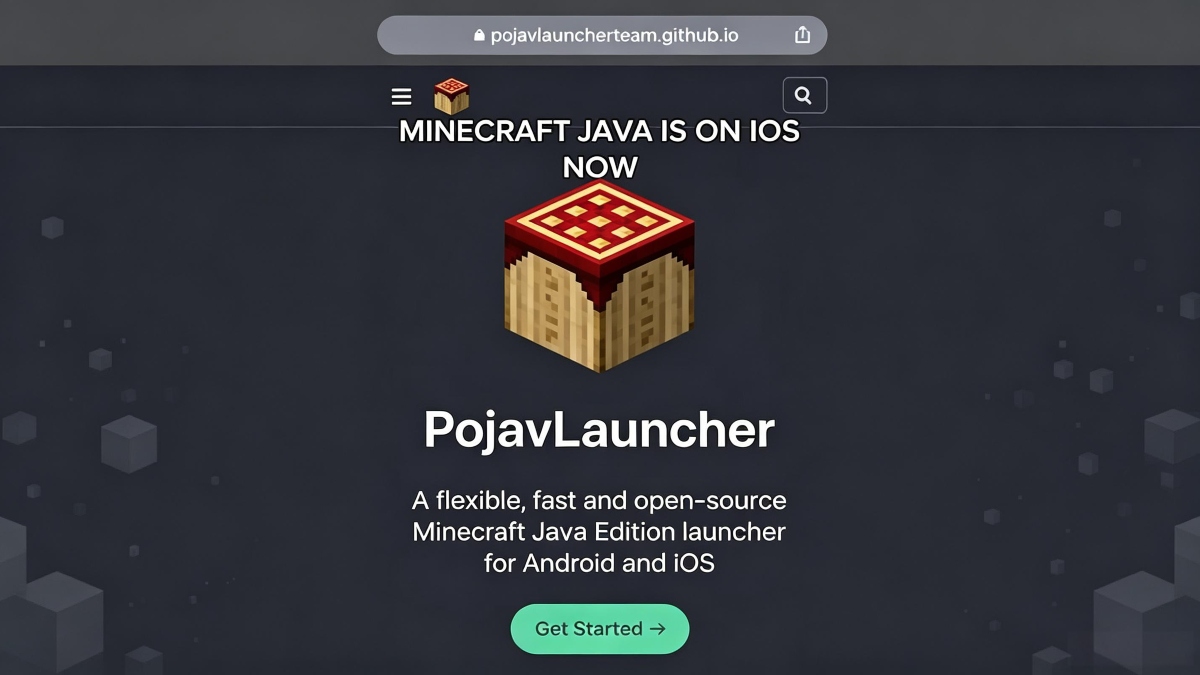
What Is PojavLauncher? Run Minecraft Java Edition on Android Explained

2026-07-23
Learn how this open-source app lets you run Minecraft Java Edition on Android, supports mods like Forge and Fabric, and what happened after the project was archived.
Minecraft on mobile usually means Bedrock Edition, the version built for phones. But there's a whole other side of Minecraft that most mobile players never touch: Java Edition, the original PC version with the massive modding scene, custom servers, and a fundamentally different game feel. PojavLauncher is what bridges that gap.
This guide explains what PojavLauncher is, how it works, what happened to the project, and what you should know before installing it.
What Is PojavLauncher?
PojavLauncher is an open-source app that lets you run Minecraft Java Edition on Android and iOS devices. It's built on the Boardwalk project and essentially creates a miniature Java environment on your phone, complete with OpenJDK, the LWJGL graphics library, and GL4ES for rendering.
In plain terms: it tricks your phone into thinking it's a computer capable of running Java-based games. You launch it, log in with a Microsoft account or play offline, pick your Minecraft version, and it downloads the necessary game files just like the official PC launcher does.
The launcher supports Minecraft versions from the earliest alpha builds all the way to the latest snapshots. It also works with Forge, Fabric, Quilt, and OptiFine, meaning you can install mods, shaders, and performance packs the same way you would on PC.

How PojavLauncher Works
The technical challenge is significant. Minecraft Java Edition was built for desktop Java, not Android's ART runtime. PojavLauncher solves this by porting OpenJDK 8, 17, and 21 to run on ARM and x86 Android devices.
The LTW (Large Thin Wrapper) renderer, introduced in the Gladiolus release, adds support for major PC mods that normally wouldn't work on mobile. Sodium, Iris shaders, Create, and ReplayMod all run through LTW by translating OpenGL calls through a custom GLES 3.x layer.
On the input side, PojavLauncher gives you a fully customizable touchscreen control overlay. You can resize, reposition, and remap every button. If touchscreens aren't your thing, it supports keyboard, mouse, and gamepad connections, including Bluetooth controllers and Switch controllers.
What Minecraft Versions Does It Support?
Pretty much everything. PojavLauncher supports every major Minecraft Java release from the earliest builds through 1.21 and beyond. The version selector in the launcher pulls from Mojang's official version manifest, so you get the same list the PC launcher shows.
Modded versions work too. Forge is supported for versions 1.14+, Fabric works across most modern versions, and OptiFine runs on versions where it's compatible. The Edelweiss release from September 2024 added automatic Forge/Fabric/Quilt/OptiFine installation; you pick the mod loader in the launcher settings and it handles the rest.
Installing Mods on PojavLauncher
Mod support is the main reason people use PojavLauncher over vanilla Bedrock. Here's how it works:
- Forge/Fabric: Pick your mod loader version in the launcher settings before launching. The launcher downloads and installs it automatically.
- Mod files: Place
.jarmod files in themodsfolder inside your Minecraft directory. The launcher creates this folder after the first game launch. - Shader packs: Drop shader zip files into the
shaderpacksfolder. OptiFine or Iris (via Fabric) needs to be installed first. - Resource packs: Place them in the
resourcepacksfolder just like on PC. - Modpacks: The Edelweiss update added CurseForge and Modrinth integration. You can search for and install full modpacks through the launcher without manually downloading anything.
Performance varies wildly. Lightweight mods run fine on mid-range phones. Heavy modpacks with 100+ mods will struggle on anything less than a flagship device with 6GB+ RAM.
Device Requirements
PojavLauncher is surprisingly flexible with hardware, but mods change the equation:
- Minimum: Android 5.0, 1GB RAM, ARMv7, enough for Minecraft 1.12.2 and earlier without mods.
- Recommended: Android 8.1, 4GB RAM, ARMv8, handles modern versions and lightweight mods.
- For heavy modpacks: 6GB+ RAM, Snapdragon 8-series or equivalent, needed for 100+ mod packs and shaders.
Storage requirements depend on what you install. A clean 1.21 install with no mods takes about 1GB. Adding large modpacks can push that past 5GB.
Getting Started
PojavLauncher is free and open-source. You can download it directly from APKPure, where the latest Gladiolus build is available. After installing, you have two login options: sign in with a Microsoft account if you own Minecraft Java Edition, or use offline mode with any username.
You can download PojavLauncher to start playing Minecraft Java Edition on your Android device here.
PojavLauncher is a Minecraft Java Edition launcher app that runs supported Java Edition releases on Android devices.
 NEWS
NEWS REVIEWS
 HOWTO
HOWTO